
Lucili - Minecraft Skins & Skin History
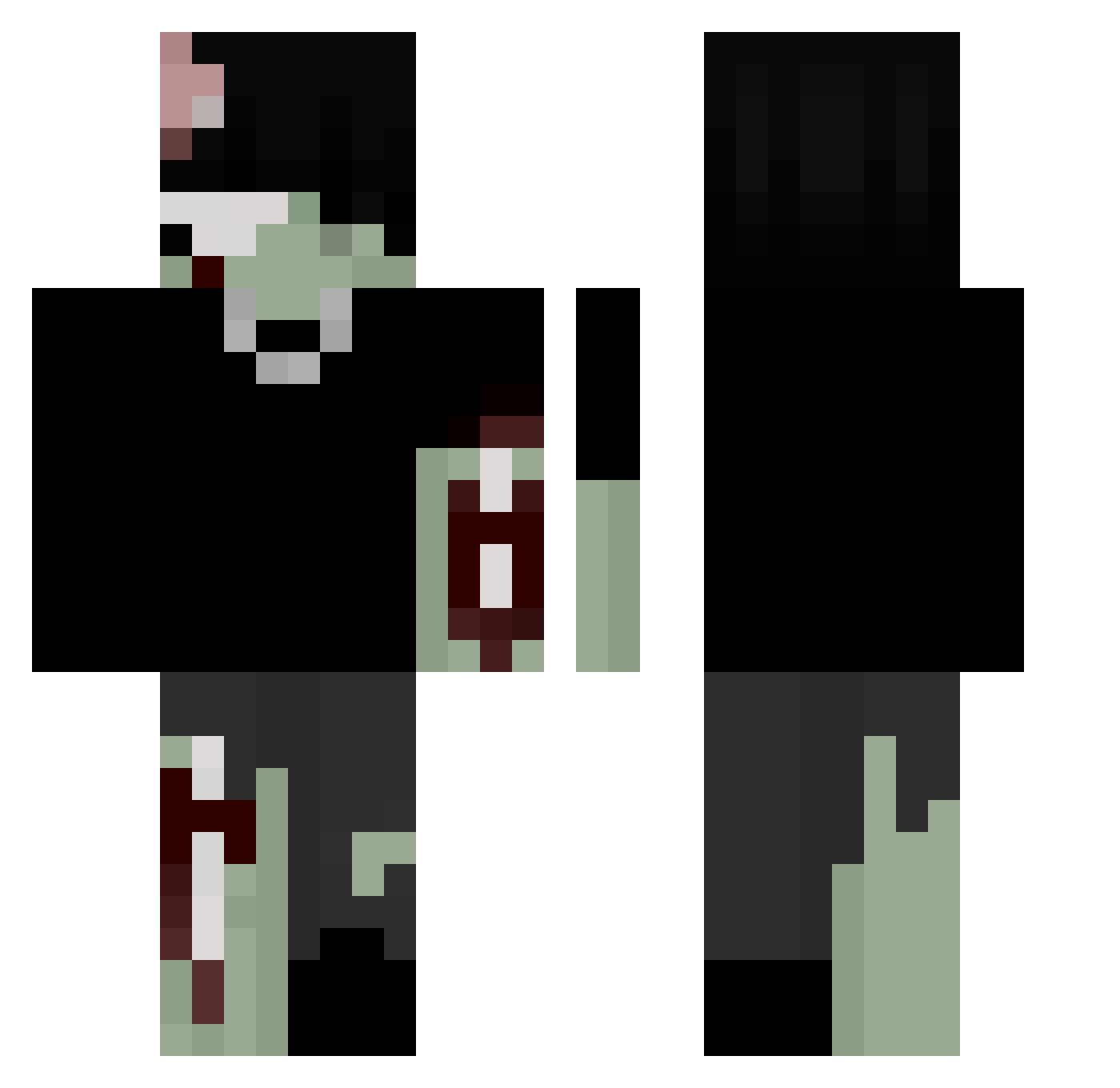
Current Minecraft skin of the player Lucili, loaded from the official Mojang API. Rotate the 3D model with your mouse or finger, then download the skin as a PNG file and use it in Minecraft: Bedrock Edition or Java Edition for free. When Lucili changes their skin, this page updates automatically and the old skin stays in the history below.
Other players with this skin (271)
Lucili was the 239th player we have seen with this skin, first spotted on 07.11.2026. The same skin was seen on these players. Open a nickname to see their current skin and skin history.
 Minister_0 kvido15 Sp0tifyPremium PyrohV2 Ramirez616 vkvk_ iRzre Jort382 Niuggert _DragonBall_ ILOVEM0M0 imashkor Ep1co7 Out130XGgrAHSSv2 Hajserr 9Redd UnKnownDemon909 libsbunny JtePo _Luclfer_ TerrorBKing Iceg80 Kxjzt caprisun1016 maqskk KingSpeedy420 sabrescore KOL1 rysooo Soap2623 nynedy JV36br BuckGomez hearts4JD JettKrome ghrckjLfruh Phaeth0ns Lizardboi16 5x_x abulke leo_o07 enessqlf sinisterfables Z0mbie_boy KyleWazowski Splashdroid alialtaycan baconsuper mota5299 snpzy duhepiccookie Gorgonstayl Isekaiii_ VG_vagabond N0xinous ChristopherJ19 serhatje wobi09 horsey_nerd KamiChinmoku
More Undead Minecraft skins
How to install the Lucili skin
- Press the Download button above to save the skin as a PNG file.
- Minecraft: Bedrock Edition (PE): open the Dressing Room from the main menu (or tap your character → Edit Character), go to Classic Skins → Owned, press the + (new skin) button, choose the downloaded PNG and pick the Classic (Steve) model. Works on PC and mobile; consoles cannot import custom skins.
- Minecraft: Java Edition: open the Minecraft Launcher, go to the Skins tab, click New Skin, load the PNG, pick the Classic (Steve) model and press Save & Use. You can also upload it at minecraft.net → Profile → Change Skin.
The skin does not show up after import - what should I do?
Restart Minecraft and open the Dressing Room again - imported skins sometimes appear only after a restart. Also make sure you selected the imported skin and picked the Classic (Steve) model.
Which model should I choose, Classic or Slim?
This skin is designed for the Classic (Steve) model. If you pick the wrong model, the arms of the skin will look stretched or squeezed.
Is the skin of Lucili free to download?
Yes. Press Download, save the PNG file and use it in Minecraft: Bedrock Edition or Java Edition - no payment or registration needed. The skin also works on multiplayer servers and Realms.
More skins
Looking for more? Go back to all Minecraft skins and check the top skins of the week, month and all time, or find any player's skin by nickname.