
LoverFeLL - Minecraft Skins & Skin History
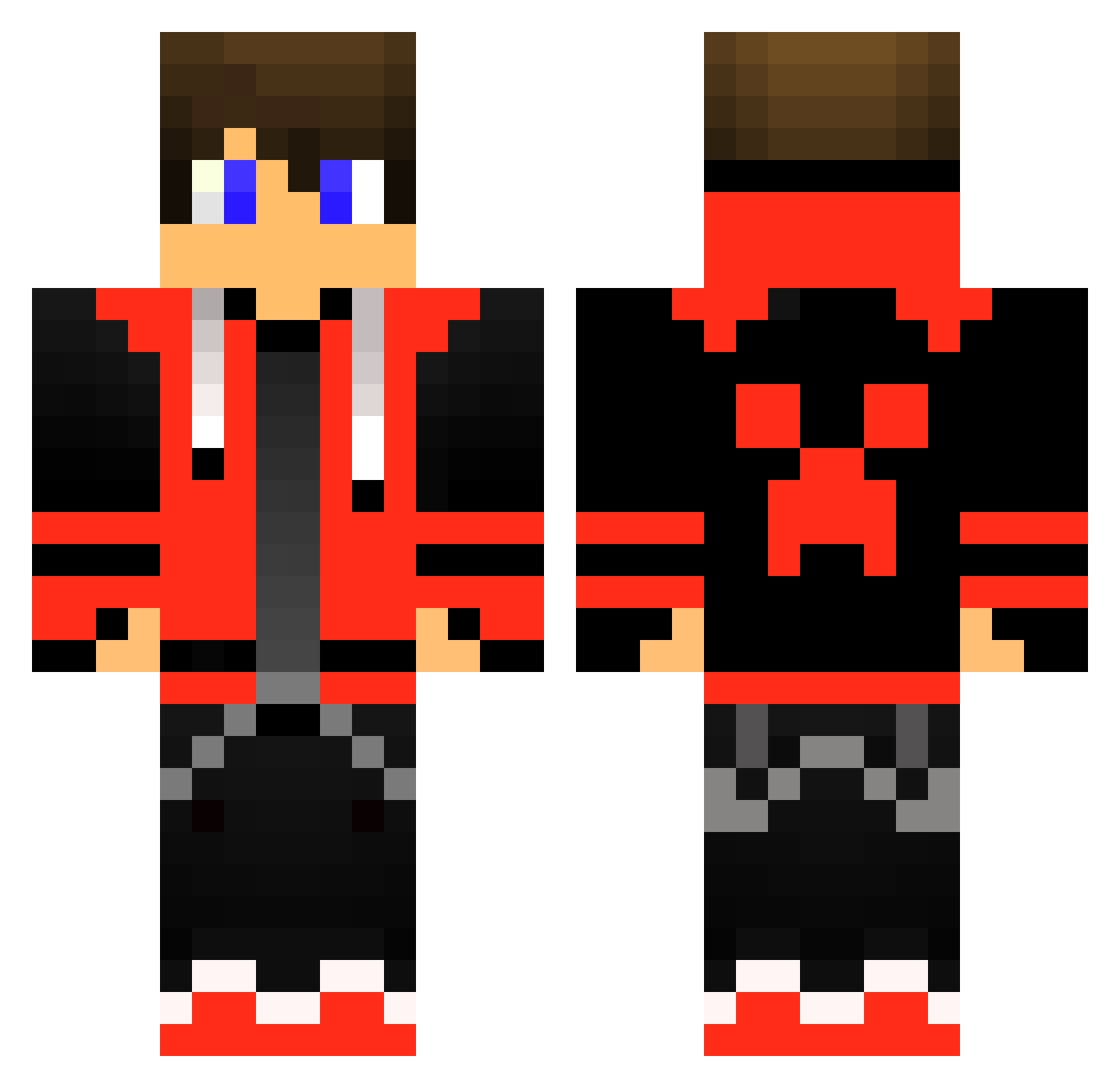
Current Minecraft skin of the player LoverFeLL, loaded from the official Mojang API. Rotate the 3D model with your mouse or finger, then download the skin as a PNG file and use it in Minecraft: Bedrock Edition or Java Edition for free. When LoverFeLL changes their skin, this page updates automatically and the old skin stays in the history below.
Other players with this skin (415)
LoverFeLL was the 186th player we have seen with this skin, first spotted on 04.09.2026. The same skin was seen on these players. Open a nickname to see their current skin and skin history.
 Mr_Dynamic Editer2020 Fake_Tom1k Helx00 poki0 Genesis86Tex Ranger_Royal PitusDK matsmY Clesterwell Whitey001 maciustwojamatka CoolDudeBro2000 radryd12 TETILLA1 pem59273 Fikatron Ludufy Aquajerry YaronPro123 Tommyrey7 JuniorMax10 fabioteixeira Pro332 BlackBloodBruce Rushyyyy Vengeance77x
 itzZion12 chadet Mikasxd Roseyred_2 Dirty_Zay _M3D1X_ bemy0714 StormDustYT MrSomp MrUnPlo Finditten NoctisSphere Ice_Bl1tz Gentleccc Reevec_04 Osdosso LivioCiccio vituskok DDforsaken SaintMlk Blockhippster Gerhart_ Moee29 Thor4419 MineSuper13 solcha777 Seya_Next_Time Renesys Hummer256 TrustMeSheWas18 yOb1to LavaRockRyan ShaZZ4M
More Gamer Minecraft skins
How to install the LoverFeLL skin
- Press the Download button above to save the skin as a PNG file.
- Minecraft: Bedrock Edition (PE): open the Dressing Room from the main menu (or tap your character → Edit Character), go to Classic Skins → Owned, press the + (new skin) button, choose the downloaded PNG and pick the Classic (Steve) model. Works on PC and mobile; consoles cannot import custom skins.
- Minecraft: Java Edition: open the Minecraft Launcher, go to the Skins tab, click New Skin, load the PNG, pick the Classic (Steve) model and press Save & Use. You can also upload it at minecraft.net → Profile → Change Skin.
The skin does not show up after import - what should I do?
Restart Minecraft and open the Dressing Room again - imported skins sometimes appear only after a restart. Also make sure you selected the imported skin and picked the Classic (Steve) model.
Which model should I choose, Classic or Slim?
This skin is designed for the Classic (Steve) model. If you pick the wrong model, the arms of the skin will look stretched or squeezed.
Is the skin of LoverFeLL free to download?
Yes. Press Download, save the PNG file and use it in Minecraft: Bedrock Edition or Java Edition - no payment or registration needed. The skin also works on multiplayer servers and Realms.
More skins
Looking for more? Go back to all Minecraft skins and check the top skins of the week, month and all time, or find any player's skin by nickname.