
Loul007 - Minecraft Skins & Skin History
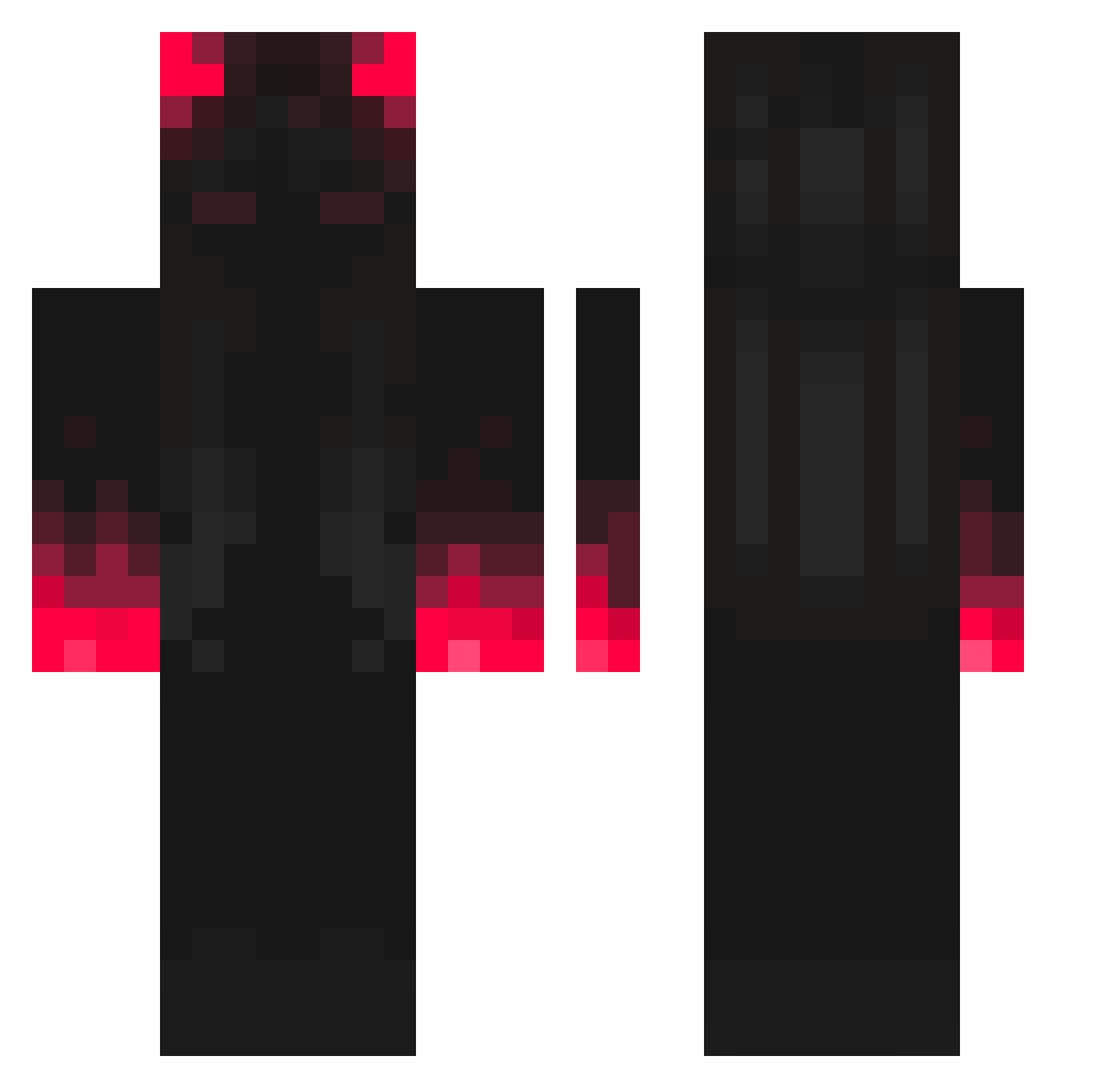
Current Minecraft skin of the player Loul007, loaded from the official Mojang API. Rotate the 3D model with your mouse or finger, then download the skin as a PNG file and use it in Minecraft: Bedrock Edition or Java Edition for free. When Loul007 changes their skin, this page updates automatically and the old skin stays in the history below.
Other players with this skin (394)
Loul007 was the 352nd player we have seen with this skin, first spotted on 30.10.2026. The same skin was seen on these players. Open a nickname to see their current skin and skin history.
 Blu_uL Wei666z WhoFyZ EuphoriaMC HystericalMafia Lolinator1126 Wiktoriapuszek oaf113 Marccuuss ItzCasperZ gvvk__ LaRapace pippopippo07 Oliwiatiktik Fancy_CK mount_rainss jamiekelly4 anjomon Fuegoi LeBlockBuster Scaow12 wider06 smallm Siyh FabiPray_YT BasbinYT earthworm1116 K4mado Destoroyer_xq Julbuk_05 o00o__o00o SaiBloomo4ka gotyoursoul Ray1105 MARIOBETT ChalinoSnchz gwry Arabic2turNt SuperBagu MNBoards Valaarys Moustfa yuukii_pl mausuTM Arkasha_X 33pioter_ SuperLazyPlayer wangtamer Mhero701 VANDALSIXX Puplz TheBigRens kirstin7 Skoczunix TheOnlyTom Gold_Reaperr Solllllll s0ul_st3al3r Aditionx Sk0rka
More Shadow Minecraft skins
How to install the Loul007 skin
- Press the Download button above to save the skin as a PNG file.
- Minecraft: Bedrock Edition (PE): open the Dressing Room from the main menu (or tap your character → Edit Character), go to Classic Skins → Owned, press the + (new skin) button, choose the downloaded PNG and pick the Classic (Steve) model. Works on PC and mobile; consoles cannot import custom skins.
- Minecraft: Java Edition: open the Minecraft Launcher, go to the Skins tab, click New Skin, load the PNG, pick the Classic (Steve) model and press Save & Use. You can also upload it at minecraft.net → Profile → Change Skin.
The skin does not show up after import - what should I do?
Restart Minecraft and open the Dressing Room again - imported skins sometimes appear only after a restart. Also make sure you selected the imported skin and picked the Classic (Steve) model.
Which model should I choose, Classic or Slim?
This skin is designed for the Classic (Steve) model. If you pick the wrong model, the arms of the skin will look stretched or squeezed.
Is the skin of Loul007 free to download?
Yes. Press Download, save the PNG file and use it in Minecraft: Bedrock Edition or Java Edition - no payment or registration needed. The skin also works on multiplayer servers and Realms.
More skins
Looking for more? Go back to all Minecraft skins and check the top skins of the week, month and all time, or find any player's skin by nickname.