
LostiMichelle - Minecraft Skins & Skin History
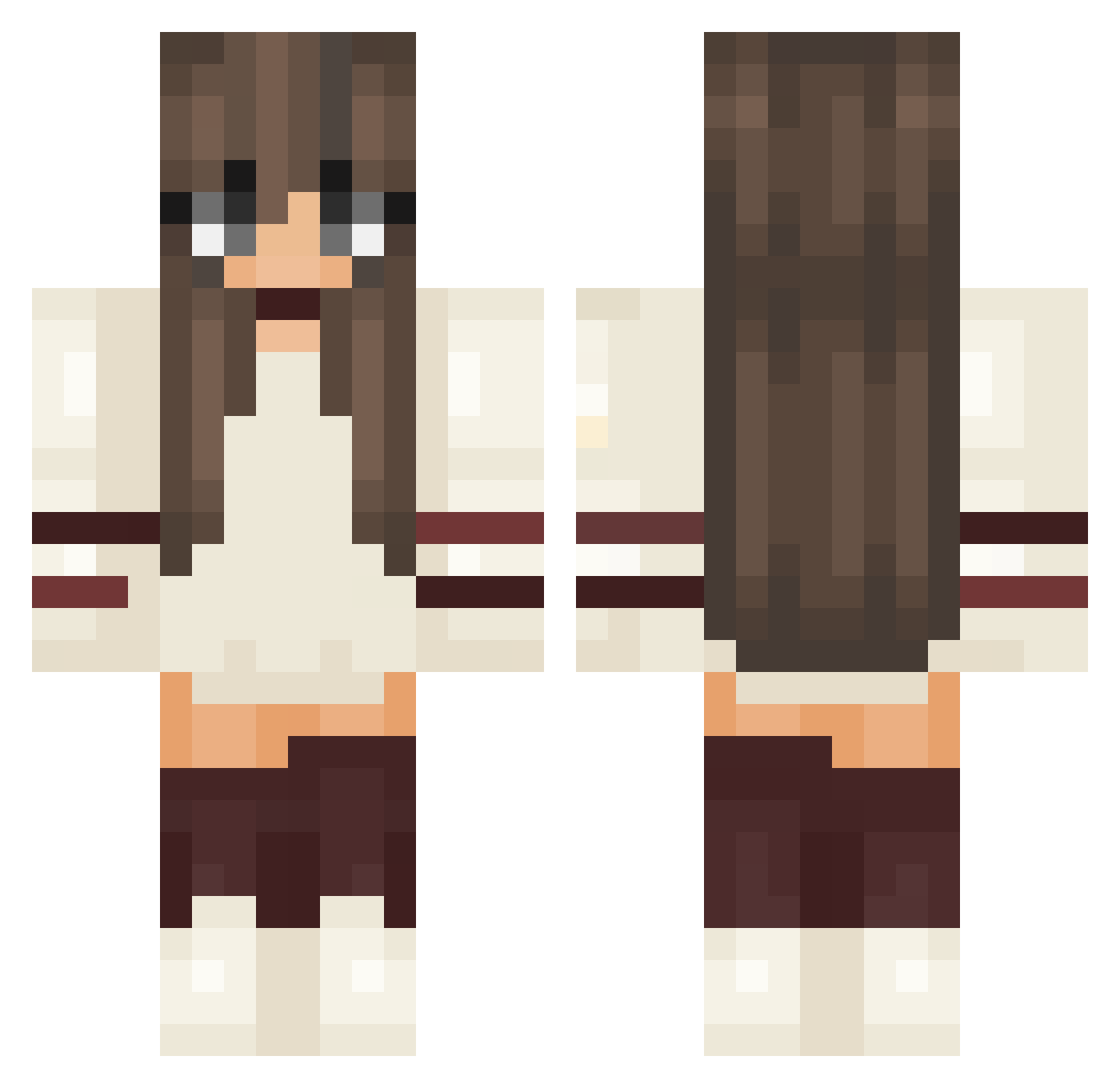
Current Minecraft skin of the player LostiMichelle, loaded from the official Mojang API. Rotate the 3D model with your mouse or finger, then download the skin as a PNG file and use it in Minecraft: Bedrock Edition or Java Edition for free. When LostiMichelle changes their skin, this page updates automatically and the old skin stays in the history below.
Other players with this skin (252)
LostiMichelle was the 233rd player we have seen with this skin, first spotted on 08.11.2026. The same skin was seen on these players. Open a nickname to see their current skin and skin history.
 Marsheluw MonstaCoockie Nexioli ashixv Quincy_Miller Tororobox molly007 AGGLOMXMX Rosev3 Hinano0422 Holayz BlackBlossom404 char256 Gitschi arwent91 Choulette51 Yuia0 shirin39 iMAYCU Meiwa LeeEunByeol Molllee Psweetie tambris AnnieSwim Prawilna11 LittleMillis Mrcool_1 LuluQuarles Blackrosa Zalta3661 MaritVerena minarin_ NekoZUKI_ Dreamfar saraa59 jessfir Kindowww mavygravy Jessieee leonore__ BlueeDepZai_VN annalxna JPendragon ImDepressed timylyy zzehra Asa_OVO Silff28 Alien245 Amy_Moon AwesomePiggy44 Lualualu trooti Lightningx321 Lambiedeng Beachy_GB alikalyn bielzinh Kaciee
More Aesthetic Minecraft skins
How to install the LostiMichelle skin
- Press the Download button above to save the skin as a PNG file.
- Minecraft: Bedrock Edition (PE): open the Dressing Room from the main menu (or tap your character → Edit Character), go to Classic Skins → Owned, press the + (new skin) button, choose the downloaded PNG and pick the Classic (Steve) model. Works on PC and mobile; consoles cannot import custom skins.
- Minecraft: Java Edition: open the Minecraft Launcher, go to the Skins tab, click New Skin, load the PNG, pick the Classic (Steve) model and press Save & Use. You can also upload it at minecraft.net → Profile → Change Skin.
The skin does not show up after import - what should I do?
Restart Minecraft and open the Dressing Room again - imported skins sometimes appear only after a restart. Also make sure you selected the imported skin and picked the Classic (Steve) model.
Which model should I choose, Classic or Slim?
This skin is designed for the Classic (Steve) model. If you pick the wrong model, the arms of the skin will look stretched or squeezed.
Is the skin of LostiMichelle free to download?
Yes. Press Download, save the PNG file and use it in Minecraft: Bedrock Edition or Java Edition - no payment or registration needed. The skin also works on multiplayer servers and Realms.
More skins
Looking for more? Go back to all Minecraft skins and check the top skins of the week, month and all time, or find any player's skin by nickname.