
Losse321 - Minecraft Skins & Skin History
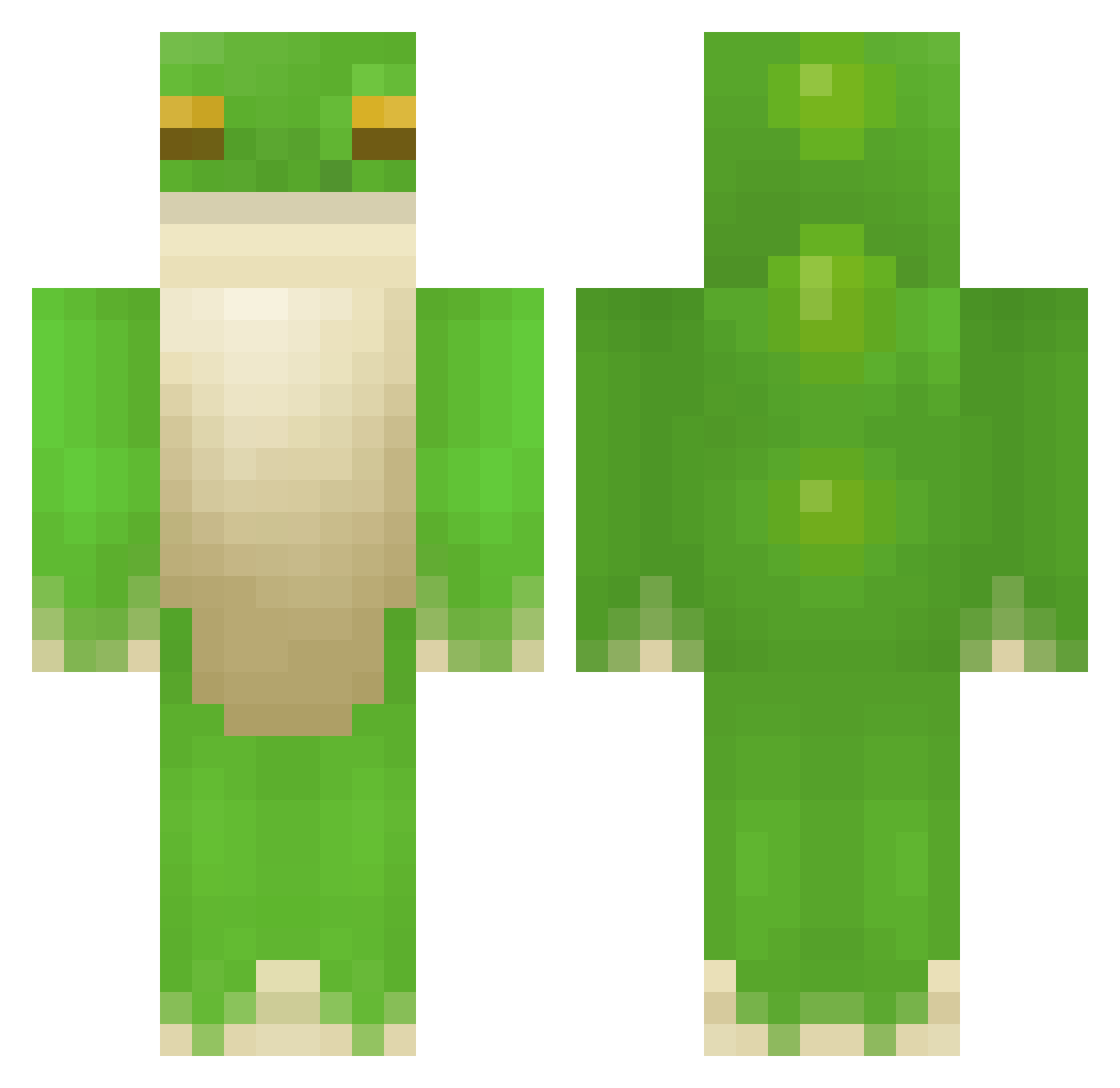
Current Minecraft skin of the player Losse321, loaded from the official Mojang API. Rotate the 3D model with your mouse or finger, then download the skin as a PNG file and use it in Minecraft: Bedrock Edition or Java Edition for free. When Losse321 changes their skin, this page updates automatically and the old skin stays in the history below.
Other players with this skin (408)
Losse321 was the 150th player we have seen with this skin, first spotted on 03.09.2026. The same skin was seen on these players. Open a nickname to see their current skin and skin history.
 Frogdert SeaSummer34246 Freg____ nixxit GuyFrogs zpky cpydd zQuuba LLlolok bigfatfisherooni Brodiee_Morris PanT_ Kheerin halley_ moonlightlines Literailey himbol0ver bseoh bangfrog Fredno_Frog123 Brydnis moppysoda Zaba_zielona07 BananaPantzzz AmyJMB kathlienie itzsohai TequilaMan4z lo_14 TofuKitty robokilll SevRusVapes FireNx_ HumanBeing_ ba11st0thewa11s PicturesRa1n Enntice GonnaYeetU Dimplesxp lawri5 Bretto161 PhilipFrog Nogiii ZebbieBear froginawell Cragers_ bebe123476 shawster22 Polywag6085 rockerBOO YungYumyum keroribbitt crazylazybro yvchen25 J1NR0 generationgooble K3rmw1ck hackotzack Nyeva MeekGregory
More Frog Minecraft skins
How to install the Losse321 skin
- Press the Download button above to save the skin as a PNG file.
- Minecraft: Bedrock Edition (PE): open the Dressing Room from the main menu (or tap your character → Edit Character), go to Classic Skins → Owned, press the + (new skin) button, choose the downloaded PNG and pick the Classic (Steve) model. Works on PC and mobile; consoles cannot import custom skins.
- Minecraft: Java Edition: open the Minecraft Launcher, go to the Skins tab, click New Skin, load the PNG, pick the Classic (Steve) model and press Save & Use. You can also upload it at minecraft.net → Profile → Change Skin.
The skin does not show up after import - what should I do?
Restart Minecraft and open the Dressing Room again - imported skins sometimes appear only after a restart. Also make sure you selected the imported skin and picked the Classic (Steve) model.
Which model should I choose, Classic or Slim?
This skin is designed for the Classic (Steve) model. If you pick the wrong model, the arms of the skin will look stretched or squeezed.
Is the skin of Losse321 free to download?
Yes. Press Download, save the PNG file and use it in Minecraft: Bedrock Edition or Java Edition - no payment or registration needed. The skin also works on multiplayer servers and Realms.
More skins
Looking for more? Go back to all Minecraft skins and check the top skins of the week, month and all time, or find any player's skin by nickname.