
Loryamaral - Minecraft Skins & Skin History
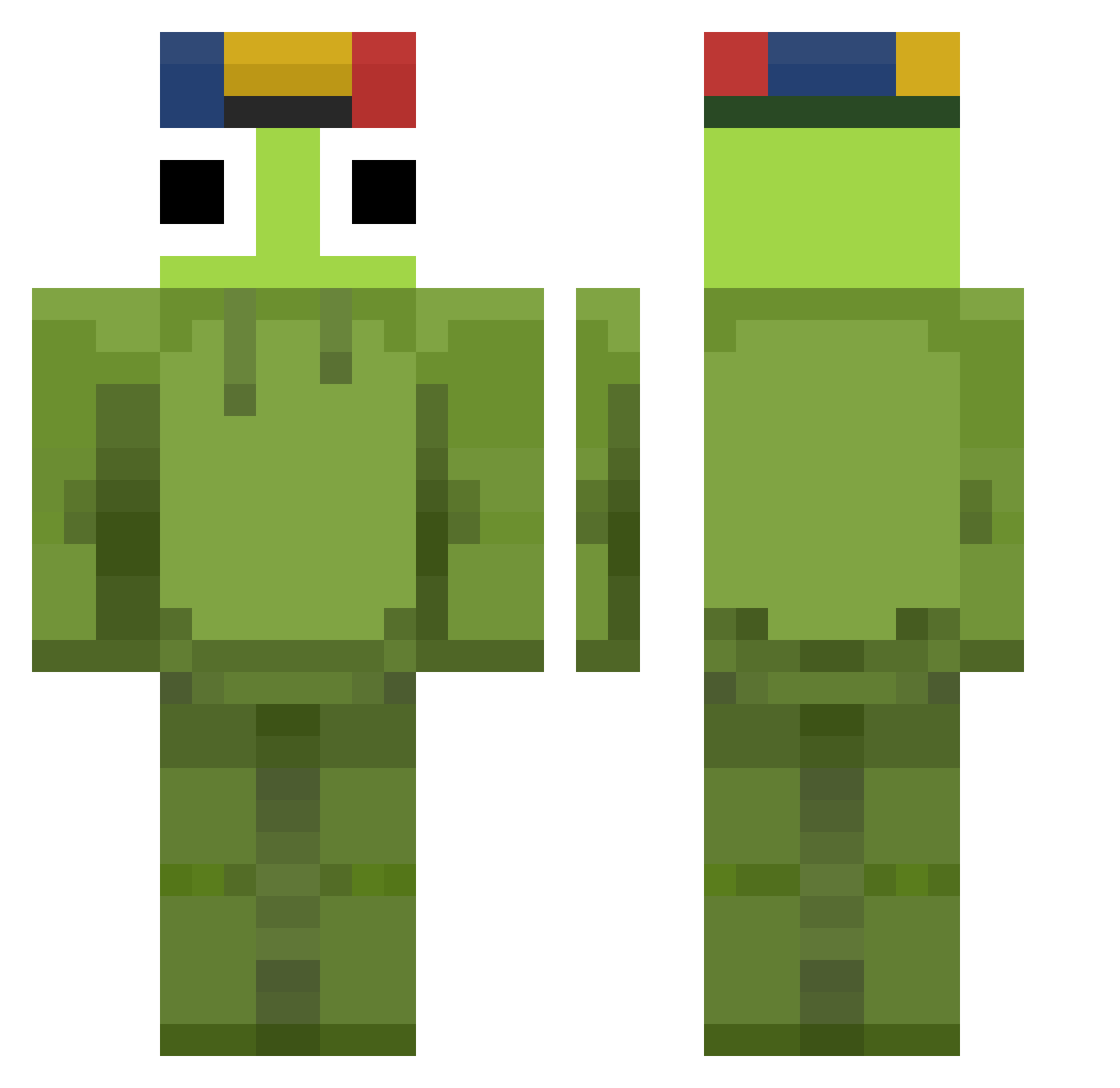
Current Minecraft skin of the player Loryamaral, loaded from the official Mojang API. Rotate the 3D model with your mouse or finger, then download the skin as a PNG file and use it in Minecraft: Bedrock Edition or Java Edition for free. When Loryamaral changes their skin, this page updates automatically and the old skin stays in the history below.
Other players with this skin (65)
Loryamaral was the 7th player we have seen with this skin, first spotted on 29.07.2026. The same skin was seen on these players. Open a nickname to see their current skin and skin history.
 po67 tER_MY D_Demonek_D
 Mopsixalol jeongu1217 obrigadoseadeu Lynnyke KoolFiish JonathanCreator eric2009622 SANTNO BoyDuro Haerin060515 totokdavid 42k42 Igi2711 animebodypilow
 luckygamer8901
 kunache POOH0121 Mameluco
 zyNexusBG Creamy_3 Nerduus BeyThaBambi I3ou GNSLGNSL1
 xuscly elcanela777 DapDaCanSa
 LamePer DlPikacu Gr4nny_ GIGistGeil maxis3004 PsychoCreator huzkj TastySlobber nandin007 _Alkoholfrei_ Toruny Eflots101 Sxbass12 waaaha svzzy__ scooba_diver godaon wallmartpizza 720p120 Flasgama razt_ Kor_taejunyee SkayMRC nitoDev byeol0713 Jardyz JOJATAZ Swaglec17 MagnS2 Gus_Knight
More Kermit The Frog Minecraft skins
See all 395 Kermit The Frog skins
How to install the Loryamaral skin
- Press the Download button above to save the skin as a PNG file.
- Minecraft: Bedrock Edition (PE): open the Dressing Room from the main menu (or tap your character → Edit Character), go to Classic Skins → Owned, press the + (new skin) button, choose the downloaded PNG and pick the Classic (Steve) model. Works on PC and mobile; consoles cannot import custom skins.
- Minecraft: Java Edition: open the Minecraft Launcher, go to the Skins tab, click New Skin, load the PNG, pick the Classic (Steve) model and press Save & Use. You can also upload it at minecraft.net → Profile → Change Skin.
The skin does not show up after import - what should I do?
Restart Minecraft and open the Dressing Room again - imported skins sometimes appear only after a restart. Also make sure you selected the imported skin and picked the Classic (Steve) model.
Which model should I choose, Classic or Slim?
This skin is designed for the Classic (Steve) model. If you pick the wrong model, the arms of the skin will look stretched or squeezed.
Is the skin of Loryamaral free to download?
Yes. Press Download, save the PNG file and use it in Minecraft: Bedrock Edition or Java Edition - no payment or registration needed. The skin also works on multiplayer servers and Realms.
More skins
Looking for more? Go back to all Minecraft skins and check the top skins of the week, month and all time, or find any player's skin by nickname.