
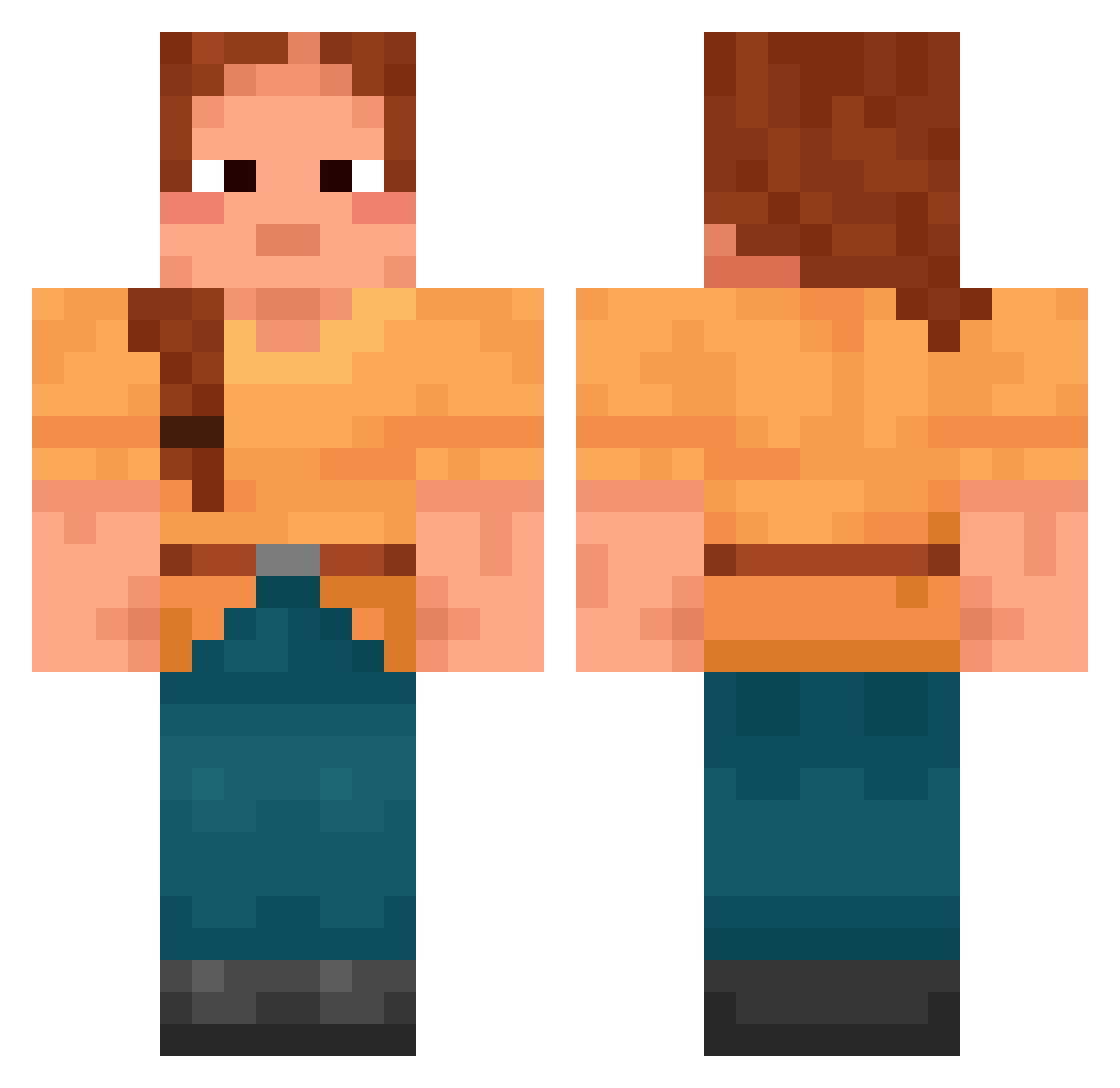
Current Minecraft skin of the player LordZinox, loaded from the official Mojang API. Rotate the 3D model with your mouse or finger, then download the skin as a PNG file and use it in Minecraft: Bedrock Edition or Java Edition for free. When LordZinox changes their skin, this page updates automatically and the old skin stays in the history below.
Other players with this skin (1392)
LordZinox was the 1340th player we have seen with this skin, first spotted on 15.10.2026. The same skin was seen on these players. Open a nickname to see their current skin and skin history.
 MonsieurBrioche Boss_Of_The_Gym shark_cat propagated Toorverb20 V1skarev TiCLizard Ellcat _SinHa Bossici76 s_c3 nacitam kennshin6095 ErdbeerEli533 TortFeasor Larigot InfernoTrue ItsRageV2 NaRyNeu_ Remint russianism Tapisserie_ marza05 Rubricity malpalgal Rodina Statuettes AndderMCDarl_YT Noncorrosive Marnieficent Eustatic teave Truust_ 4cpsdemitourfly Foudali cesspits O1O0 PapaG1no rlaxo_h leatherneck Awag SUZUNz PojaversXD schistocyte Isrask Adular Idkmyname2788 Surer Queen_Thicccyyy MahirEffects_ ma15ya09 MissionMcFigs ArcBlazeYT was_rech H3LPIMCONST1P8D Drillmaster Jasetin ridder444 Mucrones Lilusss
More Cottagecore Minecraft skins
See all 5483 Cottagecore skins
How to install the LordZinox skin
- Press the Download button above to save the skin as a PNG file.
- Minecraft: Bedrock Edition (PE): open the Dressing Room from the main menu (or tap your character → Edit Character), go to Classic Skins → Owned, press the + (new skin) button, choose the downloaded PNG and pick the Classic (Steve) model. Works on PC and mobile; consoles cannot import custom skins.
- Minecraft: Java Edition: open the Minecraft Launcher, go to the Skins tab, click New Skin, load the PNG, pick the Classic (Steve) model and press Save & Use. You can also upload it at minecraft.net → Profile → Change Skin.
The skin does not show up after import - what should I do?
Restart Minecraft and open the Dressing Room again - imported skins sometimes appear only after a restart. Also make sure you selected the imported skin and picked the Classic (Steve) model.
Which model should I choose, Classic or Slim?
This skin is designed for the Classic (Steve) model. If you pick the wrong model, the arms of the skin will look stretched or squeezed.
Is the skin of LordZinox free to download?
Yes. Press Download, save the PNG file and use it in Minecraft: Bedrock Edition or Java Edition - no payment or registration needed. The skin also works on multiplayer servers and Realms.
More skins
Looking for more? Go back to all Minecraft skins and check the top skins of the week, month and all time, or find any player's skin by nickname.