
Lolholm - Minecraft Skins & Skin History
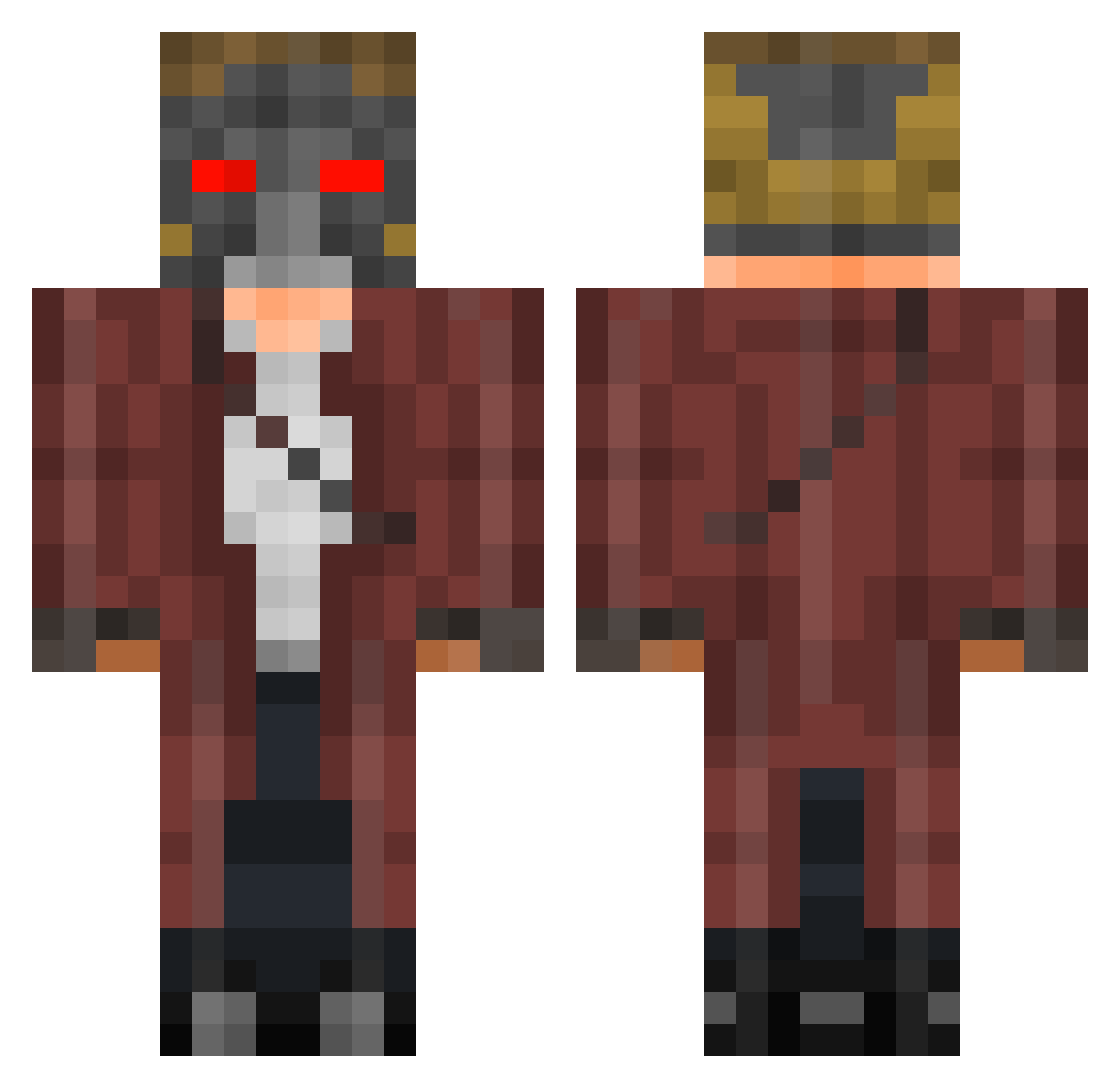
Current Minecraft skin of the player Lolholm, loaded from the official Mojang API. Rotate the 3D model with your mouse or finger, then download the skin as a PNG file and use it in Minecraft: Bedrock Edition or Java Edition for free. When Lolholm changes their skin, this page updates automatically and the old skin stays in the history below.
Other players with this skin (401)
Lolholm was the 251st player we have seen with this skin, first spotted on 27.09.2026. The same skin was seen on these players. Open a nickname to see their current skin and skin history.
 LoSpauracchio EVILBANDICOOT dabears157 KlaCioQ savy157 Bigmase1 Cashmay0r wolffe101 rehstraint NeonElite Ziggyz20 claptrap35 PCKBLACKFIRE GhostMatej MrSeanysean123 Hakmoud CaraThane hellskunk IronHunter1999 mylarr The_Beach_Bum minefighter5 Sepultura96 cobeule Mr_RioesAC Vandisel Martian_Monkey FeatheredIcarus Tough_Cookie GwerTobby saxguy02 LordClemens1 m4rpl3 Fopi Meza1337 SilverbackPrime MG06_ byHaaze lmabi777 mattick23 NINJA_SPY11 PumaLite12 billybobjenkins esj1915 xBootyWizard myst031 SYEAL01 fufart berryboy0141 LTKnox TanteGermaine Msaaaea Ashen_Claw tvbitsme BitchNigger skylordminmin2 OhhitsEli Inting_Potato LordDemon1 OneAwani
More Star-Lord Minecraft skins
How to install the Lolholm skin
- Press the Download button above to save the skin as a PNG file.
- Minecraft: Bedrock Edition (PE): open the Dressing Room from the main menu (or tap your character → Edit Character), go to Classic Skins → Owned, press the + (new skin) button, choose the downloaded PNG and pick the Classic (Steve) model. Works on PC and mobile; consoles cannot import custom skins.
- Minecraft: Java Edition: open the Minecraft Launcher, go to the Skins tab, click New Skin, load the PNG, pick the Classic (Steve) model and press Save & Use. You can also upload it at minecraft.net → Profile → Change Skin.
The skin does not show up after import - what should I do?
Restart Minecraft and open the Dressing Room again - imported skins sometimes appear only after a restart. Also make sure you selected the imported skin and picked the Classic (Steve) model.
Which model should I choose, Classic or Slim?
This skin is designed for the Classic (Steve) model. If you pick the wrong model, the arms of the skin will look stretched or squeezed.
Is the skin of Lolholm free to download?
Yes. Press Download, save the PNG file and use it in Minecraft: Bedrock Edition or Java Edition - no payment or registration needed. The skin also works on multiplayer servers and Realms.
More skins
Looking for more? Go back to all Minecraft skins and check the top skins of the week, month and all time, or find any player's skin by nickname.