
LoicPetitGarcon - Minecraft Skins & Skin History
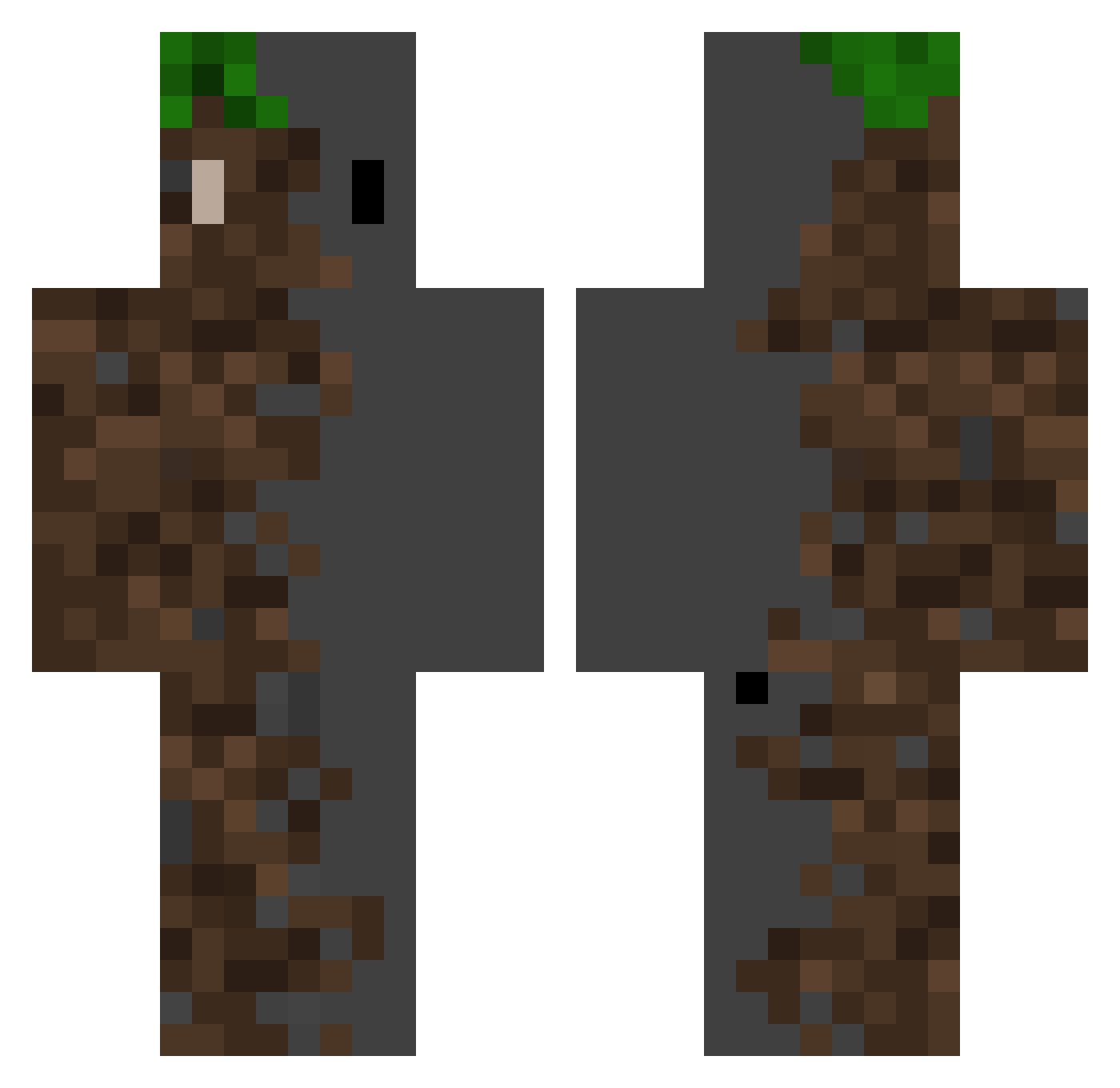
Current Minecraft skin of the player LoicPetitGarcon, loaded from the official Mojang API. Rotate the 3D model with your mouse or finger, then download the skin as a PNG file and use it in Minecraft: Bedrock Edition or Java Edition for free. When LoicPetitGarcon changes their skin, this page updates automatically and the old skin stays in the history below.
Other players with this skin (371)
LoicPetitGarcon was the 143rd player we have seen with this skin, first spotted on 13.09.2026. The same skin was seen on these players. Open a nickname to see their current skin and skin history.
 konntai selcukkara17 takumi88 jaimeferre_ midgetking03 Skietaa azzle_ Hang_you ElPacoP KHJ151 EasyExtra Rye0403 ASAP_123 Relaxin23 MikeWang0408 WZiFu Corbby Bl1Zzard41 ExDread Kahzayy LakRedNicht rino121 Hariell09 Agtek yex5517 liawiu1 arikanciel 09Ja7y DrJudasMiner08 sussybakadaddy_ Jo_oPedro Bortez CC_Wu L30NIDAS iikaio Meliodael Tryinglink04_ elian005 TChauveDaret daximus_prime Squarcol IvSn0 Kelpz romanusmokkus Js_That_Kid TheWin08 J_THURSTY doyun0828 _AdrianGG_ Dabreal SmokyHaddock742 HeyItsQan DogeeLox telkadra1n sm_lee246 PRO_0007 fs86 K_hoods DCindor color_111
More Dirt Block Minecraft skins
How to install the LoicPetitGarcon skin
- Press the Download button above to save the skin as a PNG file.
- Minecraft: Bedrock Edition (PE): open the Dressing Room from the main menu (or tap your character → Edit Character), go to Classic Skins → Owned, press the + (new skin) button, choose the downloaded PNG and pick the Classic (Steve) model. Works on PC and mobile; consoles cannot import custom skins.
- Minecraft: Java Edition: open the Minecraft Launcher, go to the Skins tab, click New Skin, load the PNG, pick the Classic (Steve) model and press Save & Use. You can also upload it at minecraft.net → Profile → Change Skin.
The skin does not show up after import - what should I do?
Restart Minecraft and open the Dressing Room again - imported skins sometimes appear only after a restart. Also make sure you selected the imported skin and picked the Classic (Steve) model.
Which model should I choose, Classic or Slim?
This skin is designed for the Classic (Steve) model. If you pick the wrong model, the arms of the skin will look stretched or squeezed.
Is the skin of LoicPetitGarcon free to download?
Yes. Press Download, save the PNG file and use it in Minecraft: Bedrock Edition or Java Edition - no payment or registration needed. The skin also works on multiplayer servers and Realms.
More skins
Looking for more? Go back to all Minecraft skins and check the top skins of the week, month and all time, or find any player's skin by nickname.