
Logan2000062 - Minecraft Skins & Skin History
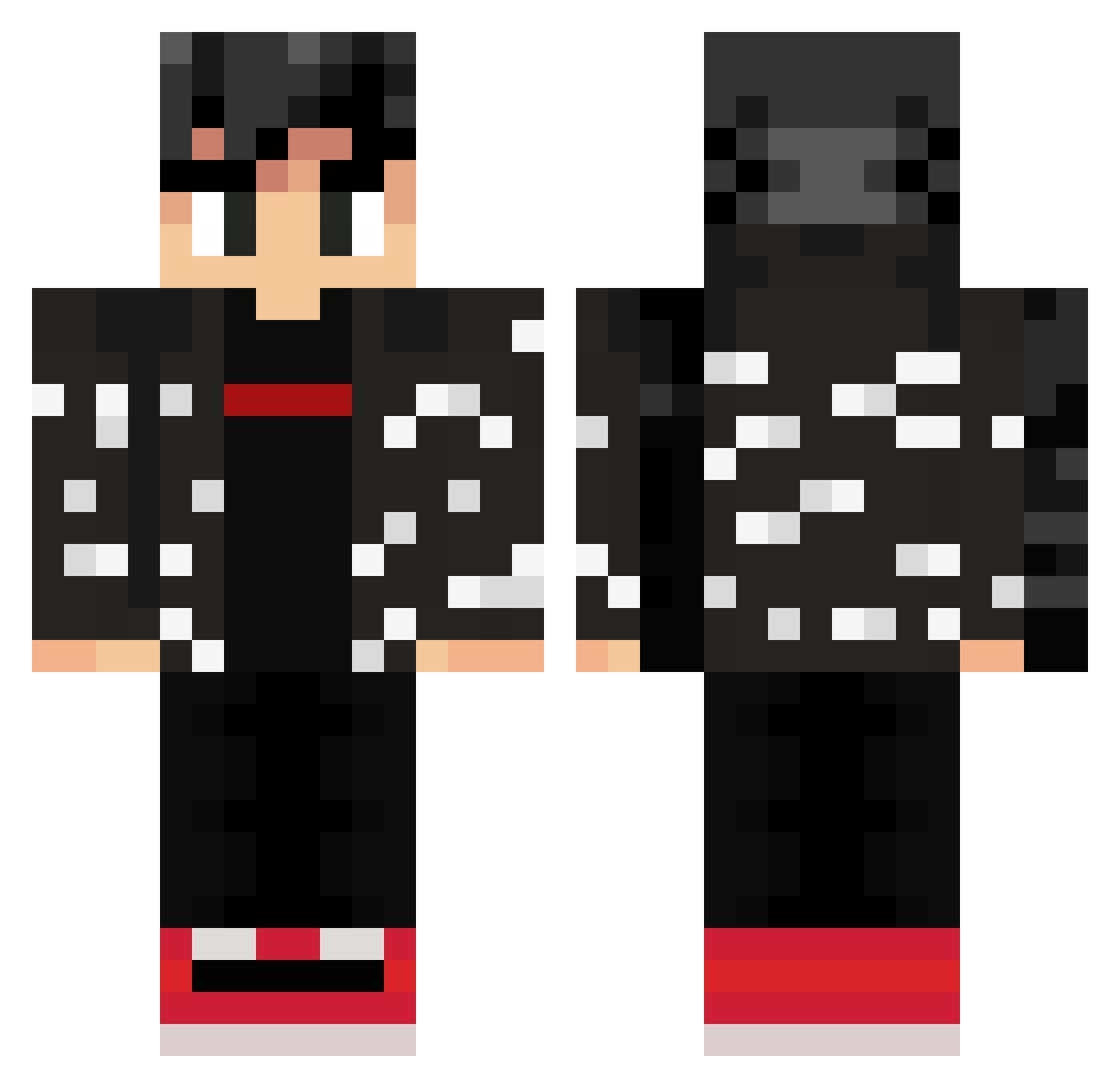
Current Minecraft skin of the player Logan2000062, loaded from the official Mojang API. Rotate the 3D model with your mouse or finger, then download the skin as a PNG file and use it in Minecraft: Bedrock Edition or Java Edition for free. When Logan2000062 changes their skin, this page updates automatically and the old skin stays in the history below.
Other players with this skin (358)
Logan2000062 was the 330th player we have seen with this skin, first spotted on 11.11.2026. The same skin was seen on these players. Open a nickname to see their current skin and skin history.
 papugoku BeefyPhish talguito Crock1311 THATPUPPYSMART IneedIQ AlexWolfX AbsoluteArray StormTracer907 suntan_ DbzDrip luvtai ZayRoxL dagr8won Spectro96 JohnHN tomyote MrBloo227 EpsilonLineage HemeNF lanerpau coalminer69er zUlayr xAIRLINEx Terrariaexe RP_Ki77erYT Haudie BACONAUSAVON RamenChad Mba19837 shimmyshammyshem geitenkeutel2 Titanknight1010 Memregengar padawan8a mudkip4077 xv_c _LilYoung_ Alex123456789103 Choc_Shake ABA_qtr909 TheTrueInferno Sak1_23_xX n9ar bucky237 samuel04rr xF_fs6jzDVRGVw2A GrandCanyonAli OmegaDarkman CanoReturns trexpapash Gokuuuuuu manson0328 Mariopex2410 xhemki Lemons___ CrossyMalony Texy95 enteroBKN Mazilow42
More Streetwear Minecraft skins
How to install the Logan2000062 skin
- Press the Download button above to save the skin as a PNG file.
- Minecraft: Bedrock Edition (PE): open the Dressing Room from the main menu (or tap your character → Edit Character), go to Classic Skins → Owned, press the + (new skin) button, choose the downloaded PNG and pick the Classic (Steve) model. Works on PC and mobile; consoles cannot import custom skins.
- Minecraft: Java Edition: open the Minecraft Launcher, go to the Skins tab, click New Skin, load the PNG, pick the Classic (Steve) model and press Save & Use. You can also upload it at minecraft.net → Profile → Change Skin.
The skin does not show up after import - what should I do?
Restart Minecraft and open the Dressing Room again - imported skins sometimes appear only after a restart. Also make sure you selected the imported skin and picked the Classic (Steve) model.
Which model should I choose, Classic or Slim?
This skin is designed for the Classic (Steve) model. If you pick the wrong model, the arms of the skin will look stretched or squeezed.
Is the skin of Logan2000062 free to download?
Yes. Press Download, save the PNG file and use it in Minecraft: Bedrock Edition or Java Edition - no payment or registration needed. The skin also works on multiplayer servers and Realms.
More skins
Looking for more? Go back to all Minecraft skins and check the top skins of the week, month and all time, or find any player's skin by nickname.