
Lockie05 - Minecraft Skins & Skin History
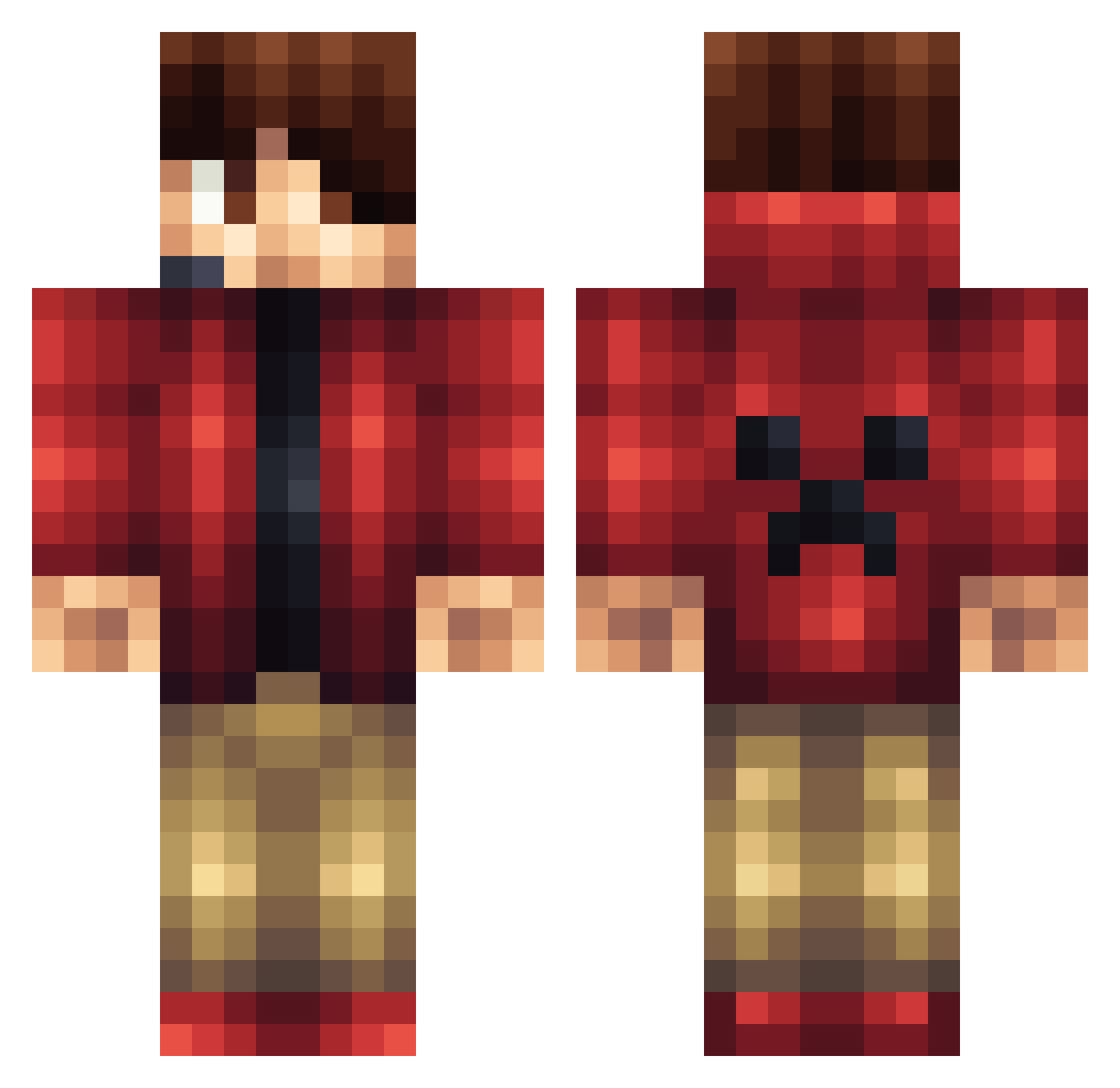
Current Minecraft skin of the player Lockie05, loaded from the official Mojang API. Rotate the 3D model with your mouse or finger, then download the skin as a PNG file and use it in Minecraft: Bedrock Edition or Java Edition for free. When Lockie05 changes their skin, this page updates automatically and the old skin stays in the history below.
Other players with this skin (145)
Lockie05 was the 106th player we have seen with this skin, first spotted on 03.10.2026. The same skin was seen on these players. Open a nickname to see their current skin and skin history.
 BRUXO0903 JimmyTheTank17 l_Martin_l Pateco999 Nikolozi2004 sgc382 _BrownieBoy_ lucasp59 mohgamer Superflorix Piloums Ellvy speedninja7002 favould Eoin_Da_Beast ELSimo_03 FortressHyun caspre24 5i0l Rayyydunno fattymanw Creedhs St4y4live 25Bassieboy2001 Peypy lukasfisher02 IamEros47 Legoboy117 DolvinDolphin Kyroue Brixton42 chageo52 Torpid_Gaming GudeOstenDK eatoll Lycanhd Tutui_Gamer Justfornothing MrButter1313 Peesee_ GuaxinimAzul Rollingstonestx Chriffy wuxiaoqi Xelorius_ TxWillis Vemrryck CDC139 Spyrex47 Taxi12345 SyndiacteComplex Aaonjun pureownage2 Rurrezz dan67dan SpringBrother rebelin Nefutari jorgeaztec cjendrze
More Headset Minecraft skins
How to install the Lockie05 skin
- Press the Download button above to save the skin as a PNG file.
- Minecraft: Bedrock Edition (PE): open the Dressing Room from the main menu (or tap your character → Edit Character), go to Classic Skins → Owned, press the + (new skin) button, choose the downloaded PNG and pick the Classic (Steve) model. Works on PC and mobile; consoles cannot import custom skins.
- Minecraft: Java Edition: open the Minecraft Launcher, go to the Skins tab, click New Skin, load the PNG, pick the Classic (Steve) model and press Save & Use. You can also upload it at minecraft.net → Profile → Change Skin.
The skin does not show up after import - what should I do?
Restart Minecraft and open the Dressing Room again - imported skins sometimes appear only after a restart. Also make sure you selected the imported skin and picked the Classic (Steve) model.
Which model should I choose, Classic or Slim?
This skin is designed for the Classic (Steve) model. If you pick the wrong model, the arms of the skin will look stretched or squeezed.
Is the skin of Lockie05 free to download?
Yes. Press Download, save the PNG file and use it in Minecraft: Bedrock Edition or Java Edition - no payment or registration needed. The skin also works on multiplayer servers and Realms.
More skins
Looking for more? Go back to all Minecraft skins and check the top skins of the week, month and all time, or find any player's skin by nickname.