
LoJay8 - Minecraft Skins & Skin History
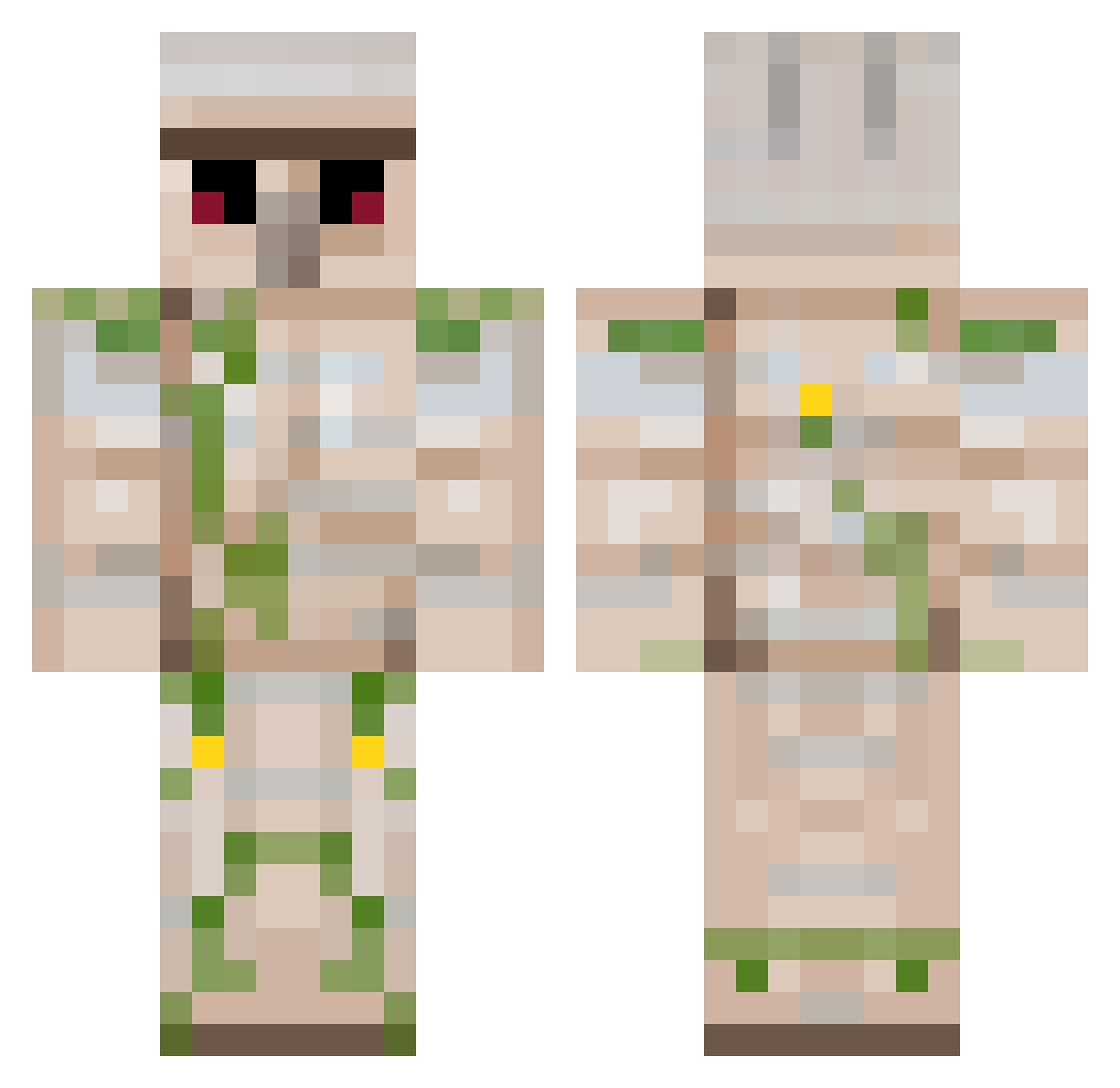
Current Minecraft skin of the player LoJay8, loaded from the official Mojang API. Rotate the 3D model with your mouse or finger, then download the skin as a PNG file and use it in Minecraft: Bedrock Edition or Java Edition for free. When LoJay8 changes their skin, this page updates automatically and the old skin stays in the history below.
Other players with this skin (264)
LoJay8 was the 230th player we have seen with this skin, first spotted on 05.11.2026. The same skin was seen on these players. Open a nickname to see their current skin and skin history.
 SuperTRH moller002 CjCalder mystiryon ItsMeHarryo ALMOND25 GoonSL TheMoonBoy korman622 sdominic corndogfatality CraftyWolfy Lukmores MrGlasses98 matej1502 MayChem1 GunblazerX Kman19 Bmheadshot23 tigerscoach Kaiprioska JanHoney Feladria Elliek64 Neunzehhh adamwilson1811 MateoSun LightGolemKnight KrOnXx SpeedGolem3D tomkg1234 corben20035472 snagletooths Klept0matik dixonrunner21 Myggen444 LasseDes NIckNIcK2 Bananenshake1997 DinosaurSlayer bmemcleod champbot HeinyEiny General_Mayhem Luxoh_ iceblast8888 fishingdude17 Slippery_Mik NullZola Zarocco12 XavCat F0573R PILFERCATE mfm9 Greninja_6 TheWestTzang dryet TheBigBen1220 DragonMaistir pakote
More Iron Golem Minecraft skins
How to install the LoJay8 skin
- Press the Download button above to save the skin as a PNG file.
- Minecraft: Bedrock Edition (PE): open the Dressing Room from the main menu (or tap your character → Edit Character), go to Classic Skins → Owned, press the + (new skin) button, choose the downloaded PNG and pick the Classic (Steve) model. Works on PC and mobile; consoles cannot import custom skins.
- Minecraft: Java Edition: open the Minecraft Launcher, go to the Skins tab, click New Skin, load the PNG, pick the Classic (Steve) model and press Save & Use. You can also upload it at minecraft.net → Profile → Change Skin.
The skin does not show up after import - what should I do?
Restart Minecraft and open the Dressing Room again - imported skins sometimes appear only after a restart. Also make sure you selected the imported skin and picked the Classic (Steve) model.
Which model should I choose, Classic or Slim?
This skin is designed for the Classic (Steve) model. If you pick the wrong model, the arms of the skin will look stretched or squeezed.
Is the skin of LoJay8 free to download?
Yes. Press Download, save the PNG file and use it in Minecraft: Bedrock Edition or Java Edition - no payment or registration needed. The skin also works on multiplayer servers and Realms.
More skins
Looking for more? Go back to all Minecraft skins and check the top skins of the week, month and all time, or find any player's skin by nickname.