
Lizziiti - Minecraft Skins & Skin History
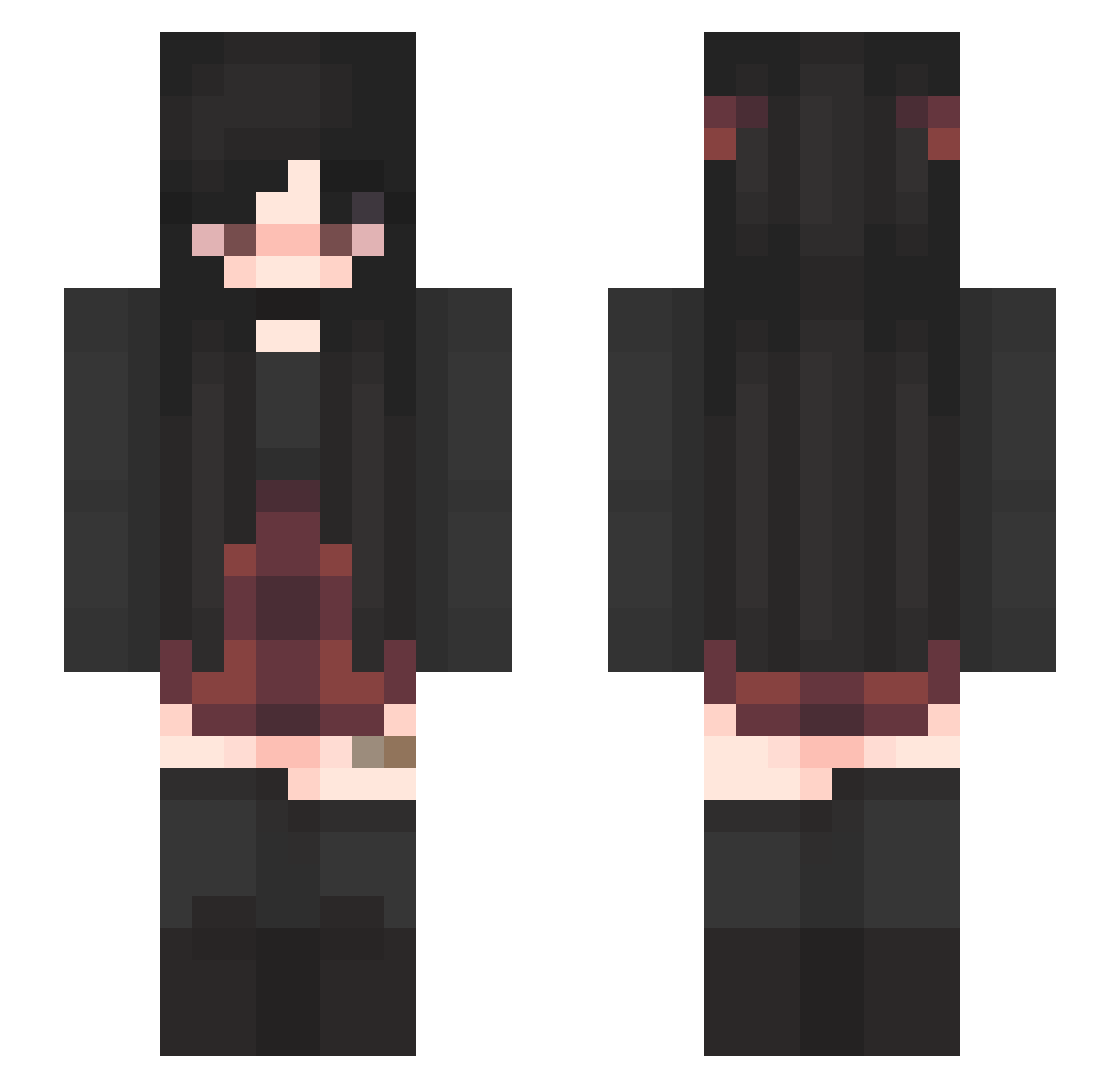
Current Minecraft skin of the player Lizziiti, loaded from the official Mojang API. Rotate the 3D model with your mouse or finger, then download the skin as a PNG file and use it in Minecraft: Bedrock Edition or Java Edition for free. When Lizziiti changes their skin, this page updates automatically and the old skin stays in the history below.
Other players with this skin (341)
Lizziiti was the 291st player we have seen with this skin, first spotted on 11.10.2026. The same skin was seen on these players. Open a nickname to see their current skin and skin history.
 just_joss DD__724 BredStix_Gaming Stukoz chetan61 Yeetman72 islaabby Rezulaaaaa QueenHella Emfi555 tigersblood177 rennybaby kings_jed Starrynight303_ ouchmouse_ Sparkle_666 sadmilk666 CrazyMan666 Katty360 LochNessi8402 bandavi RealCheat Lyumimi Milena0701 Roseanne002 Paigeeeey leighaoehler PumpkinGirl11 PastelWorm illusions224 Sundaae Kyleexox n0ran0ra Jenthegamer342 WhitheredZinder ValVal_7D marjrenza WileyTheKing mommymilkersMC Wombat2503 alecameow 125706 Deadlydragon199 KamrynMyers breep13 Kimber103 Potatias marismaybe crazydeamer5913 Burgle_3000 roksukoksu jenny_rdl MerpyMeep oozywoozie kat_132 En_Mity loonas78 phoenix978 CatTheCorn rayc82
More Emo Minecraft skins
How to install the Lizziiti skin
- Press the Download button above to save the skin as a PNG file.
- Minecraft: Bedrock Edition (PE): open the Dressing Room from the main menu (or tap your character → Edit Character), go to Classic Skins → Owned, press the + (new skin) button, choose the downloaded PNG and pick the Slim (Alex) model. Works on PC and mobile; consoles cannot import custom skins.
- Minecraft: Java Edition: open the Minecraft Launcher, go to the Skins tab, click New Skin, load the PNG, pick the Slim (Alex) model and press Save & Use. You can also upload it at minecraft.net → Profile → Change Skin.
The skin does not show up after import - what should I do?
Restart Minecraft and open the Dressing Room again - imported skins sometimes appear only after a restart. Also make sure you selected the imported skin and picked the Slim (Alex) model.
Which model should I choose, Classic or Slim?
This skin is designed for the Slim (Alex) model. If you pick the wrong model, the arms of the skin will look stretched or squeezed.
Is the skin of Lizziiti free to download?
Yes. Press Download, save the PNG file and use it in Minecraft: Bedrock Edition or Java Edition - no payment or registration needed. The skin also works on multiplayer servers and Realms.
More skins
Looking for more? Go back to all Minecraft skins and check the top skins of the week, month and all time, or find any player's skin by nickname.