
Living_Jen - Minecraft Skins & Skin History
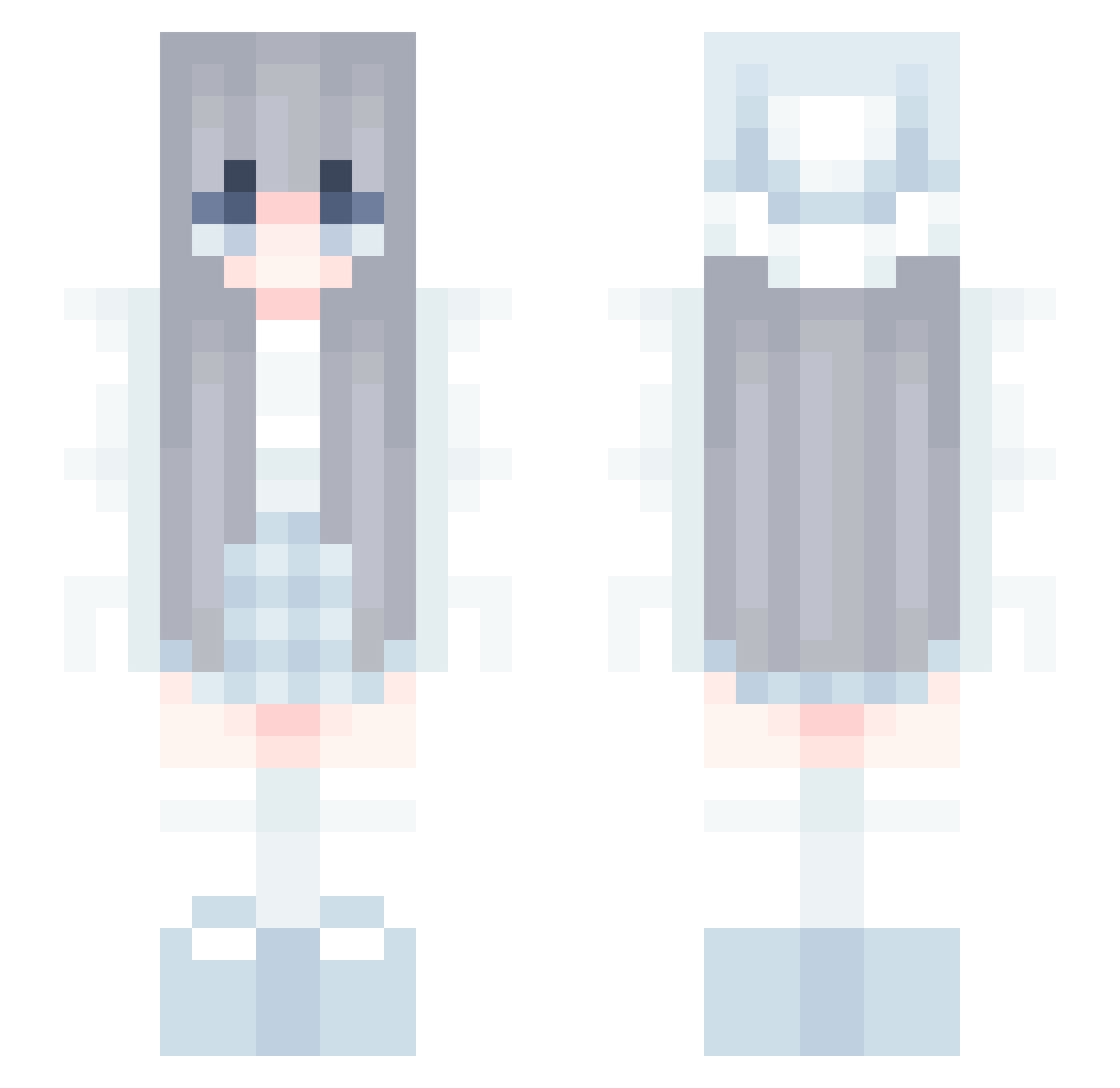
Current Minecraft skin of the player Living_Jen, loaded from the official Mojang API. Rotate the 3D model with your mouse or finger, then download the skin as a PNG file and use it in Minecraft: Bedrock Edition or Java Edition for free. When Living_Jen changes their skin, this page updates automatically and the old skin stays in the history below.
Other players with this skin (117)
Living_Jen was the 49th player we have seen with this skin, first spotted on 29.08.2026. The same skin was seen on these players. Open a nickname to see their current skin and skin history.
 Lanacxx mcgiorgiodj Stockless PapaPiusIV
 eripurin Yeap1e jula8753io B10d Kn0ws 9c9c Wuy1n racc_on RyanFarish huh_huh_huh___
 Tim_0610 ShiChengLin _catfurry_ aini_1 dreaan alozi04 TooBsdd Suncut _OvO_v eGirlAwshee Wqckie Uncarebook isyynhax ForeverLovePG
 Kingoood EEMevIUs missr0ry OringoFavNPC PeakZhong soccergirl121 weginalt 52Xing sweting P1glet_ strxllq Mati853 UtLi Tempeng Himawari_0w0 wangyuekey _Wty _tomito ImApathy_ Yucc0129 WhiplashXCV Labled chlgus75 zhuowu
 bqkana rafal_lada eetanh JK10V0 Apyl_ W1l_d_ Amigos nakiri0601
More Anime Girl Minecraft skins
See all 12953 Anime Girl skins
How to install the Living_Jen skin
- Press the Download button above to save the skin as a PNG file.
- Minecraft: Bedrock Edition (PE): open the Dressing Room from the main menu (or tap your character → Edit Character), go to Classic Skins → Owned, press the + (new skin) button, choose the downloaded PNG and pick the Slim (Alex) model. Works on PC and mobile; consoles cannot import custom skins.
- Minecraft: Java Edition: open the Minecraft Launcher, go to the Skins tab, click New Skin, load the PNG, pick the Slim (Alex) model and press Save & Use. You can also upload it at minecraft.net → Profile → Change Skin.
The skin does not show up after import - what should I do?
Restart Minecraft and open the Dressing Room again - imported skins sometimes appear only after a restart. Also make sure you selected the imported skin and picked the Slim (Alex) model.
Which model should I choose, Classic or Slim?
This skin is designed for the Slim (Alex) model. If you pick the wrong model, the arms of the skin will look stretched or squeezed.
Is the skin of Living_Jen free to download?
Yes. Press Download, save the PNG file and use it in Minecraft: Bedrock Edition or Java Edition - no payment or registration needed. The skin also works on multiplayer servers and Realms.
More skins
Looking for more? Go back to all Minecraft skins and check the top skins of the week, month and all time, or find any player's skin by nickname.