
LiverBurst_Pro - Minecraft Skins & Skin History
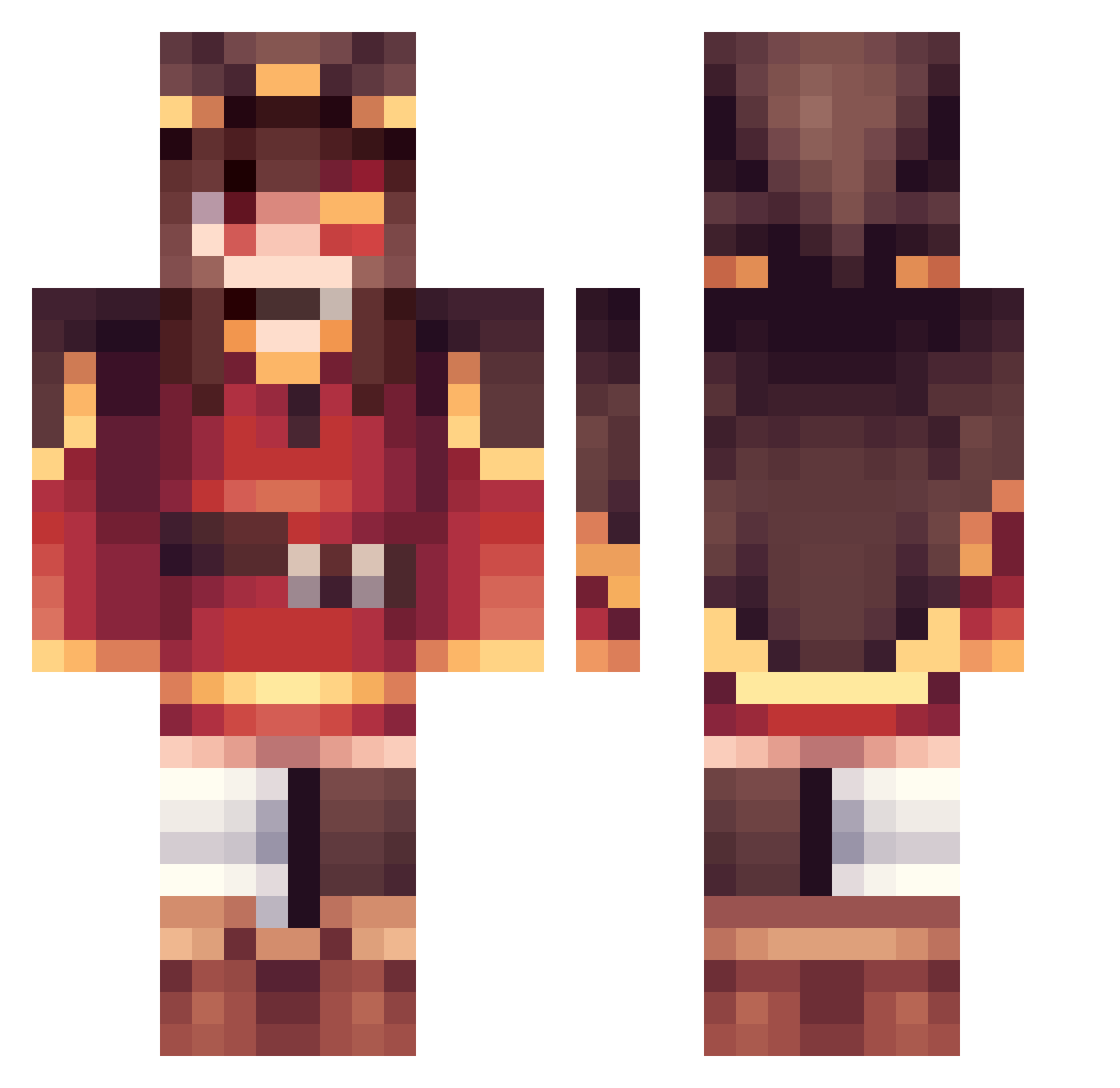
Current Minecraft skin of the player LiverBurst_Pro, loaded from the official Mojang API. Rotate the 3D model with your mouse or finger, then download the skin as a PNG file and use it in Minecraft: Bedrock Edition or Java Edition for free. When LiverBurst_Pro changes their skin, this page updates automatically and the old skin stays in the history below.
Other players with this skin (308)
LiverBurst_Pro was the 31st player we have seen with this skin, first spotted on 04.08.2026. The same skin was seen on these players. Open a nickname to see their current skin and skin history.
 jonathan_0813 KeNNY9333 PhantomKoconatsu KatsuStars p7acx mowdomiepan Woffard woojin19 tmk1108k Kema1 Ranqstraiil Prawnz__
 Ogurek91
 miizukii_ Lxnity Danizin3 Yukiakuma89 RixNa taichi0118 rionrion777
 Kabobete
 956s KEBUMA Arebear208 SEraNeko9628
 Raru0504 itachi1j1
 Smiffy_J kqnegOn Gitsume YourLocalOracle1 KAHLUA3208 huihui1204 HHubb
 Akirakaze_ Sugay Dandude_37 higacho CosmoKek spejin Keks044 JojoLeCanari Flummi2404 guhengtiaoye1 Guasposxd
 Veganapples Schrom2408 KanEnshi Eyepatch_Samurai Drago11301 ToothBig xiaoxiaopig _Miku_ masamune_tan Arankar235 qmskd26 YoooHoo sinadreams vfabz Master_LightBr22
More Megumin Minecraft skins
How to install the LiverBurst_Pro skin
- Press the Download button above to save the skin as a PNG file.
- Minecraft: Bedrock Edition (PE): open the Dressing Room from the main menu (or tap your character → Edit Character), go to Classic Skins → Owned, press the + (new skin) button, choose the downloaded PNG and pick the Classic (Steve) model. Works on PC and mobile; consoles cannot import custom skins.
- Minecraft: Java Edition: open the Minecraft Launcher, go to the Skins tab, click New Skin, load the PNG, pick the Classic (Steve) model and press Save & Use. You can also upload it at minecraft.net → Profile → Change Skin.
The skin does not show up after import - what should I do?
Restart Minecraft and open the Dressing Room again - imported skins sometimes appear only after a restart. Also make sure you selected the imported skin and picked the Classic (Steve) model.
Which model should I choose, Classic or Slim?
This skin is designed for the Classic (Steve) model. If you pick the wrong model, the arms of the skin will look stretched or squeezed.
Is the skin of LiverBurst_Pro free to download?
Yes. Press Download, save the PNG file and use it in Minecraft: Bedrock Edition or Java Edition - no payment or registration needed. The skin also works on multiplayer servers and Realms.
More skins
Looking for more? Go back to all Minecraft skins and check the top skins of the week, month and all time, or find any player's skin by nickname.