
Linhu_genius - Minecraft Skins & Skin History
Current Minecraft skin of the player Linhu_genius, loaded from the official Mojang API. Rotate the 3D model with your mouse or finger, then download the skin as a PNG file and use it in Minecraft: Bedrock Edition or Java Edition for free. When Linhu_genius changes their skin, this page updates automatically and the old skin stays in the history below.
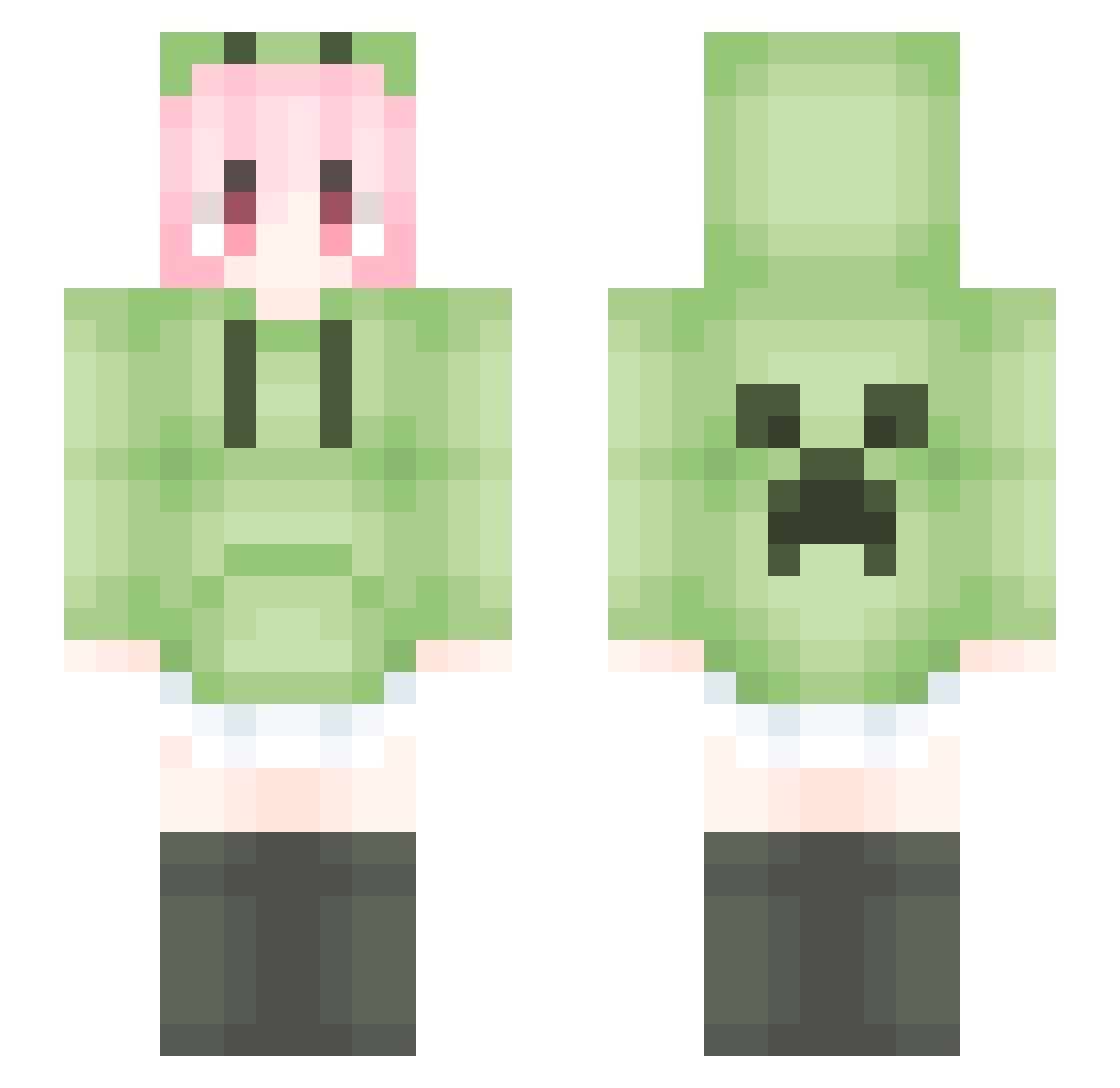
Other players with this skin (1797)
Linhu_genius was the 141st player we have seen with this skin, first spotted on 01.08.2026. The same skin was seen on these players. Open a nickname to see their current skin and skin history.
 NMBMN shabibn zarki66 LYX283 qinlige vncanvo kmwshj GreenChic28 Tg_Blank JxLee73 Avery2255 ln_165 FoolLu XGGGH MikuSuki LINJIAHAO520 kiosxe edvnly Shorekeep Friel97 aabb3322 fulina1013 2qe34 wanwanjbd Mrhuang8337 lcayn FW_HuaJicowOptzk YH_Sakura YYYtf OYears kuntwoyear FFrd shl514 Chris4141 Yue1130 MaxPlant starry_wolf_ MCJIK DJRRRR sycd YingZheng213 FW_HuaJicow_b_4P PurpleBear9 Mugglexb INs10001 ZJIYFT lqy_1 KmHere LiquidBounceB23 PoloniumStark xiaoweiye lemonqwq1314 TokaiTeio0420
 zhu_vv Never__ls xunqingfeng Yenu0 whitebb22 IOvwvOI Beici_
More Anime Girl Minecraft skins
See all 13803 Anime Girl skins
How to install the Linhu_genius skin
- Press the Download button above to save the skin as a PNG file.
- Minecraft: Bedrock Edition (PE): open the Dressing Room from the main menu (or tap your character → Edit Character), go to Classic Skins → Owned, press the + (new skin) button, choose the downloaded PNG and pick the Slim (Alex) model. Works on PC and mobile; consoles cannot import custom skins.
- Minecraft: Java Edition: open the Minecraft Launcher, go to the Skins tab, click New Skin, load the PNG, pick the Slim (Alex) model and press Save & Use. You can also upload it at minecraft.net → Profile → Change Skin.
The skin does not show up after import - what should I do?
Restart Minecraft and open the Dressing Room again - imported skins sometimes appear only after a restart. Also make sure you selected the imported skin and picked the Slim (Alex) model.
Which model should I choose, Classic or Slim?
This skin is designed for the Slim (Alex) model. If you pick the wrong model, the arms of the skin will look stretched or squeezed.
Is the skin of Linhu_genius free to download?
Yes. Press Download, save the PNG file and use it in Minecraft: Bedrock Edition or Java Edition - no payment or registration needed. The skin also works on multiplayer servers and Realms.
More skins
Looking for more? Go back to all Minecraft skins and check the top skins of the week, month and all time, or find any player's skin by nickname.