
LinhPeakpz5UwU - Minecraft Skins & Skin History
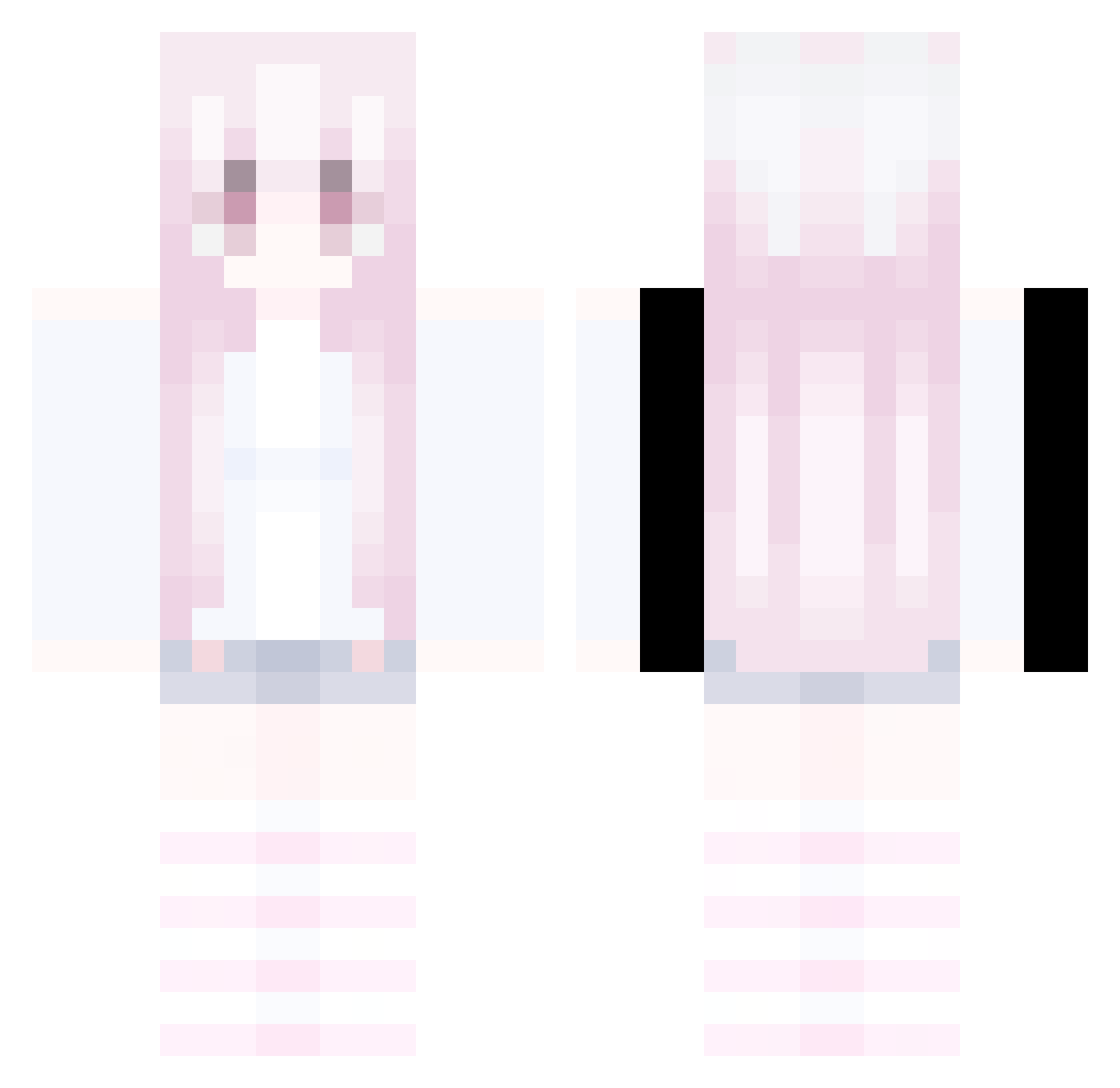
Current Minecraft skin of the player LinhPeakpz5UwU, loaded from the official Mojang API. Rotate the 3D model with your mouse or finger, then download the skin as a PNG file and use it in Minecraft: Bedrock Edition or Java Edition for free. When LinhPeakpz5UwU changes their skin, this page updates automatically and the old skin stays in the history below.
Other players with this skin (332)
LinhPeakpz5UwU was the 16th player we have seen with this skin, first spotted on 29.07.2026. The same skin was seen on these players. Open a nickname to see their current skin and skin history.
 WyslannikBiedy 1313331 N4dx_ caiyusheng LinhShade8pkUwU LinhReRWE0101 LinhTidecz4UwU pty1023 LCore3llUwU LinhmBRmf0623 LinhtRmUi0102 LIron5wmUwU MacTechOff saiyawn Liloisherev7p2
 LIcel3bUwU JZWE WSH_0818 dashaayim mogalts_je9o8 anno_handmade801 LinhmXeyy0103 LinhVGxlT1128 Toukako CN_Loser caroqz Jodlnodlgaming_2 LinhStorm1jeUwU Cheffening LinhobMrn1122
 P2ME Sawyer3333 BSCM2004 LinhSkymfbUwU cLoveClearlove Avalinaavaa ylq1 NORTHJTMBladedti LCLVvo0707
 67drdonutt LinhWingilwUwU LinhWolfzy6UwU LinhKiQSZ0627 LEdgenmsUwU neededfar Jing1314 LinhUTRZV0103 LgzxdQ0707 Sv2Core9jq LinhEdge5sbUwU beautifel AltVerse_zie_AV AltVerse_6dd_AV O_Chelo Sv2Hawkf2m Sv2Blaze8u9 frknxww Pommes_100 EVAN_GIN rainbebs
More Pastel Minecraft skins
How to install the LinhPeakpz5UwU skin
- Press the Download button above to save the skin as a PNG file.
- Minecraft: Bedrock Edition (PE): open the Dressing Room from the main menu (or tap your character → Edit Character), go to Classic Skins → Owned, press the + (new skin) button, choose the downloaded PNG and pick the Classic (Steve) model. Works on PC and mobile; consoles cannot import custom skins.
- Minecraft: Java Edition: open the Minecraft Launcher, go to the Skins tab, click New Skin, load the PNG, pick the Classic (Steve) model and press Save & Use. You can also upload it at minecraft.net → Profile → Change Skin.
The skin does not show up after import - what should I do?
Restart Minecraft and open the Dressing Room again - imported skins sometimes appear only after a restart. Also make sure you selected the imported skin and picked the Classic (Steve) model.
Which model should I choose, Classic or Slim?
This skin is designed for the Classic (Steve) model. If you pick the wrong model, the arms of the skin will look stretched or squeezed.
Is the skin of LinhPeakpz5UwU free to download?
Yes. Press Download, save the PNG file and use it in Minecraft: Bedrock Edition or Java Edition - no payment or registration needed. The skin also works on multiplayer servers and Realms.
More skins
Looking for more? Go back to all Minecraft skins and check the top skins of the week, month and all time, or find any player's skin by nickname.