
LinhJade870UwU - Minecraft Skins & Skin History
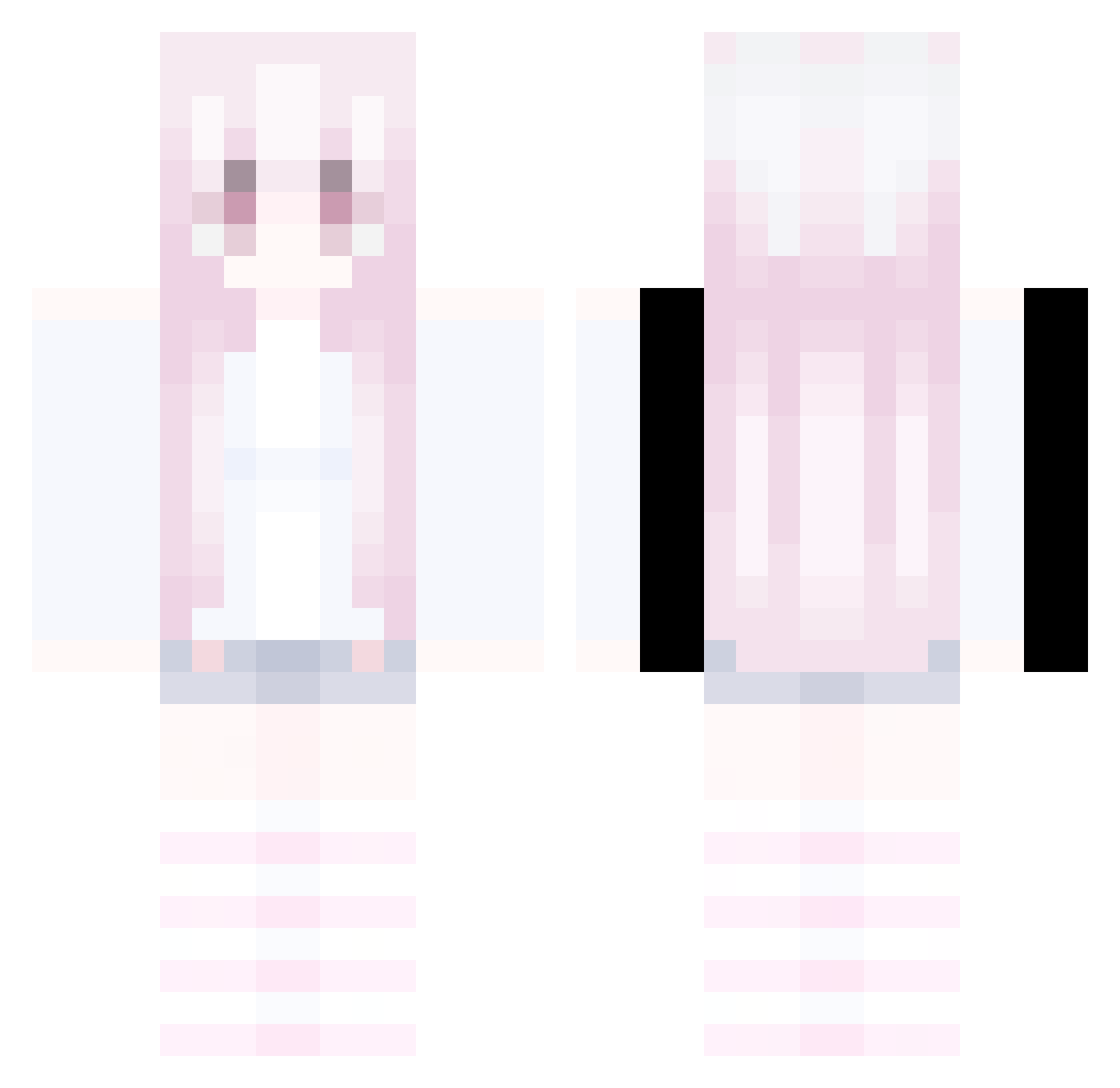
Current Minecraft skin of the player LinhJade870UwU, loaded from the official Mojang API. Rotate the 3D model with your mouse or finger, then download the skin as a PNG file and use it in Minecraft: Bedrock Edition or Java Edition for free. When LinhJade870UwU changes their skin, this page updates automatically and the old skin stays in the history below.
Other players with this skin (332)
LinhJade870UwU was the 292nd player we have seen with this skin, first spotted on 20.10.2026. The same skin was seen on these players. Open a nickname to see their current skin and skin history.
 NukoBell Heartsill69bad12 v1nikss mogalts_ohnxh LinhzXMoV0102 Sv2Vale0k4 Keai_Xiaoxiaoyu Jxshu44 KIKINWild22q mogalts_s9e8v AltVerse_xde_AV Draskovic_warm2 LGaleqq3UwU Brosnan3rich99 Zao1042 nikkily LinhPakgY1215 v5s_msmc_oll relapse_Wing_edv Lin_zb X2Aaron mogalts_3rq2i Minoscope1 Sakuranihongo FFcp Rev_Jade_ss8 LinhWingpj7UwU Zachwieja6bogus5 Zenith_Clove LinhBladexkcUwU Jonathan_MC2011 LinhlvIwu0624 kubrika ccy191016128 zuziaa66 AforAbhishek 69health420 kasiwamotitasa LinhFbcim1214 ic7OVO clairpis Rejss Jvedx LinhForgeswlUwU dogchicken54 pique0305 __skyyzz__ LinhvoGxX0624 tttjjjttt LinhHWIQi1230 uesugi_erii_saku kyler108 Limitless111 Sl1zoxClaw1y1 kuseu1113 yinnshier Duck__Minto mogalts_wu4jr LinhFire1w7UwU LnyiKi0629
More Pastel Minecraft skins
How to install the LinhJade870UwU skin
- Press the Download button above to save the skin as a PNG file.
- Minecraft: Bedrock Edition (PE): open the Dressing Room from the main menu (or tap your character → Edit Character), go to Classic Skins → Owned, press the + (new skin) button, choose the downloaded PNG and pick the Classic (Steve) model. Works on PC and mobile; consoles cannot import custom skins.
- Minecraft: Java Edition: open the Minecraft Launcher, go to the Skins tab, click New Skin, load the PNG, pick the Classic (Steve) model and press Save & Use. You can also upload it at minecraft.net → Profile → Change Skin.
The skin does not show up after import - what should I do?
Restart Minecraft and open the Dressing Room again - imported skins sometimes appear only after a restart. Also make sure you selected the imported skin and picked the Classic (Steve) model.
Which model should I choose, Classic or Slim?
This skin is designed for the Classic (Steve) model. If you pick the wrong model, the arms of the skin will look stretched or squeezed.
Is the skin of LinhJade870UwU free to download?
Yes. Press Download, save the PNG file and use it in Minecraft: Bedrock Edition or Java Edition - no payment or registration needed. The skin also works on multiplayer servers and Realms.
More skins
Looking for more? Go back to all Minecraft skins and check the top skins of the week, month and all time, or find any player's skin by nickname.