
LinhGrimacoUwU - Minecraft Skins & Skin History
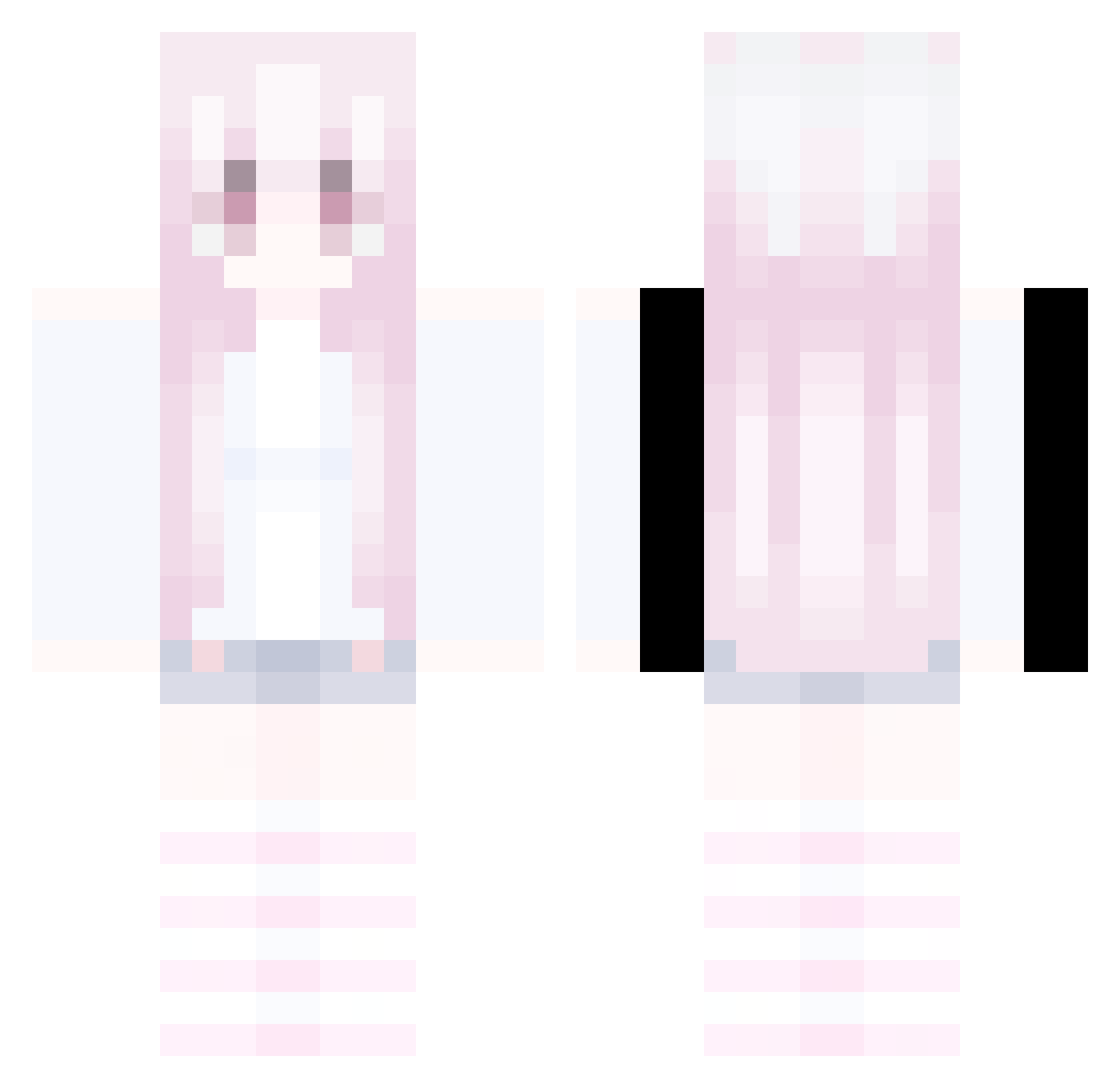
Current Minecraft skin of the player LinhGrimacoUwU, loaded from the official Mojang API. Rotate the 3D model with your mouse or finger, then download the skin as a PNG file and use it in Minecraft: Bedrock Edition or Java Edition for free. When LinhGrimacoUwU changes their skin, this page updates automatically and the old skin stays in the history below.
Other players with this skin (398)
LinhGrimacoUwU was the 359th player we have seen with this skin, first spotted on 08.11.2026. The same skin was seen on these players. Open a nickname to see their current skin and skin history.
 Luisa_K dasdkjl oenkws Sv2Darkvb0 LinhFoxboeUwU JTR_Conan LinhGritcqpUwU LinhxIcoZ1225 xier132 Sophiaaamew Diddsty Rev_Hawk_5w0 mogalts_QDxIQ spoongoon01 IllIIIIll F4nny_ LinhDriftmhtUwU zhao10086 LinhStormtdtUwU Daylight02 LinhPeak8bbUwU AltVerse_pks_AV BKrebs_213176 Sv2Bladeg04 LinhVale9m1UwU 523O sharebook Sv2Voiduzt LinhClawovpUwU dslzy LinhDFJvX0624 LinhCrestvu3UwU LinhStari2iUwU Koosmoneyloos exj_msmc_wjk Axo165Hz LinhShade79rUwU LinhFrostpw1UwU Sv2Hawk275 tarajeebee LinhPulsel1pUwU cay_blaze Linhbtuto1215 LinhJade094UwU lwes__ ffabius xiao_xiong11 mogalts_70lzm WICKED_BR richer_closed532 mogalts_zsj19 vvitaminc LinhGold3pnUwU LinhGHyXL0103 LinhSharpu15UwU MaSiFF xbxnx HACKEDBYSIMON LinhSBuBw0609 YMCA1154
More Pastel Minecraft skins
How to install the LinhGrimacoUwU skin
- Press the Download button above to save the skin as a PNG file.
- Minecraft: Bedrock Edition (PE): open the Dressing Room from the main menu (or tap your character → Edit Character), go to Classic Skins → Owned, press the + (new skin) button, choose the downloaded PNG and pick the Classic (Steve) model. Works on PC and mobile; consoles cannot import custom skins.
- Minecraft: Java Edition: open the Minecraft Launcher, go to the Skins tab, click New Skin, load the PNG, pick the Classic (Steve) model and press Save & Use. You can also upload it at minecraft.net → Profile → Change Skin.
The skin does not show up after import - what should I do?
Restart Minecraft and open the Dressing Room again - imported skins sometimes appear only after a restart. Also make sure you selected the imported skin and picked the Classic (Steve) model.
Which model should I choose, Classic or Slim?
This skin is designed for the Classic (Steve) model. If you pick the wrong model, the arms of the skin will look stretched or squeezed.
Is the skin of LinhGrimacoUwU free to download?
Yes. Press Download, save the PNG file and use it in Minecraft: Bedrock Edition or Java Edition - no payment or registration needed. The skin also works on multiplayer servers and Realms.
More skins
Looking for more? Go back to all Minecraft skins and check the top skins of the week, month and all time, or find any player's skin by nickname.