
LinhCrestqy0UwU - Minecraft Skins & Skin History
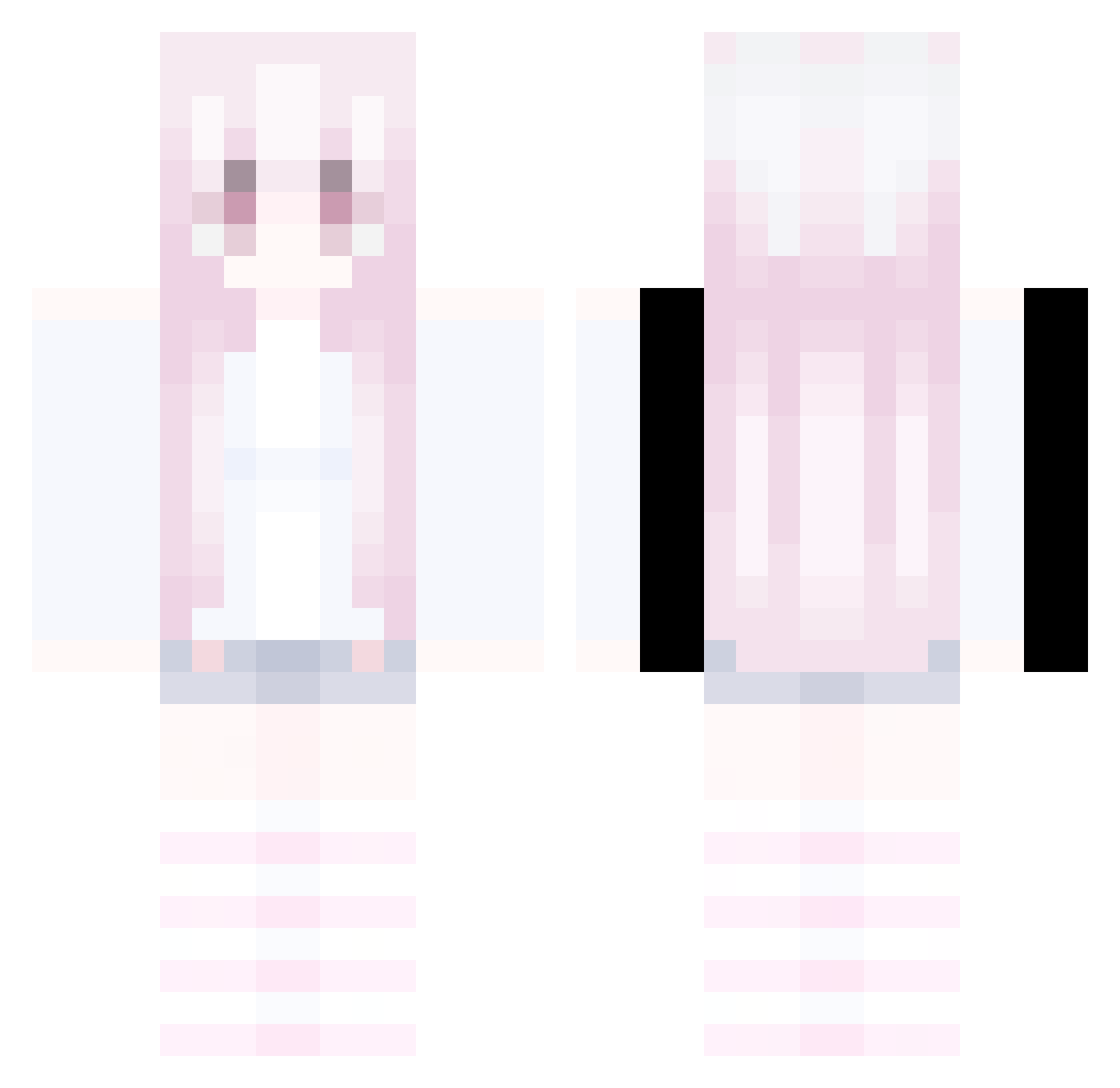
Current Minecraft skin of the player LinhCrestqy0UwU, loaded from the official Mojang API. Rotate the 3D model with your mouse or finger, then download the skin as a PNG file and use it in Minecraft: Bedrock Edition or Java Edition for free. When LinhCrestqy0UwU changes their skin, this page updates automatically and the old skin stays in the history below.
Other players with this skin (332)
LinhCrestqy0UwU was the 226th player we have seen with this skin, first spotted on 05.10.2026. The same skin was seen on these players. Open a nickname to see their current skin and skin history.
 Sv2_Storm_bwu nadNeonyrp Sv2_Gold_cn7 nuxnq mazuai_ _now_loading_ AnarchyBreak Sv2Starrax liaoxiangyang Beam_DSY LinhGyhlg1215 fairyrat5 Jennyghost99 _UrsTruly AltVerse_b32_AV PASIRh19wl1b0uxk Kevin25521 Skycron_itFji_05 mogalts_z2mlj KIKINWing6ku ksyzISchefHiWfe LinhWsMNg1207 chirs335 Bronchitis32 mogalts_3hqao LinhClawxjxUwU Yuan_Zhai FearJaxx Mike_811 AltVerse_cdk_AV LinhDawnvmzUwU orevz_ Guayarasan woleiwa Kobe2345 ZANATOi4rhacker hilingOP mimiminomimi lovemurasame Furmin8r mogalts_2rdi6 blerupbe Gucci__Boi BrentDeVentd hml123456 Catacumba LinhDusko9vUwU Sackkratzer_ KIKINBlazea1v Ask_XGnFr_05_08 5chappy NewSuperHansi mogalts_tssa7 JujanDerEchte10 LnyiKi0629 LAshwo3UwU AltVerse_gbu_AV LinhFire1w7UwU mogalts_wu4jr cfg_bet_NWpOP
More Pastel Minecraft skins
How to install the LinhCrestqy0UwU skin
- Press the Download button above to save the skin as a PNG file.
- Minecraft: Bedrock Edition (PE): open the Dressing Room from the main menu (or tap your character → Edit Character), go to Classic Skins → Owned, press the + (new skin) button, choose the downloaded PNG and pick the Classic (Steve) model. Works on PC and mobile; consoles cannot import custom skins.
- Minecraft: Java Edition: open the Minecraft Launcher, go to the Skins tab, click New Skin, load the PNG, pick the Classic (Steve) model and press Save & Use. You can also upload it at minecraft.net → Profile → Change Skin.
The skin does not show up after import - what should I do?
Restart Minecraft and open the Dressing Room again - imported skins sometimes appear only after a restart. Also make sure you selected the imported skin and picked the Classic (Steve) model.
Which model should I choose, Classic or Slim?
This skin is designed for the Classic (Steve) model. If you pick the wrong model, the arms of the skin will look stretched or squeezed.
Is the skin of LinhCrestqy0UwU free to download?
Yes. Press Download, save the PNG file and use it in Minecraft: Bedrock Edition or Java Edition - no payment or registration needed. The skin also works on multiplayer servers and Realms.
More skins
Looking for more? Go back to all Minecraft skins and check the top skins of the week, month and all time, or find any player's skin by nickname.