
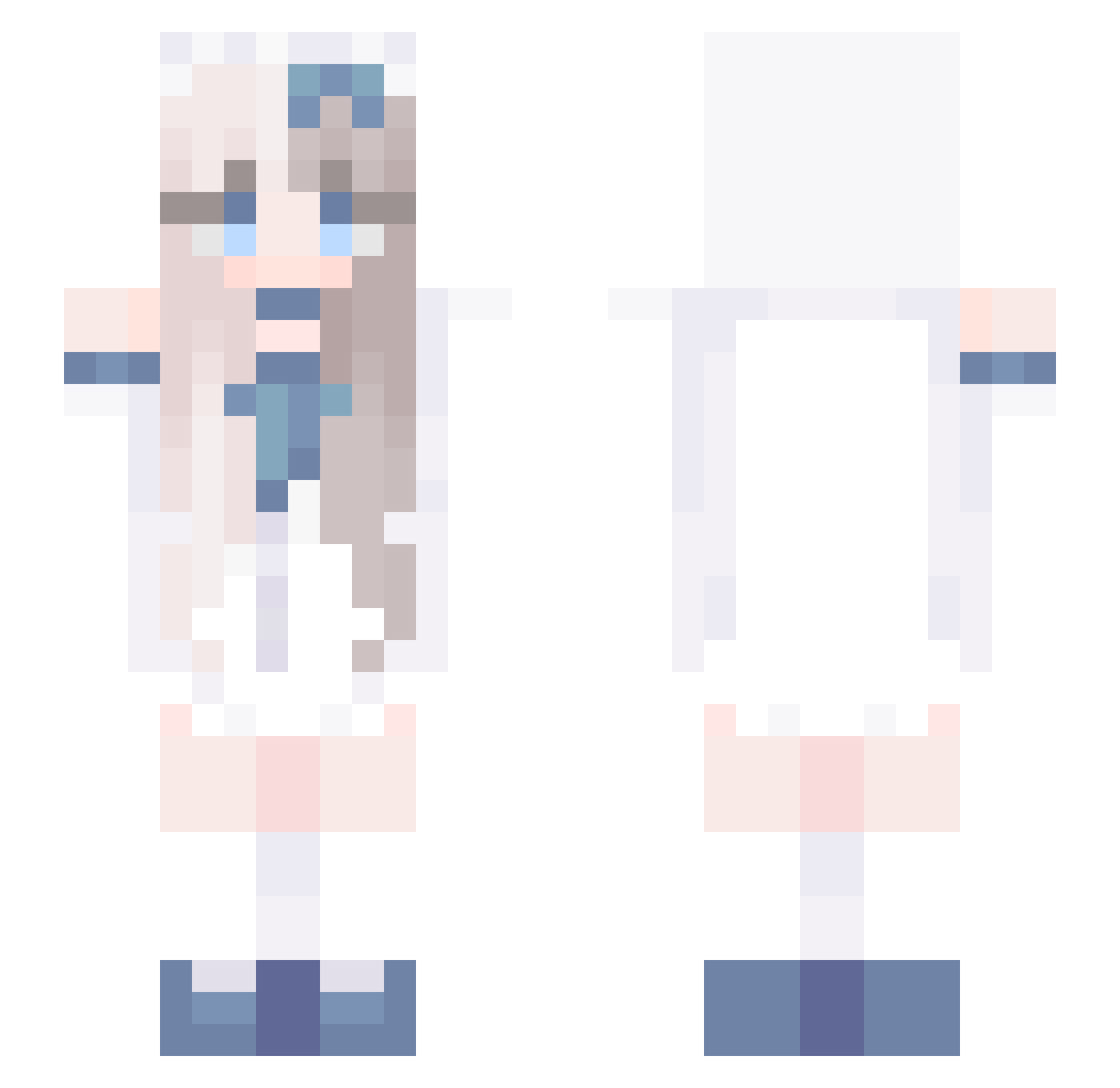
Current Minecraft skin of the player Lililian, loaded from the official Mojang API. Rotate the 3D model with your mouse or finger, then download the skin as a PNG file and use it in Minecraft: Bedrock Edition or Java Edition for free. When Lililian changes their skin, this page updates automatically and the old skin stays in the history below.
Other players with this skin (582)
Lililian was the 489th player we have seen with this skin, first spotted on 05.10.2026. The same skin was seen on these players. Open a nickname to see their current skin and skin history.
 cutsiecutie Horizon1777 Dkey336 zrcgcc vicya379 v23RTxTECH Bubertv infinte_world Yasmin500 prezerve Miru_Kawai dopamineeee XCeriseRose _MIDNight_2004 FractalSymmetry John_in_de_sloot MioGrave N3naiGrow Dr0wziee Feng315 nekovo_o Ava_li _Pixelette_ ppxpy Seyrqn taozi216 apinee GrexxoGamer RohanBtrThnNoobs KAKUSANG siphanien CMG666666 imZuxi Parkjin0503 WOOLLL_ poofielein MottiMocchi azaza6 neve777 senzawagura sleepkiller the_kr RONALDO333 faca07 hchy666 yuanqu12345 Phoenixon MayYatang233 angelbang Shiori3219 Jackie_Stitch bxl1aa Xinci_1020 Akenoifps Rost74 tonghai johnnyhsu Tand_an665 Narae_ nemuru1412
More Anime Girl Minecraft skins
See all 10949 Anime Girl skins
How to install the Lililian skin
- Press the Download button above to save the skin as a PNG file.
- Minecraft: Bedrock Edition (PE): open the Dressing Room from the main menu (or tap your character → Edit Character), go to Classic Skins → Owned, press the + (new skin) button, choose the downloaded PNG and pick the Slim (Alex) model. Works on PC and mobile; consoles cannot import custom skins.
- Minecraft: Java Edition: open the Minecraft Launcher, go to the Skins tab, click New Skin, load the PNG, pick the Slim (Alex) model and press Save & Use. You can also upload it at minecraft.net → Profile → Change Skin.
The skin does not show up after import - what should I do?
Restart Minecraft and open the Dressing Room again - imported skins sometimes appear only after a restart. Also make sure you selected the imported skin and picked the Slim (Alex) model.
Which model should I choose, Classic or Slim?
This skin is designed for the Slim (Alex) model. If you pick the wrong model, the arms of the skin will look stretched or squeezed.
Is the skin of Lililian free to download?
Yes. Press Download, save the PNG file and use it in Minecraft: Bedrock Edition or Java Edition - no payment or registration needed. The skin also works on multiplayer servers and Realms.
More skins
Looking for more? Go back to all Minecraft skins and check the top skins of the week, month and all time, or find any player's skin by nickname.