
Lilclifford93 - Minecraft Skins & Skin History
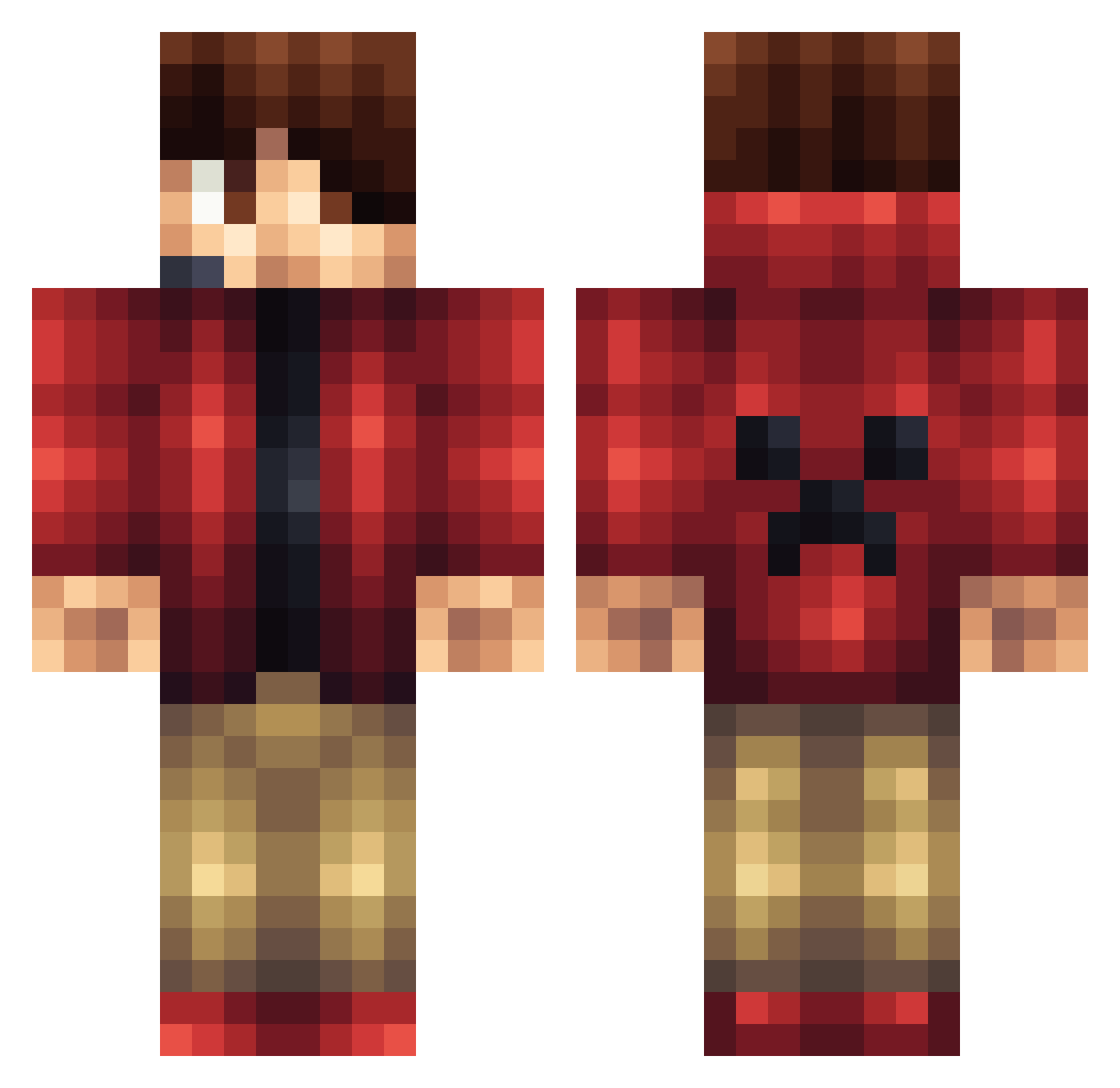
Current Minecraft skin of the player Lilclifford93, loaded from the official Mojang API. Rotate the 3D model with your mouse or finger, then download the skin as a PNG file and use it in Minecraft: Bedrock Edition or Java Edition for free. When Lilclifford93 changes their skin, this page updates automatically and the old skin stays in the history below.
Other players with this skin (1163)
Lilclifford93 was the 995th player we have seen with this skin, first spotted on 21.10.2026. The same skin was seen on these players. Open a nickname to see their current skin and skin history.
 HitandRunC Cabalman13 brennden8 Jaietsu daib265 Haydn_Boss jacob_bryson sebamb ottopalten JonasS_ darkguy475 BALLIN_STALLIN DOMBUHFTOP Erick0002 skullrusher10 Purepower Sectonic Jake11Snake Freako505 lolman123XD matthewterada JubranMC DaPenguinGamer MrEwok_ CheeseWings Cardinals1227 HitmanKiller CamieGboy thebradger Toker07 Imo_Olm Mister_Paperclip power__ranger1 xshynordic the3456 CodyRoxx xprostarfighter iamjanicelover AxelTec AJ106A ragonslayer55 Nikkobarnes JackMine788 indi9odream IWillRektYouTo_ Captainslic3s MHKW Big_Ham Noahpj10 Z33N416 rainingice01 Niklas2208 MisterX1105 KratosGaming26 silasdean AJ_Miner Gamingboy177 Mathieu_Tsdr BaCoN0357 ChaosControl_113
More Headset Minecraft skins
How to install the Lilclifford93 skin
- Press the Download button above to save the skin as a PNG file.
- Minecraft: Bedrock Edition (PE): open the Dressing Room from the main menu (or tap your character → Edit Character), go to Classic Skins → Owned, press the + (new skin) button, choose the downloaded PNG and pick the Classic (Steve) model. Works on PC and mobile; consoles cannot import custom skins.
- Minecraft: Java Edition: open the Minecraft Launcher, go to the Skins tab, click New Skin, load the PNG, pick the Classic (Steve) model and press Save & Use. You can also upload it at minecraft.net → Profile → Change Skin.
The skin does not show up after import - what should I do?
Restart Minecraft and open the Dressing Room again - imported skins sometimes appear only after a restart. Also make sure you selected the imported skin and picked the Classic (Steve) model.
Which model should I choose, Classic or Slim?
This skin is designed for the Classic (Steve) model. If you pick the wrong model, the arms of the skin will look stretched or squeezed.
Is the skin of Lilclifford93 free to download?
Yes. Press Download, save the PNG file and use it in Minecraft: Bedrock Edition or Java Edition - no payment or registration needed. The skin also works on multiplayer servers and Realms.
More skins
Looking for more? Go back to all Minecraft skins and check the top skins of the week, month and all time, or find any player's skin by nickname.