
Lil_Cone - Minecraft Skins & Skin History
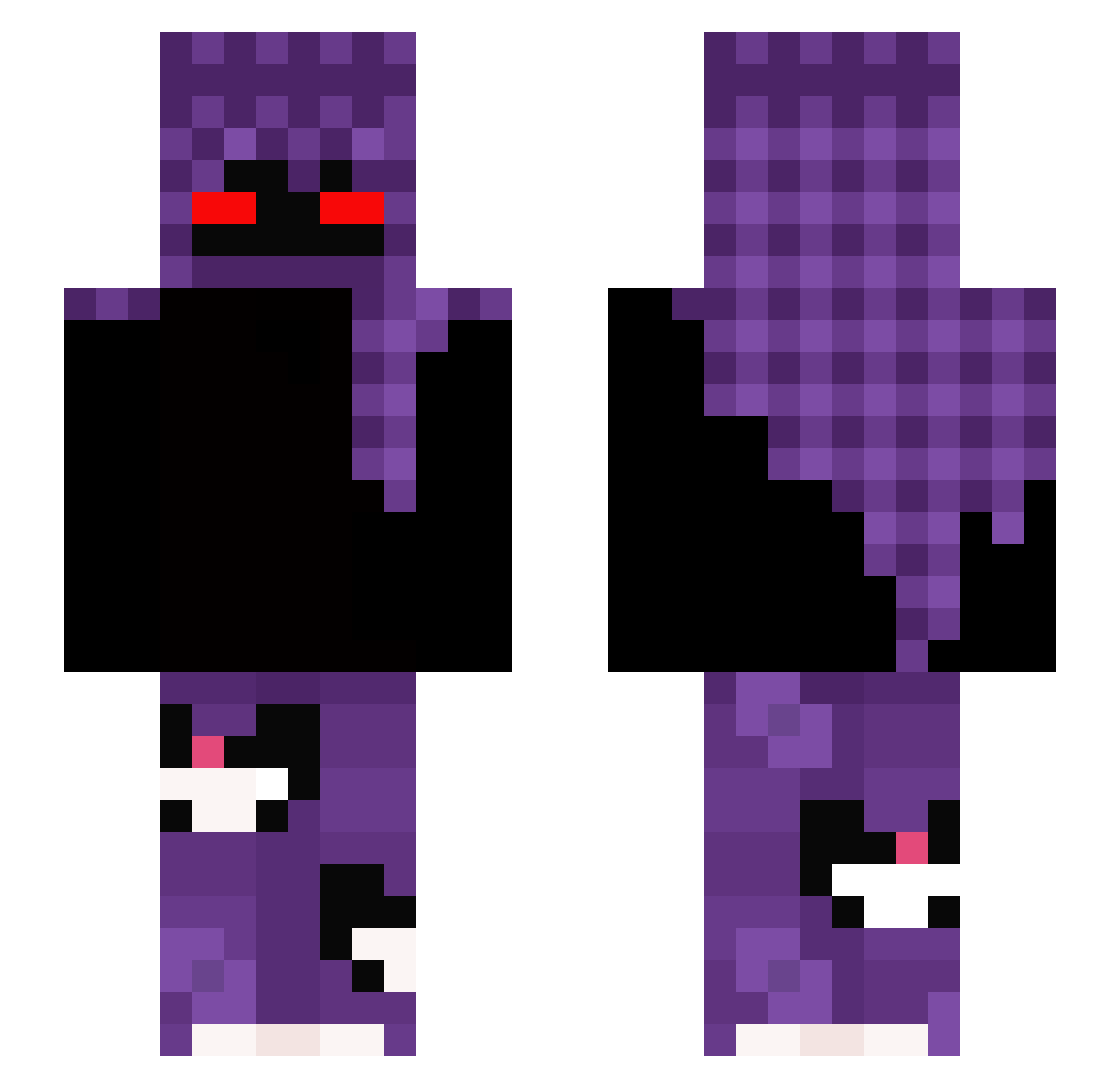
Current Minecraft skin of the player Lil_Cone, loaded from the official Mojang API. Rotate the 3D model with your mouse or finger, then download the skin as a PNG file and use it in Minecraft: Bedrock Edition or Java Edition for free. When Lil_Cone changes their skin, this page updates automatically and the old skin stays in the history below.
Other players with this skin (324)
Lil_Cone was the 150th player we have seen with this skin, first spotted on 20.09.2026. The same skin was seen on these players. Open a nickname to see their current skin and skin history.
 Rafiik12 Ampiay LLL_LIZESZ_LLL BilalBabaVurdu PizitaGG Moldyfairdy281 MaxTheMuffin11 vkvss KOMIK1234 zLoki_ tunapisik Mr_Warma coopsms KnockClient marquexne NinjaBr1 StrongTerminator droppedbypenquin TeteuiO ToningBark13677 majlo13 kayyak_ JariKattelus johanzuu0 ToB7raaK Etcxx SireBread Buj DrNepyosa swungbyRYRY jojofor123 piciuuuuuuu kapuchino___ Felpzera_ 5jx_ bfu4 DongusMcFlongus maksiu2312 batatalegal ItzP1nki TnTniesorry Rytw3 xXTORTELLOXx ZakariaAlzoubi TH3PAPE JSand7 SayaQX NRGlux11 xxDIVINExx sp0cona_maja BLACK_8889 vxssxgx QawiDDek_ yoneTokyo Octopie_O Kairox101 TheHyro Traged7 AuswahlBirke759 Mayerinh0
More Cat Minecraft skins
How to install the Lil_Cone skin
- Press the Download button above to save the skin as a PNG file.
- Minecraft: Bedrock Edition (PE): open the Dressing Room from the main menu (or tap your character → Edit Character), go to Classic Skins → Owned, press the + (new skin) button, choose the downloaded PNG and pick the Slim (Alex) model. Works on PC and mobile; consoles cannot import custom skins.
- Minecraft: Java Edition: open the Minecraft Launcher, go to the Skins tab, click New Skin, load the PNG, pick the Slim (Alex) model and press Save & Use. You can also upload it at minecraft.net → Profile → Change Skin.
The skin does not show up after import - what should I do?
Restart Minecraft and open the Dressing Room again - imported skins sometimes appear only after a restart. Also make sure you selected the imported skin and picked the Slim (Alex) model.
Which model should I choose, Classic or Slim?
This skin is designed for the Slim (Alex) model. If you pick the wrong model, the arms of the skin will look stretched or squeezed.
Is the skin of Lil_Cone free to download?
Yes. Press Download, save the PNG file and use it in Minecraft: Bedrock Edition or Java Edition - no payment or registration needed. The skin also works on multiplayer servers and Realms.
More skins
Looking for more? Go back to all Minecraft skins and check the top skins of the week, month and all time, or find any player's skin by nickname.