
LilGhost79 - Minecraft Skins & Skin History
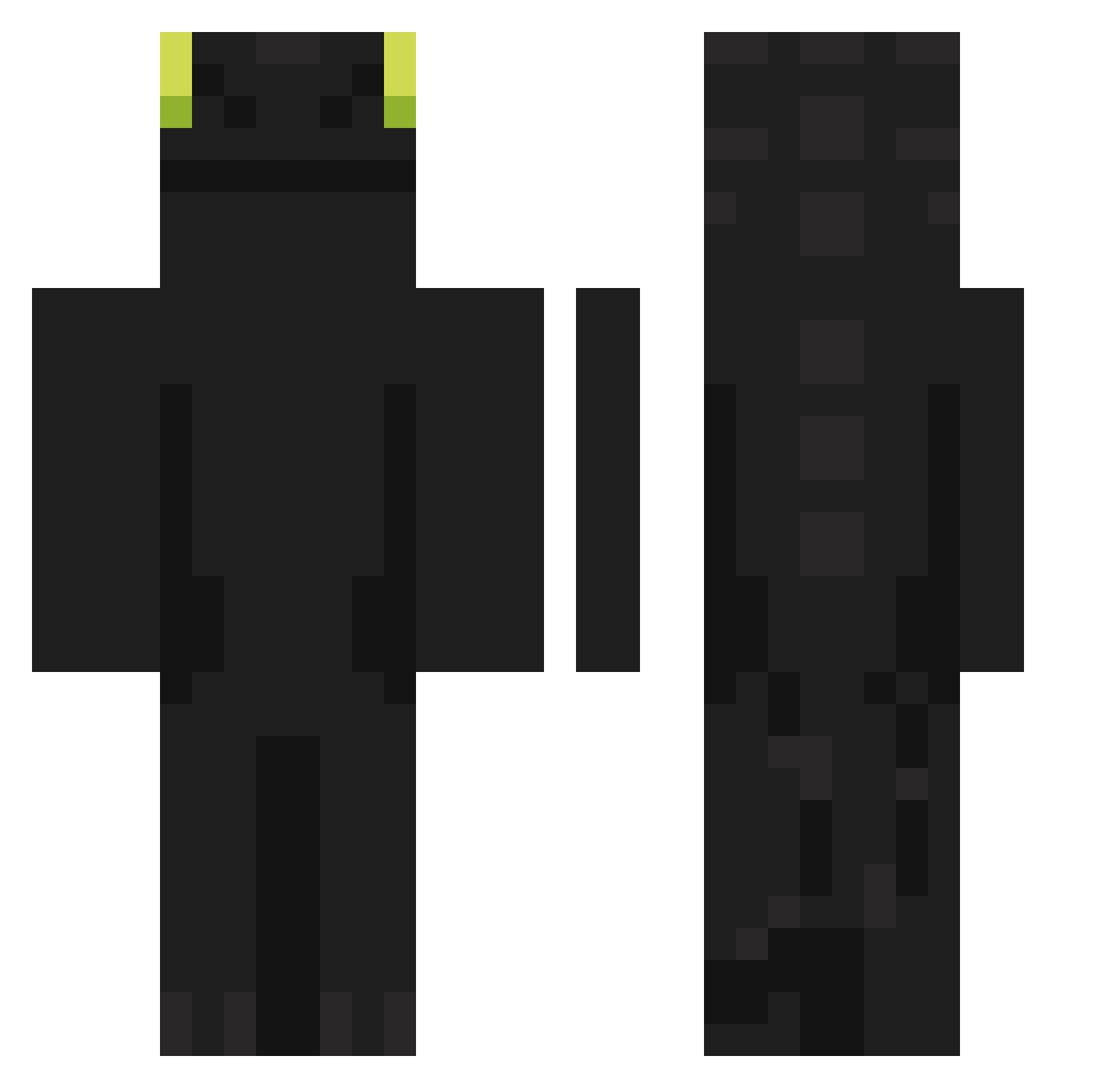
Current Minecraft skin of the player LilGhost79, loaded from the official Mojang API. Rotate the 3D model with your mouse or finger, then download the skin as a PNG file and use it in Minecraft: Bedrock Edition or Java Edition for free. When LilGhost79 changes their skin, this page updates automatically and the old skin stays in the history below.
Other players with this skin (902)
LilGhost79 was the 232nd player we have seen with this skin, first spotted on 21.08.2026. The same skin was seen on these players. Open a nickname to see their current skin and skin history.
 voltajojo Anritael _Dragon_70 TheRealQuatrix FuRISSU ActiveKILLERSS Minnie_Wheats MrPeterbot Flafla_82 Imaspace_carrot
 valkerey DoYouKnowDaWae69 Icycutiepatootie sseevax myrota12 Geonha_3271 Kulfo MarcMasters giyeol08 Iloveazuki bezubica RioK11 karlundin heywon yongkr Xiaojin_520 ryantyler222 HxrdZ8 SIN_420 Mr_pepsi Klaaim JGuilherme1053 voidweber AlphaHorizonZ Rakkineh As2pique22 Mazoru_0 CRANKYFATKID IJustToothless iguinz_ Learsiii lineduu ItzMarkz1 lavayee 12Joao sbql etoagishev Mendiara_ Lusial FRENCH_OKAMI Iskemo fjels YourLeftKnee kkjun_0420 Kazakh_Apartus Campalaniy dragon0793 Migue_POU TOSTA202 skruuuy
More Night Fury Minecraft skins
How to install the LilGhost79 skin
- Press the Download button above to save the skin as a PNG file.
- Minecraft: Bedrock Edition (PE): open the Dressing Room from the main menu (or tap your character → Edit Character), go to Classic Skins → Owned, press the + (new skin) button, choose the downloaded PNG and pick the Classic (Steve) model. Works on PC and mobile; consoles cannot import custom skins.
- Minecraft: Java Edition: open the Minecraft Launcher, go to the Skins tab, click New Skin, load the PNG, pick the Classic (Steve) model and press Save & Use. You can also upload it at minecraft.net → Profile → Change Skin.
The skin does not show up after import - what should I do?
Restart Minecraft and open the Dressing Room again - imported skins sometimes appear only after a restart. Also make sure you selected the imported skin and picked the Classic (Steve) model.
Which model should I choose, Classic or Slim?
This skin is designed for the Classic (Steve) model. If you pick the wrong model, the arms of the skin will look stretched or squeezed.
Is the skin of LilGhost79 free to download?
Yes. Press Download, save the PNG file and use it in Minecraft: Bedrock Edition or Java Edition - no payment or registration needed. The skin also works on multiplayer servers and Realms.
More skins
Looking for more? Go back to all Minecraft skins and check the top skins of the week, month and all time, or find any player's skin by nickname.