
Licali - Minecraft Skins & Skin History
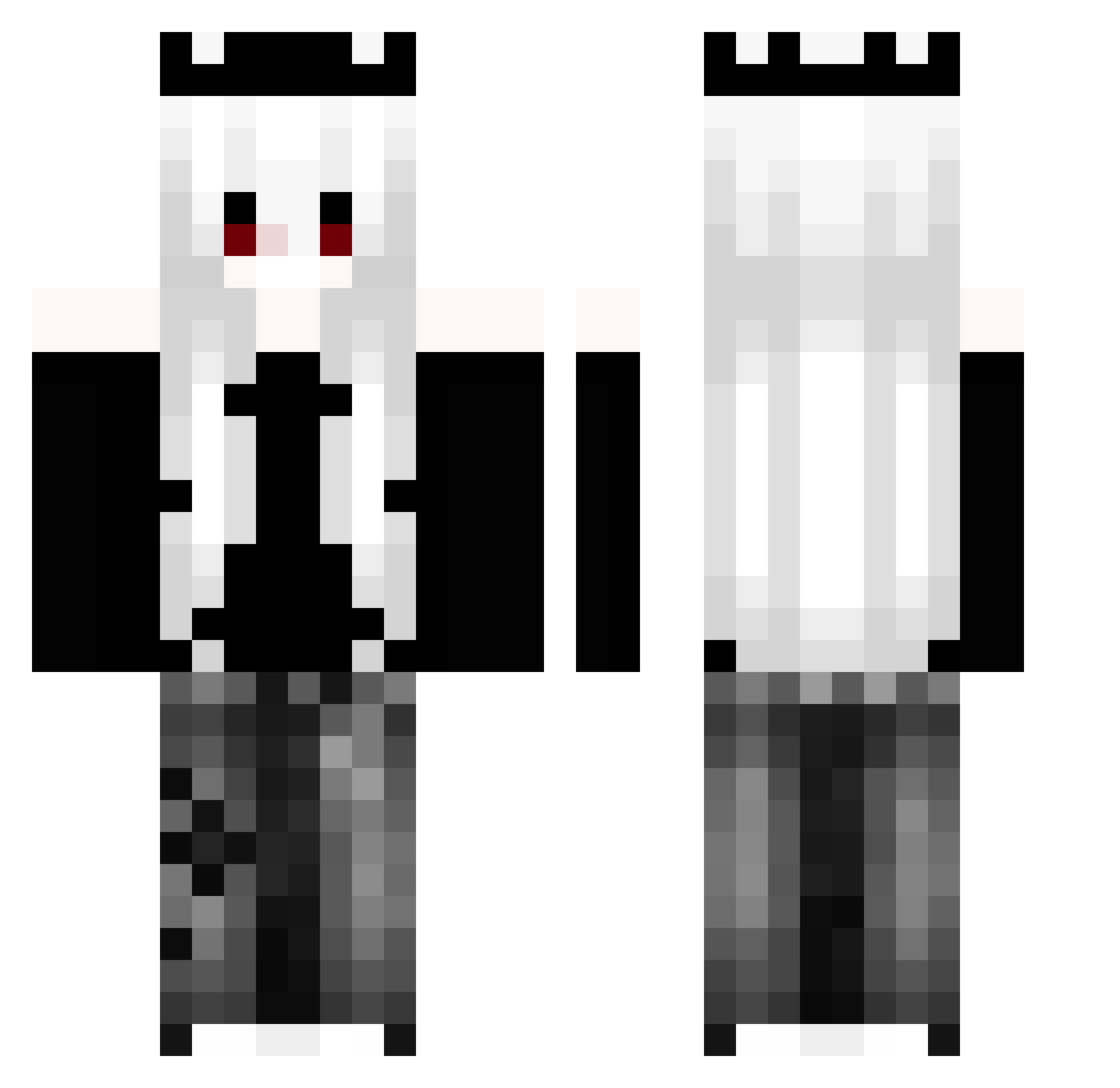
Current Minecraft skin of the player Licali, loaded from the official Mojang API. Rotate the 3D model with your mouse or finger, then download the skin as a PNG file and use it in Minecraft: Bedrock Edition or Java Edition for free. When Licali changes their skin, this page updates automatically and the old skin stays in the history below.
Other players with this skin (91)
Licali was the 65th player we have seen with this skin, first spotted on 09.10.2026. The same skin was seen on these players. Open a nickname to see their current skin and skin history.
 Pittaya99 Au_rora2 Usseawa lizard_ezg Abyssl__ WenMinSaMa suicideboysfan yodaaaaa_craft CryoAix SIY4 AyKen09 TheKubason2kPL Aurore3018 Nemesis092 Suerzia Arthvenn BOT__Wally zxy_00 sebastian_1233 avoidkarma _Netheriox_ V0idd__ Hadgood vizzy_55 Akigakulu enzo116658 DeUlo ToiletFlusher420 TwItaleano BlueyDuck Am2thyst wojiemouren peluciiia Lupik999 EnTomix Ywxq Krandrok KGIRE Kyze__ MAYARIF m1lso Ael__ luckiieststarr AceIsHere_ y_xue _ler0y KillerMasterTH Kommissarin yatakun45451919 REELSHESH Setaa404 Kanom_JN _Xzona_ wjdtmddns021814 gamer76114 Marskai mvrsta SevenS_y Todoroki60 AkazaKiZ
More Crown Minecraft skins
How to install the Licali skin
- Press the Download button above to save the skin as a PNG file.
- Minecraft: Bedrock Edition (PE): open the Dressing Room from the main menu (or tap your character → Edit Character), go to Classic Skins → Owned, press the + (new skin) button, choose the downloaded PNG and pick the Classic (Steve) model. Works on PC and mobile; consoles cannot import custom skins.
- Minecraft: Java Edition: open the Minecraft Launcher, go to the Skins tab, click New Skin, load the PNG, pick the Classic (Steve) model and press Save & Use. You can also upload it at minecraft.net → Profile → Change Skin.
The skin does not show up after import - what should I do?
Restart Minecraft and open the Dressing Room again - imported skins sometimes appear only after a restart. Also make sure you selected the imported skin and picked the Classic (Steve) model.
Which model should I choose, Classic or Slim?
This skin is designed for the Classic (Steve) model. If you pick the wrong model, the arms of the skin will look stretched or squeezed.
Is the skin of Licali free to download?
Yes. Press Download, save the PNG file and use it in Minecraft: Bedrock Edition or Java Edition - no payment or registration needed. The skin also works on multiplayer servers and Realms.
More skins
Looking for more? Go back to all Minecraft skins and check the top skins of the week, month and all time, or find any player's skin by nickname.