
Liazar_ - Minecraft Skins & Skin History
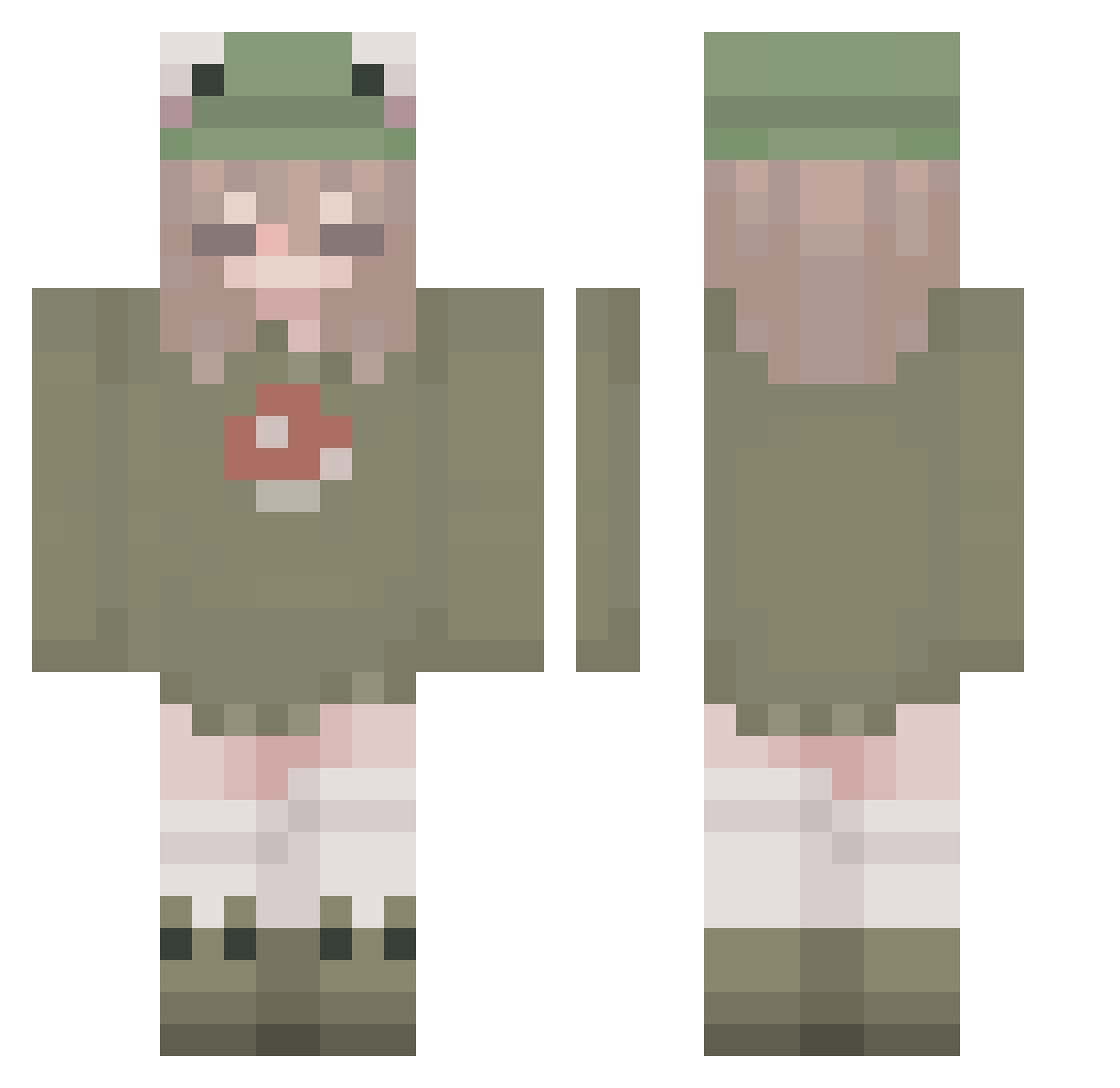
Current Minecraft skin of the player Liazar_, loaded from the official Mojang API. Rotate the 3D model with your mouse or finger, then download the skin as a PNG file and use it in Minecraft: Bedrock Edition or Java Edition for free. When Liazar_ changes their skin, this page updates automatically and the old skin stays in the history below.
Other players with this skin (337)
Liazar_ was the 313th player we have seen with this skin, first spotted on 12.11.2026. The same skin was seen on these players. Open a nickname to see their current skin and skin history.
 gaumont_ Pandybear24 Regenbogen0508 KayAmber7 Sunhan Mr_tyyny Dark890430 winko123 SunnyFIower mewy0 slurpslurp4969 Darling12709 Kjaaay WeirdHippie xKenshii emmawavw swagslugg Me0wy124 thedaisydont Arbuzia12 lenaaa1812 Grimmac kaleshakes 7heChosen0ne ashleyasohungry Nessi_Pessi lejund michaelxbox360 frogibz seunghun1229 Yujol erinssin Zephyerium MuChiNeko_uwu Yaorue SureGorilla6498 Eabhsowah Gabrysia19 SusuGirl glitterati69 KaiserRhemus aenj87 kinming85375 nikipurple04 derin0911 Yamumsyadad01 Noahhennessy SrtaPaula009 Malupaiva ryo_ooo cassie266 Cole______ WigMeister AlmightyPenguin _clo_05_ JaJo_148 Jallyfosh Pristinaaaa YinggOUO SleepyFrogyy
More Mushroom Minecraft skins
How to install the Liazar_ skin
- Press the Download button above to save the skin as a PNG file.
- Minecraft: Bedrock Edition (PE): open the Dressing Room from the main menu (or tap your character → Edit Character), go to Classic Skins → Owned, press the + (new skin) button, choose the downloaded PNG and pick the Classic (Steve) model. Works on PC and mobile; consoles cannot import custom skins.
- Minecraft: Java Edition: open the Minecraft Launcher, go to the Skins tab, click New Skin, load the PNG, pick the Classic (Steve) model and press Save & Use. You can also upload it at minecraft.net → Profile → Change Skin.
The skin does not show up after import - what should I do?
Restart Minecraft and open the Dressing Room again - imported skins sometimes appear only after a restart. Also make sure you selected the imported skin and picked the Classic (Steve) model.
Which model should I choose, Classic or Slim?
This skin is designed for the Classic (Steve) model. If you pick the wrong model, the arms of the skin will look stretched or squeezed.
Is the skin of Liazar_ free to download?
Yes. Press Download, save the PNG file and use it in Minecraft: Bedrock Edition or Java Edition - no payment or registration needed. The skin also works on multiplayer servers and Realms.
More skins
Looking for more? Go back to all Minecraft skins and check the top skins of the week, month and all time, or find any player's skin by nickname.