
LgenzzOnFire - Minecraft Skins & Skin History
Current Minecraft skin of the player LgenzzOnFire, loaded from the official Mojang API. Rotate the 3D model with your mouse or finger, then download the skin as a PNG file and use it in Minecraft: Bedrock Edition or Java Edition for free. When LgenzzOnFire changes their skin, this page updates automatically and the old skin stays in the history below.
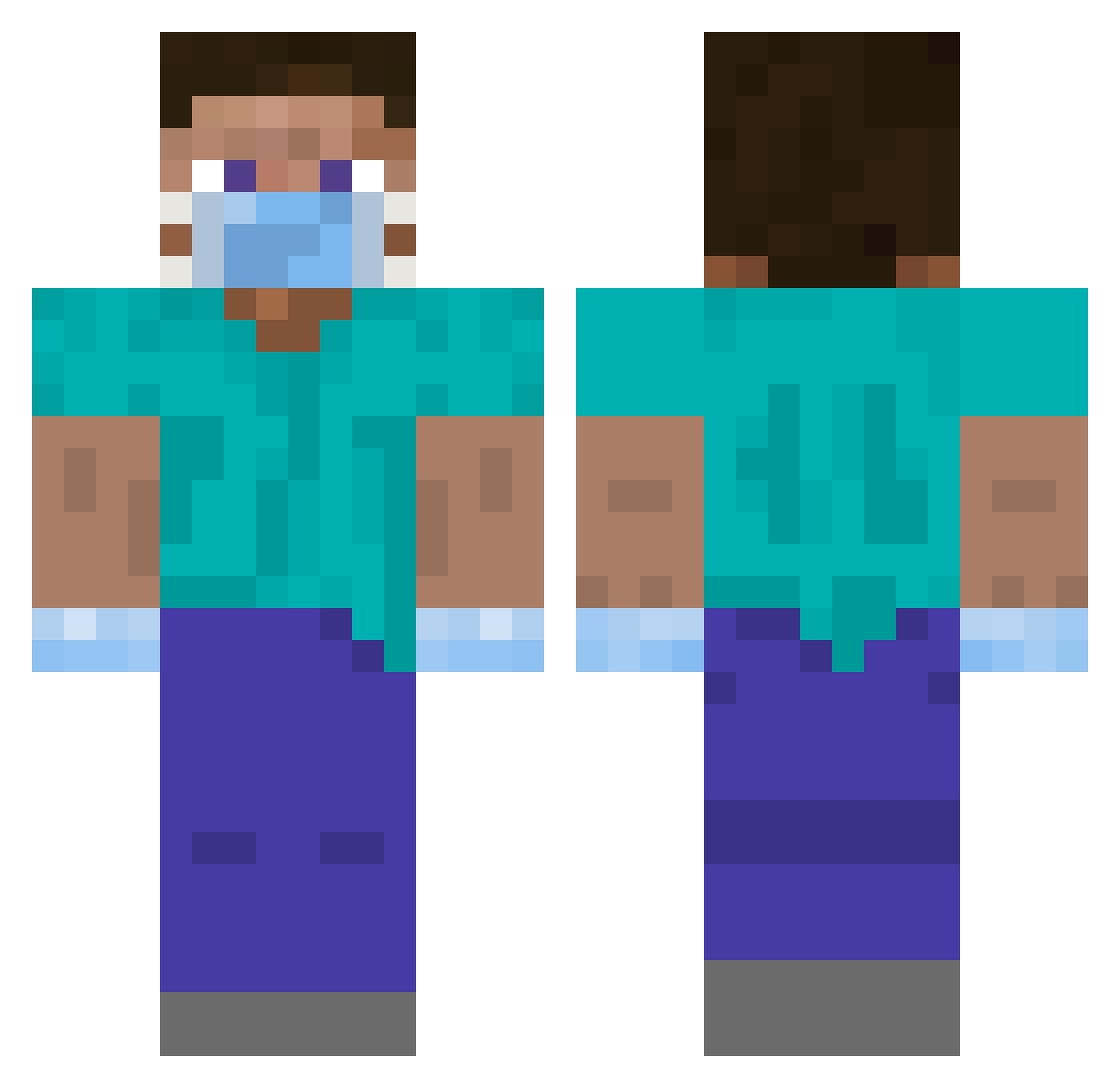
Other players with this skin (328)
LgenzzOnFire was the 44th player we have seen with this skin, first spotted on 08.08.2026. The same skin was seen on these players. Open a nickname to see their current skin and skin history.
 MVGKal BabyYoda447 MisterCookiesss YolannB67 Fx_Shenyang Zeemuch Bergtiger98 Kevin_040 Darksiders104 __CAMPER__ AnDrEj21 TeUsZiin dababyduker NineResolve Nuudelholz Sergiocampero mjaenicke Dope111 Rookieer feracon _Internet_ DarthLopes Steiff_Ben hgana MuteDwarf bolinha_craft serkk_1 Kvikro_ skaa42 JustinG1057 Opedreiro Nickfizz Mr_Gustavo_PRO jimbo7482 WeirdStone FURKID1903 Erosmile88 _BASSEM leos72 jodybob _Bodson fishychicken1529 Tinycar0 koburakasai GALL3GOS Sgt_Cloud Girser Creampie9898 BULKCOFFEE CUD4C arechawla ENDM9 Costant00 chriskim07 Holytrey Heisenberg975 elbublexmc PaulHaiden Xokoliko JebacBobraKurwe
More Surgeon Minecraft skins
How to install the LgenzzOnFire skin
- Press the Download button above to save the skin as a PNG file.
- Minecraft: Bedrock Edition (PE): open the Dressing Room from the main menu (or tap your character → Edit Character), go to Classic Skins → Owned, press the + (new skin) button, choose the downloaded PNG and pick the Classic (Steve) model. Works on PC and mobile; consoles cannot import custom skins.
- Minecraft: Java Edition: open the Minecraft Launcher, go to the Skins tab, click New Skin, load the PNG, pick the Classic (Steve) model and press Save & Use. You can also upload it at minecraft.net → Profile → Change Skin.
The skin does not show up after import - what should I do?
Restart Minecraft and open the Dressing Room again - imported skins sometimes appear only after a restart. Also make sure you selected the imported skin and picked the Classic (Steve) model.
Which model should I choose, Classic or Slim?
This skin is designed for the Classic (Steve) model. If you pick the wrong model, the arms of the skin will look stretched or squeezed.
Is the skin of LgenzzOnFire free to download?
Yes. Press Download, save the PNG file and use it in Minecraft: Bedrock Edition or Java Edition - no payment or registration needed. The skin also works on multiplayer servers and Realms.
More skins
Looking for more? Go back to all Minecraft skins and check the top skins of the week, month and all time, or find any player's skin by nickname.