
Costant00 - Minecraft Skins & Skin History
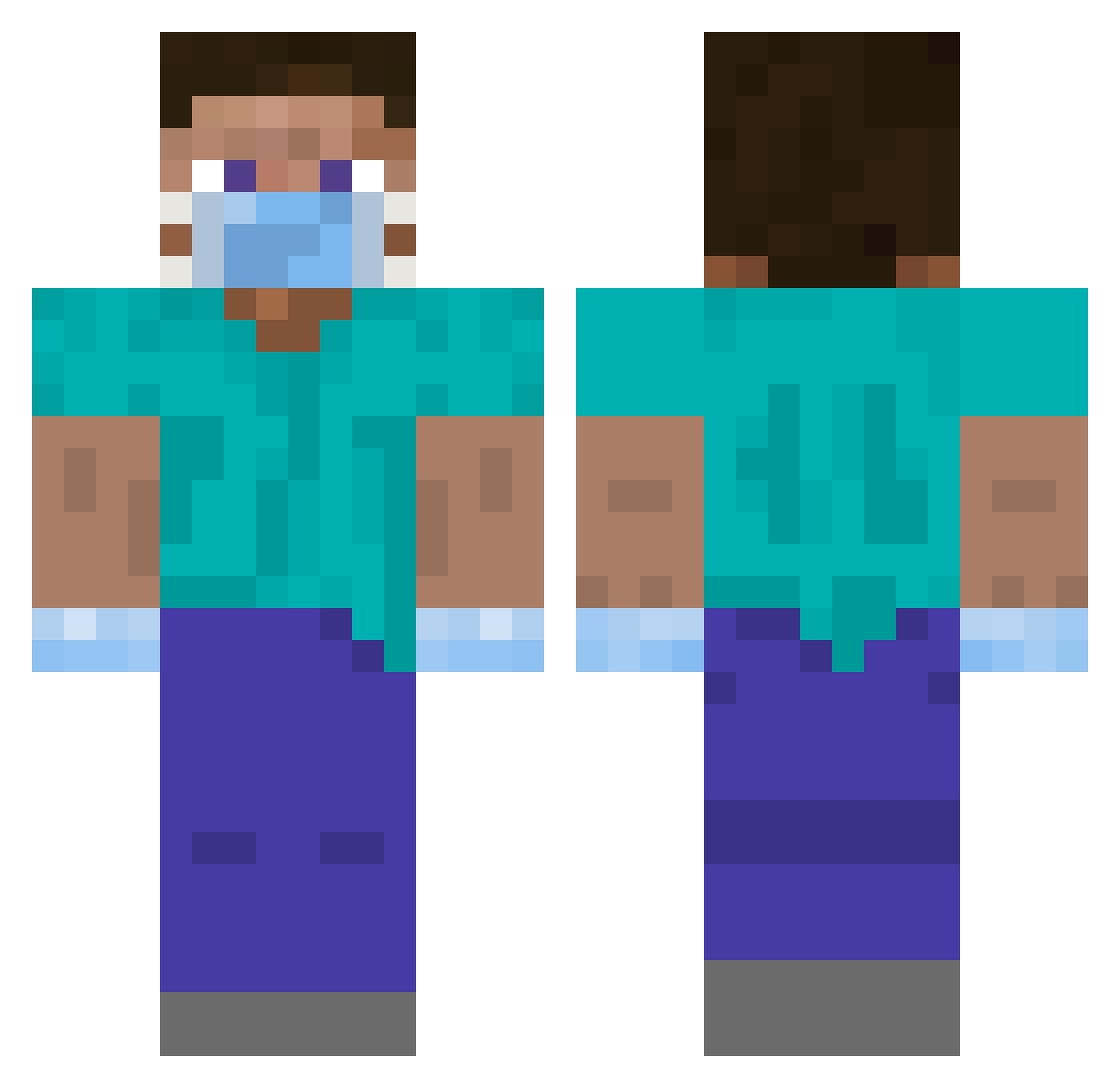
Current Minecraft skin of the player Costant00, loaded from the official Mojang API. Rotate the 3D model with your mouse or finger, then download the skin as a PNG file and use it in Minecraft: Bedrock Edition or Java Edition for free. When Costant00 changes their skin, this page updates automatically and the old skin stays in the history below.
Other players with this skin (328)
Costant00 was the 72nd player we have seen with this skin, first spotted on 16.08.2026. The same skin was seen on these players. Open a nickname to see their current skin and skin history.
 ENDM9 arechawla chriskim07 CUD4C Holytrey BULKCOFFEE Girser PaulHaiden pila13 Sgt_Cloud GALL3GOS koburakasai Tinycar0 mbevans djemirbaba minecrafter00003 cARONAVIRUS228 _Bodson jodybob ZappyD_ _BASSEM Erosmile88 JulXin Ronegr ScaryHacker seong95 WeirdStone Mr_Gustavo_PRO Opedreiro dawongg JustinG1057 skaa42 hurtanile 999tristan coldfridge djungelsko_g ByOruuu bolinha_craft launchit hgana Txreq HighLandCar GonnaMakeUMad Lea_Pea BigChiefAiden feracon Lakemustdie Rookieer Cnoptakyc VistaGang kNS_YT Nuudelholz Vlad_2 Chiquitodudu Ditalcus Bruh_Boy69 TeUsZiin __CAMPER__ hsunaY MisterCookiesss
More Surgeon Minecraft skins
How to install the Costant00 skin
- Press the Download button above to save the skin as a PNG file.
- Minecraft: Bedrock Edition (PE): open the Dressing Room from the main menu (or tap your character → Edit Character), go to Classic Skins → Owned, press the + (new skin) button, choose the downloaded PNG and pick the Classic (Steve) model. Works on PC and mobile; consoles cannot import custom skins.
- Minecraft: Java Edition: open the Minecraft Launcher, go to the Skins tab, click New Skin, load the PNG, pick the Classic (Steve) model and press Save & Use. You can also upload it at minecraft.net → Profile → Change Skin.
The skin does not show up after import - what should I do?
Restart Minecraft and open the Dressing Room again - imported skins sometimes appear only after a restart. Also make sure you selected the imported skin and picked the Classic (Steve) model.
Which model should I choose, Classic or Slim?
This skin is designed for the Classic (Steve) model. If you pick the wrong model, the arms of the skin will look stretched or squeezed.
Is the skin of Costant00 free to download?
Yes. Press Download, save the PNG file and use it in Minecraft: Bedrock Edition or Java Edition - no payment or registration needed. The skin also works on multiplayer servers and Realms.
More skins
Looking for more? Go back to all Minecraft skins and check the top skins of the week, month and all time, or find any player's skin by nickname.