
Lexi_Sexi - Minecraft Skins & Skin History
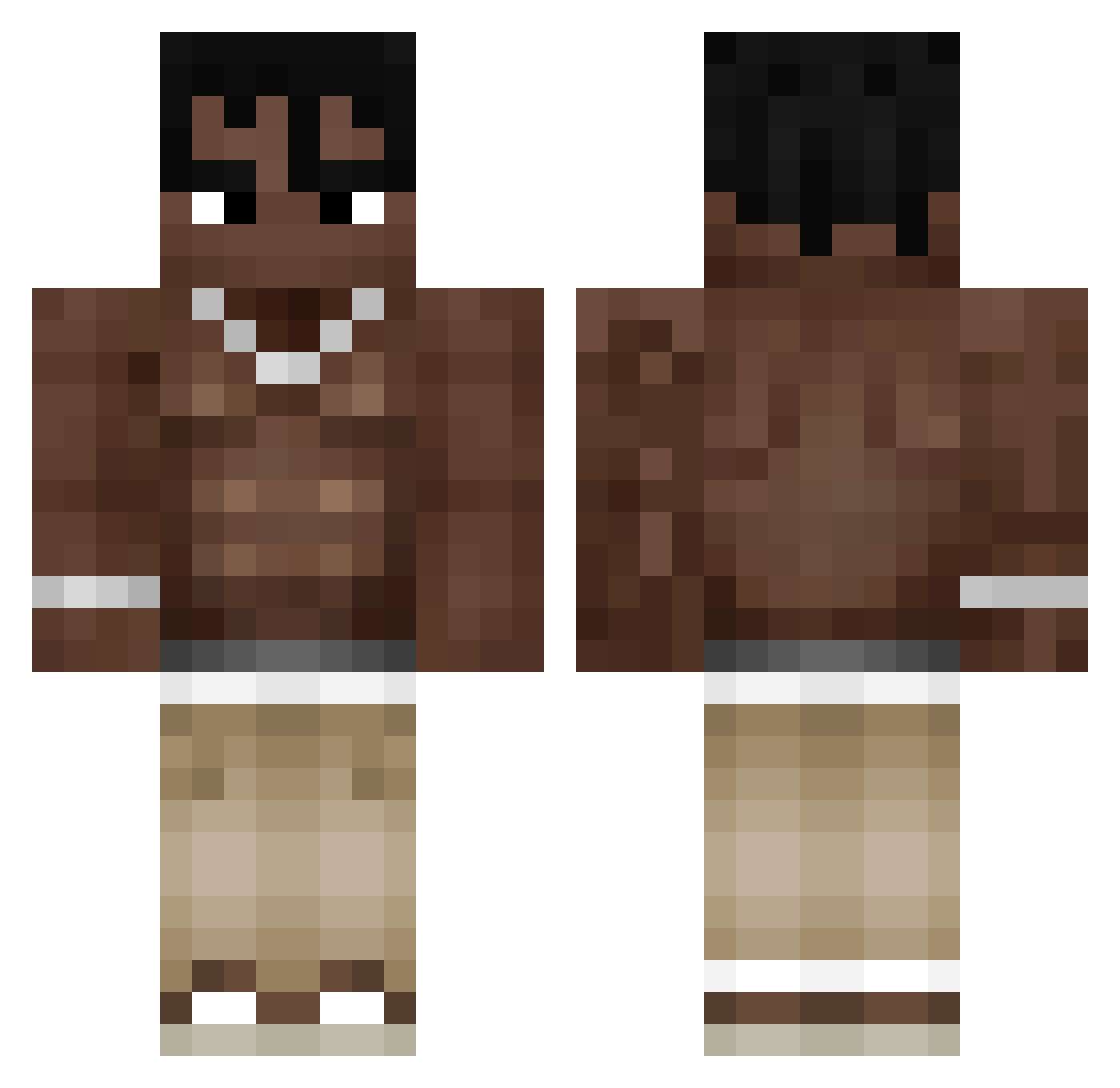
Current Minecraft skin of the player Lexi_Sexi, loaded from the official Mojang API. Rotate the 3D model with your mouse or finger, then download the skin as a PNG file and use it in Minecraft: Bedrock Edition or Java Edition for free. When Lexi_Sexi changes their skin, this page updates automatically and the old skin stays in the history below.
Other players with this skin (323)
Lexi_Sexi was the 278th player we have seen with this skin, first spotted on 20.10.2026. The same skin was seen on these players. Open a nickname to see their current skin and skin history.
 Cris1911xd Asheeez666 Devaris JEICO69 DremiNotFond Kilian0908 lubidacz3k Shocherezz oximen Borygooo_ THIS_HEJLE emiyq You_2Late Ez_mati MojoJhoJho whoisbrq KoolAidDrinkers CoinWarrion stsa3546 pirubas martireUTOPIA DieGosse2 lucaspiero44 lacedburger hallahehe ChadOnWii bloodlinexd1 Ttrexy travis_3423 bacihoplatann31 MSBereck Sacrednxss Sparky__ Aztxcc orel7__ crazy_rex_28 MrNugget255 Noah01711 tommyboy2102 FreezyVR Gae99 lessuwu LaFlame902100 HC_juanse cauezinxd mballs UranoPlayers Sunly_ Aitor_Gil N1K0s_ leo_6pm Moti69 cemycr0 pigdog1232 kIngfis123 POOLOOGG Wojak01 Nitatice73 Krencis Izo1tnnzI
More Shirtless Minecraft skins
How to install the Lexi_Sexi skin
- Press the Download button above to save the skin as a PNG file.
- Minecraft: Bedrock Edition (PE): open the Dressing Room from the main menu (or tap your character → Edit Character), go to Classic Skins → Owned, press the + (new skin) button, choose the downloaded PNG and pick the Classic (Steve) model. Works on PC and mobile; consoles cannot import custom skins.
- Minecraft: Java Edition: open the Minecraft Launcher, go to the Skins tab, click New Skin, load the PNG, pick the Classic (Steve) model and press Save & Use. You can also upload it at minecraft.net → Profile → Change Skin.
The skin does not show up after import - what should I do?
Restart Minecraft and open the Dressing Room again - imported skins sometimes appear only after a restart. Also make sure you selected the imported skin and picked the Classic (Steve) model.
Which model should I choose, Classic or Slim?
This skin is designed for the Classic (Steve) model. If you pick the wrong model, the arms of the skin will look stretched or squeezed.
Is the skin of Lexi_Sexi free to download?
Yes. Press Download, save the PNG file and use it in Minecraft: Bedrock Edition or Java Edition - no payment or registration needed. The skin also works on multiplayer servers and Realms.
More skins
Looking for more? Go back to all Minecraft skins and check the top skins of the week, month and all time, or find any player's skin by nickname.