
Lesyeur - Minecraft Skins & Skin History
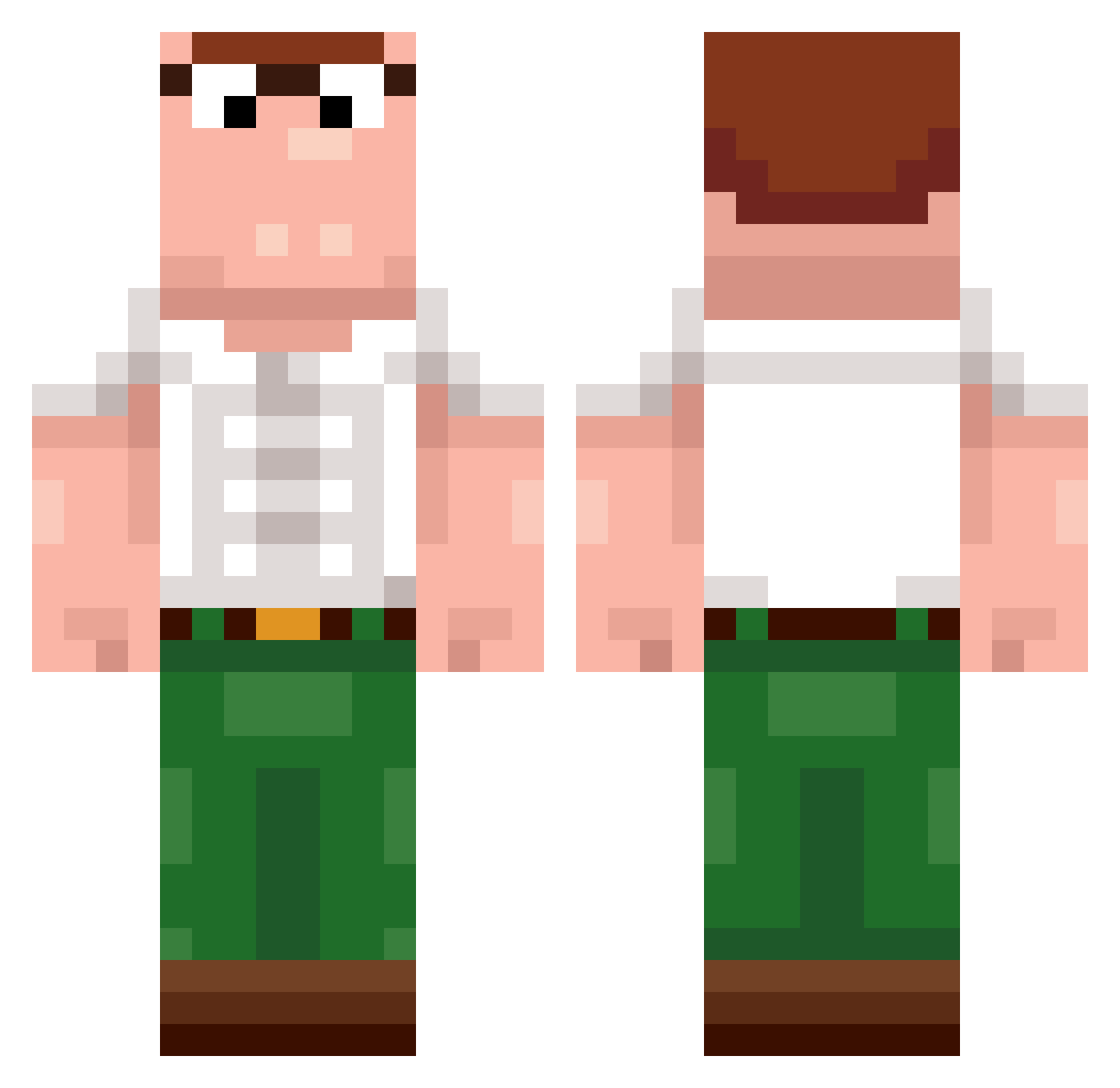
Current Minecraft skin of the player Lesyeur, loaded from the official Mojang API. Rotate the 3D model with your mouse or finger, then download the skin as a PNG file and use it in Minecraft: Bedrock Edition or Java Edition for free. When Lesyeur changes their skin, this page updates automatically and the old skin stays in the history below.
Other players with this skin (400)
Lesyeur was the 223rd player we have seen with this skin, first spotted on 23.09.2026. The same skin was seen on these players. Open a nickname to see their current skin and skin history.
 goodwoman61 EdwardDonmez wooooooooow Master_in_LoL MassiveDonny nocodename_89 hajdurobert Subjectpalito GucciGuilty2468 yamotea Seth519x PhazerrBeam gosman4 Milan9428 joakn broge VirFyp Gonchuuu 1999FordExplorer tburns7 Pijonexe Tape112 Ahuenpoz Paulluca1207 fswe9898 dtopism qingyabaiyu qkein IQdLt3s RegretfulBard LynxIRL kuljake Ge3ble jojoman53 Ranzi777 TEOOOOO1 we_chong Swanchick Ghomin Cxsred KingDzhy Mclobisomemmmm Shadow_Flypig SparedGeoduck70 centrifuga VAPIDZz zeycrox renj1_ varoooooo Dr_Pepper_Wizard ramanobombommay Beadre ConBangs KU3G4N 7nkaliiis FreshHotPoop Advenae OwlMan_ Rxvernia Skinnerr1
More Peter Griffin Minecraft skins
See all 223 Peter Griffin skins
How to install the Lesyeur skin
- Press the Download button above to save the skin as a PNG file.
- Minecraft: Bedrock Edition (PE): open the Dressing Room from the main menu (or tap your character → Edit Character), go to Classic Skins → Owned, press the + (new skin) button, choose the downloaded PNG and pick the Classic (Steve) model. Works on PC and mobile; consoles cannot import custom skins.
- Minecraft: Java Edition: open the Minecraft Launcher, go to the Skins tab, click New Skin, load the PNG, pick the Classic (Steve) model and press Save & Use. You can also upload it at minecraft.net → Profile → Change Skin.
The skin does not show up after import - what should I do?
Restart Minecraft and open the Dressing Room again - imported skins sometimes appear only after a restart. Also make sure you selected the imported skin and picked the Classic (Steve) model.
Which model should I choose, Classic or Slim?
This skin is designed for the Classic (Steve) model. If you pick the wrong model, the arms of the skin will look stretched or squeezed.
Is the skin of Lesyeur free to download?
Yes. Press Download, save the PNG file and use it in Minecraft: Bedrock Edition or Java Edition - no payment or registration needed. The skin also works on multiplayer servers and Realms.
More skins
Looking for more? Go back to all Minecraft skins and check the top skins of the week, month and all time, or find any player's skin by nickname.