
Leon1473 - Minecraft Skins & Skin History
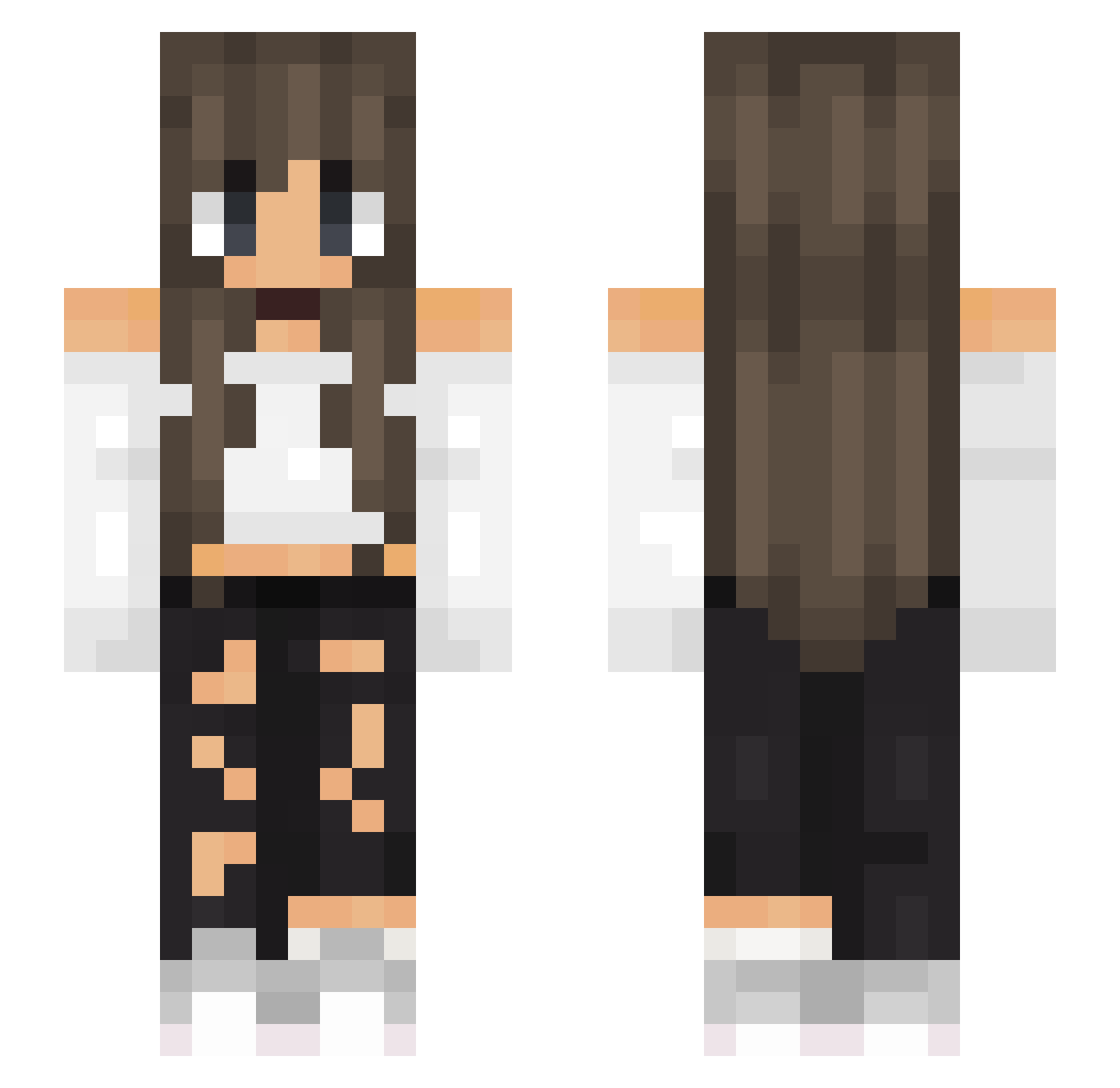
Current Minecraft skin of the player Leon1473, loaded from the official Mojang API. Rotate the 3D model with your mouse or finger, then download the skin as a PNG file and use it in Minecraft: Bedrock Edition or Java Edition for free. When Leon1473 changes their skin, this page updates automatically and the old skin stays in the history below.
Other players with this skin (649)
Leon1473 was the 600th player we have seen with this skin, first spotted on 11.11.2026. The same skin was seen on these players. Open a nickname to see their current skin and skin history.
 BasiclyRino Woah_lia xmelisa35 estrella05 Hannaaaaaaaaa queenkoko8 Cuggi_ JaKuebel LZ_Drift BedWarsKitten TheDirtman1 Werciakowata JustiChmielka murathan3131 meghan776 NotNoelle thildeee Schacke97 LDAMDS dididididi THE_QUEENXX EmmaSky123 persona_fors kimberlyxj kyllingsausen MrsElo Pyoteru Empireem AmaJewel w33bss Narics nesyrey Serafine1213 AlexisMoncada Mia0806 DebonairPuma525 goldengurke96 ecureuil897 Mxntag Leafshine_19 M_A_R_I_A_N_A_eu ShowyConch9823 Heckle_Peckle PandaCaku Alessiaa08 Thaiaa gismo_pixi Ana_Schultz JohnPoky ay_levn THJ03 captainmagma00 TheresaCZE Hugotheking0404 ArCoN3 cammieee8 MaZwister BotAlba Haannsiii Az_Kitsuu
More Off Shoulder Minecraft skins
See all 502 Off Shoulder skins
How to install the Leon1473 skin
- Press the Download button above to save the skin as a PNG file.
- Minecraft: Bedrock Edition (PE): open the Dressing Room from the main menu (or tap your character → Edit Character), go to Classic Skins → Owned, press the + (new skin) button, choose the downloaded PNG and pick the Slim (Alex) model. Works on PC and mobile; consoles cannot import custom skins.
- Minecraft: Java Edition: open the Minecraft Launcher, go to the Skins tab, click New Skin, load the PNG, pick the Slim (Alex) model and press Save & Use. You can also upload it at minecraft.net → Profile → Change Skin.
The skin does not show up after import - what should I do?
Restart Minecraft and open the Dressing Room again - imported skins sometimes appear only after a restart. Also make sure you selected the imported skin and picked the Slim (Alex) model.
Which model should I choose, Classic or Slim?
This skin is designed for the Slim (Alex) model. If you pick the wrong model, the arms of the skin will look stretched or squeezed.
Is the skin of Leon1473 free to download?
Yes. Press Download, save the PNG file and use it in Minecraft: Bedrock Edition or Java Edition - no payment or registration needed. The skin also works on multiplayer servers and Realms.
More skins
Looking for more? Go back to all Minecraft skins and check the top skins of the week, month and all time, or find any player's skin by nickname.