
Lenathea1 - Minecraft Skins & Skin History
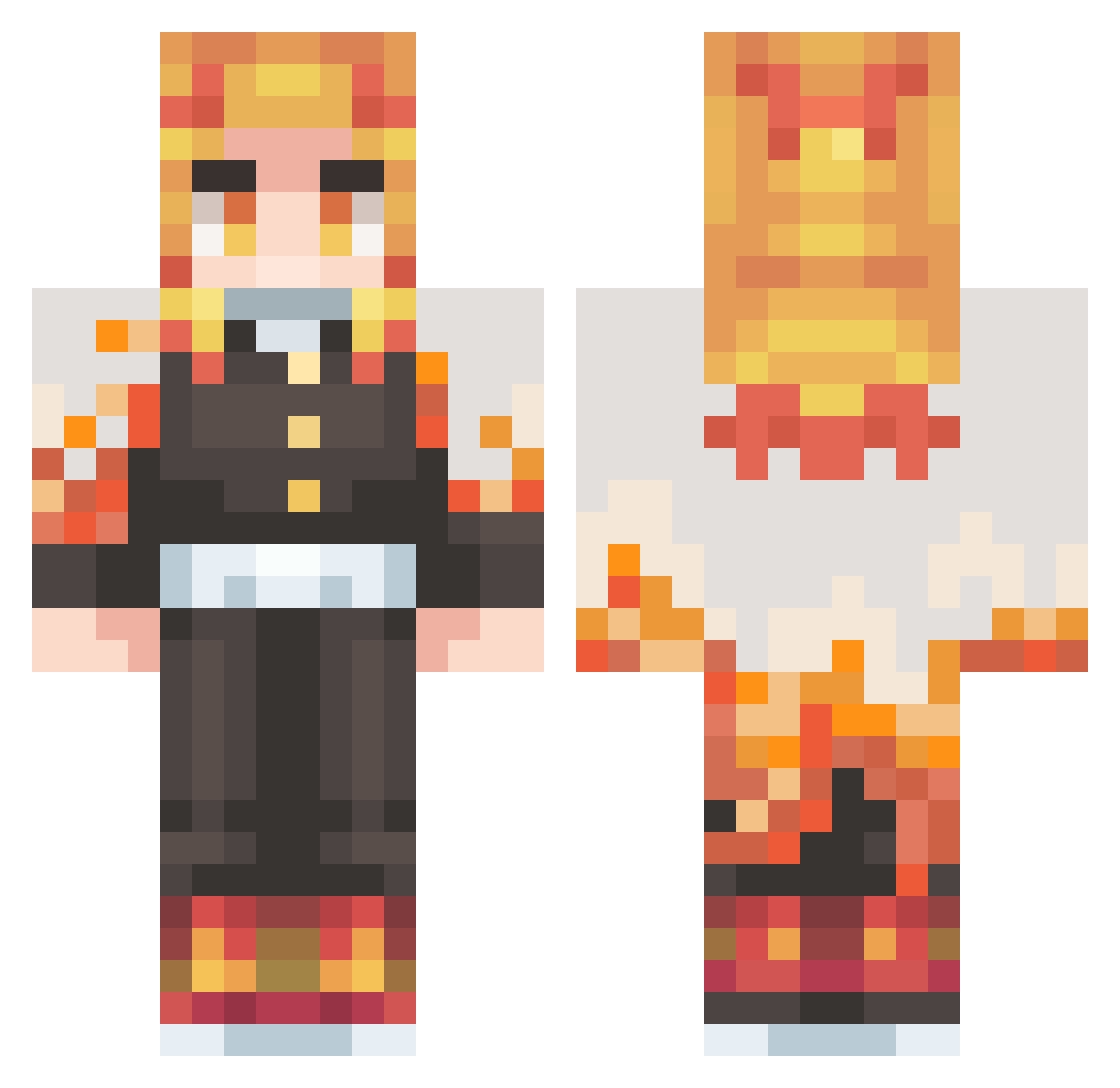
Current Minecraft skin of the player Lenathea1, loaded from the official Mojang API. Rotate the 3D model with your mouse or finger, then download the skin as a PNG file and use it in Minecraft: Bedrock Edition or Java Edition for free. When Lenathea1 changes their skin, this page updates automatically and the old skin stays in the history below.
Other players with this skin (431)
Lenathea1 was the 23rd player we have seen with this skin, first spotted on 30.07.2026. The same skin was seen on these players. Open a nickname to see their current skin and skin history.
 kamadasora Sneuty NiallTinnion BigB1ackB1ock Budlerrr TheBallinWalrus Nebula827 MadaMadax jn050329 UyJae byalexuz Abel0167 NeptunFL4ME tht1weirdguy timiop FlakoNTG LeonArdaVnci WonderPiko AalyCat666 FocalCraft taintums Cerwal British_cat5 ChicKWu ByArdaReiss Matthew_HK2007 iorin2013 tennismega
 HARBINGER4510 NaysWer SpaceDandy94 UnknownSt8_ Wesley200213 F1ipFl0p 1awrenceblocks Co1LA fryosaur Mo7md2453 ATOM_JOJO thestryker064 JUN1492 MathSiq Cris_Riorson BeeM00 Asada3768 Featxred2 Zenko0 Kvothz M1ND13SS Luanomatriz topG6969420 Creedzera
 ssupernnovaa 68kevinn Suzuyazumi NUUBZZ saxoxo R_SIGNORINI Santiago_03 PunPun1127
More Kyojuro Rengoku Minecraft skins
See all 114 Kyojuro Rengoku skins
How to install the Lenathea1 skin
- Press the Download button above to save the skin as a PNG file.
- Minecraft: Bedrock Edition (PE): open the Dressing Room from the main menu (or tap your character → Edit Character), go to Classic Skins → Owned, press the + (new skin) button, choose the downloaded PNG and pick the Classic (Steve) model. Works on PC and mobile; consoles cannot import custom skins.
- Minecraft: Java Edition: open the Minecraft Launcher, go to the Skins tab, click New Skin, load the PNG, pick the Classic (Steve) model and press Save & Use. You can also upload it at minecraft.net → Profile → Change Skin.
The skin does not show up after import - what should I do?
Restart Minecraft and open the Dressing Room again - imported skins sometimes appear only after a restart. Also make sure you selected the imported skin and picked the Classic (Steve) model.
Which model should I choose, Classic or Slim?
This skin is designed for the Classic (Steve) model. If you pick the wrong model, the arms of the skin will look stretched or squeezed.
Is the skin of Lenathea1 free to download?
Yes. Press Download, save the PNG file and use it in Minecraft: Bedrock Edition or Java Edition - no payment or registration needed. The skin also works on multiplayer servers and Realms.
More skins
Looking for more? Go back to all Minecraft skins and check the top skins of the week, month and all time, or find any player's skin by nickname.