
Leitrex - Minecraft Skins & Skin History
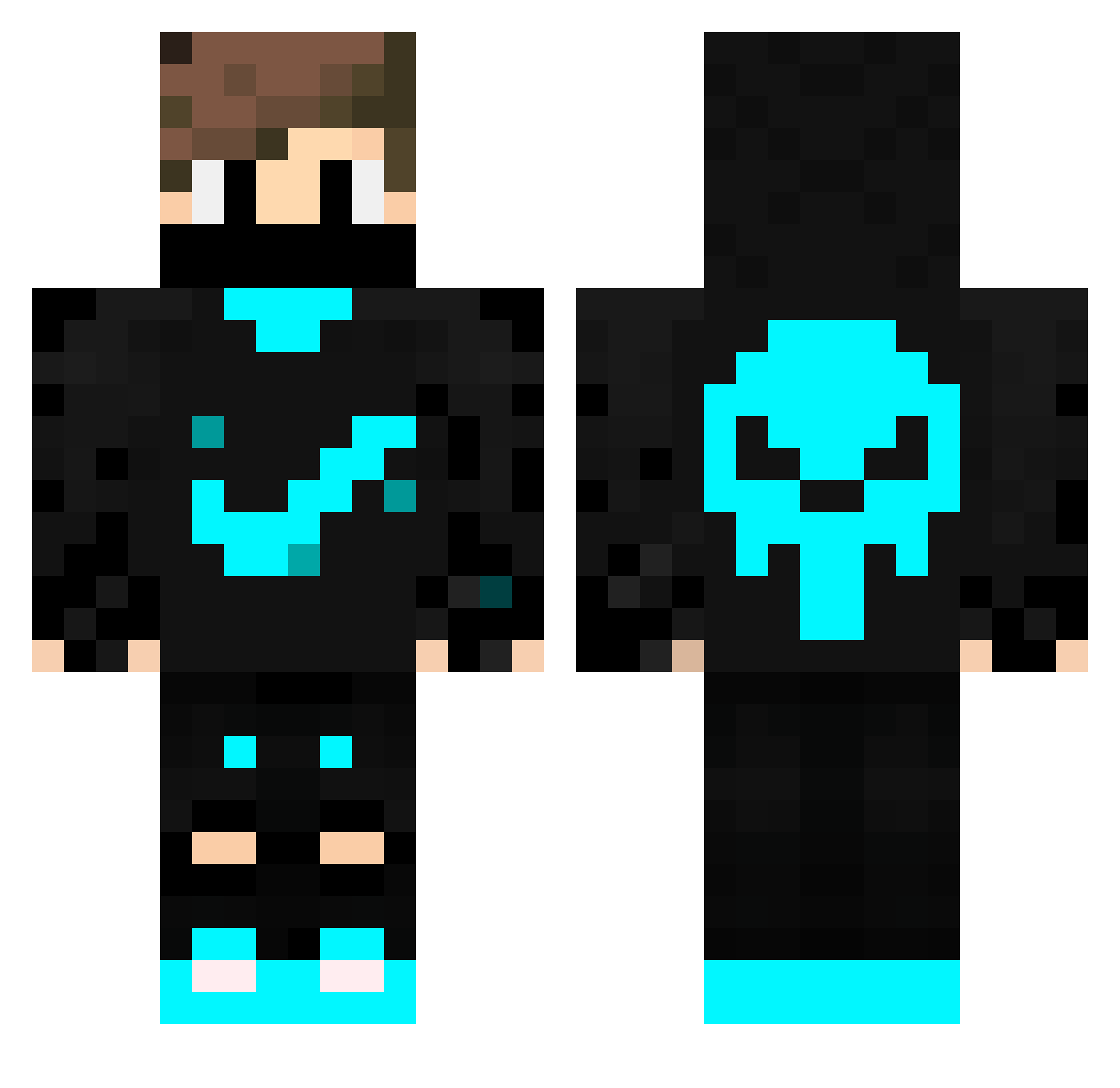
Current Minecraft skin of the player Leitrex, loaded from the official Mojang API. Rotate the 3D model with your mouse or finger, then download the skin as a PNG file and use it in Minecraft: Bedrock Edition or Java Edition for free. When Leitrex changes their skin, this page updates automatically and the old skin stays in the history below.
Other players with this skin (48)
Leitrex was the 15th player we have seen with this skin, first spotted on 01.09.2026. The same skin was seen on these players. Open a nickname to see their current skin and skin history.
 gitarka41 ScorpiO2835 Draeke10 YonahAbdi MineJoe5 mr_nathaniel_b KCZLATAN Diselz MrSronce alma2005 GRYRO cnibot wZangetsu WhirlingSummer EL_Lobito_101 Fyenrial Schmalups3 Chens_ PexOfRelax LeFreZZy LeeC5469 Tornado2104 breker1 Zaxenexaz emcarm16 Bob_Kommer Marcox05 Creepern06 XOnlyBlueX MATHEUS_BACELLAR Lordkinkas Poulpp yoboy_tom52 ABC_evi_legend Young_Ze JacobsFDP_ ICSGio Luis_78 MrJues ralphshin Luis_19 clearence konstantin_368 iiA7MeD_YT FiftyProzent SpikeHD11 Asimov12 CoNso_S
More Skull Minecraft skins
How to install the Leitrex skin
- Press the Download button above to save the skin as a PNG file.
- Minecraft: Bedrock Edition (PE): open the Dressing Room from the main menu (or tap your character → Edit Character), go to Classic Skins → Owned, press the + (new skin) button, choose the downloaded PNG and pick the Classic (Steve) model. Works on PC and mobile; consoles cannot import custom skins.
- Minecraft: Java Edition: open the Minecraft Launcher, go to the Skins tab, click New Skin, load the PNG, pick the Classic (Steve) model and press Save & Use. You can also upload it at minecraft.net → Profile → Change Skin.
The skin does not show up after import - what should I do?
Restart Minecraft and open the Dressing Room again - imported skins sometimes appear only after a restart. Also make sure you selected the imported skin and picked the Classic (Steve) model.
Which model should I choose, Classic or Slim?
This skin is designed for the Classic (Steve) model. If you pick the wrong model, the arms of the skin will look stretched or squeezed.
Is the skin of Leitrex free to download?
Yes. Press Download, save the PNG file and use it in Minecraft: Bedrock Edition or Java Edition - no payment or registration needed. The skin also works on multiplayer servers and Realms.
More skins
Looking for more? Go back to all Minecraft skins and check the top skins of the week, month and all time, or find any player's skin by nickname.