
Lechuza8586 - Minecraft Skins & Skin History
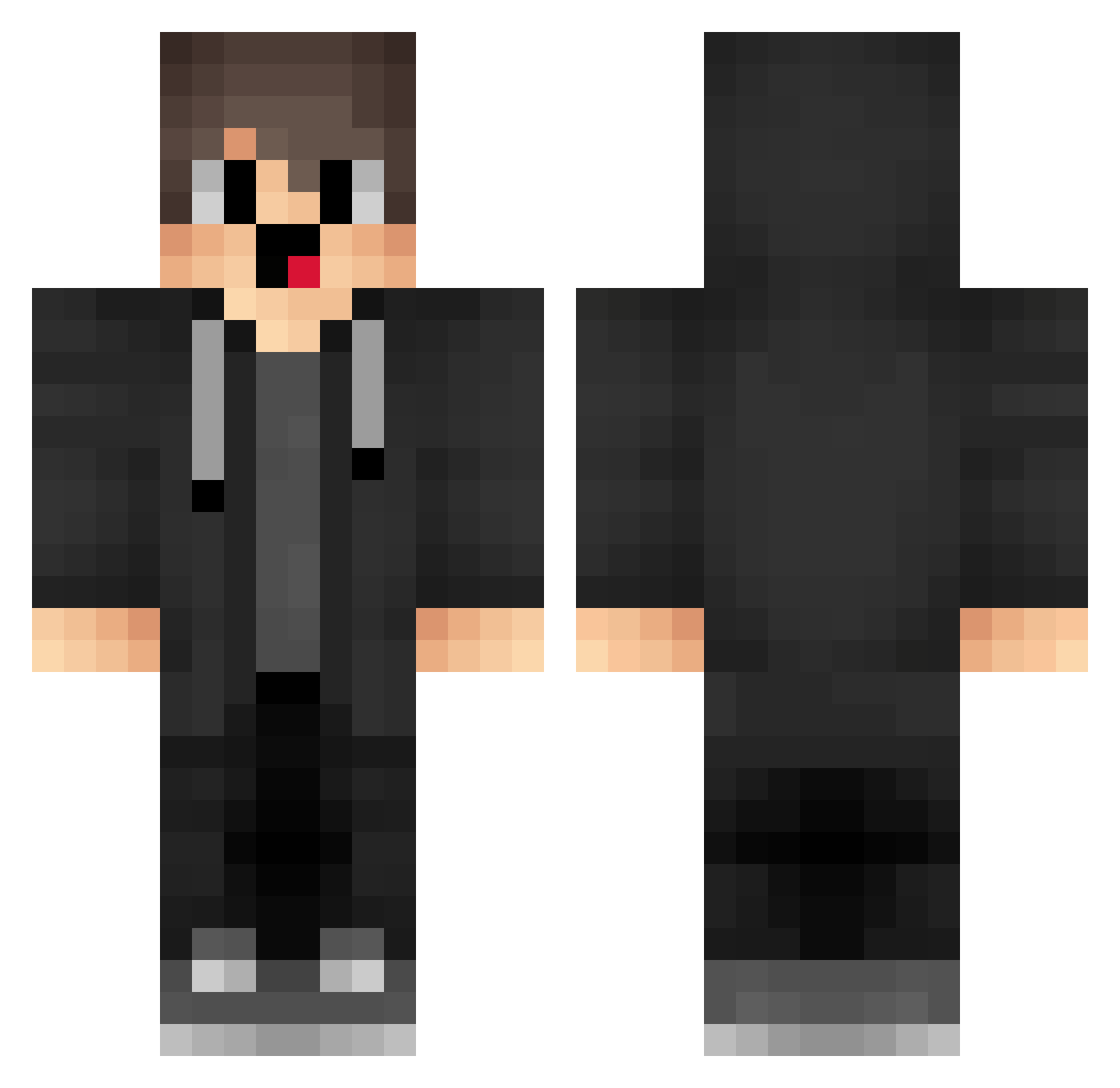
Current Minecraft skin of the player Lechuza8586, loaded from the official Mojang API. Rotate the 3D model with your mouse or finger, then download the skin as a PNG file and use it in Minecraft: Bedrock Edition or Java Edition for free. When Lechuza8586 changes their skin, this page updates automatically and the old skin stays in the history below.
Other players with this skin (1718)
Lechuza8586 was the 1426th player we have seen with this skin, first spotted on 24.10.2026. The same skin was seen on these players. Open a nickname to see their current skin and skin history.
 Gux354 QUg128 Dpd910 hFG746 eIH769 KRU697 kgjklhiogf4 mHH94 bUM843 WJC399 HjY443 13941941 uPM731 box_oEKaNjuUO260 pnd227 Sbu494 Ygo790 vJR109 FrE514 FvP184 ZQe948 Fpy883 jRy288 vfe719 YzE955 box_PptNrovHi290 BestGayXD LTf411 Tendy_z Gss165 Vbr172 NzP768 eCL448 QvV89 wuq152 jCn734 imnotrealmerryzz qno649 dazcmaklfly Qjl509 bVo65 kPf908 jPc763 sBC225 ZRm464 LKMbipsLnLNzwzM9 DCP589 ntC147 HXK696 lKo533 Spay_114514 cfT523 pmx894 fear_of_dahai bxX633 GFx276 PMX517 Uvo477 Ell938 cm13089
How to install the Lechuza8586 skin
- Press the Download button above to save the skin as a PNG file.
- Minecraft: Bedrock Edition (PE): open the Dressing Room from the main menu (or tap your character → Edit Character), go to Classic Skins → Owned, press the + (new skin) button, choose the downloaded PNG and pick the Classic (Steve) model. Works on PC and mobile; consoles cannot import custom skins.
- Minecraft: Java Edition: open the Minecraft Launcher, go to the Skins tab, click New Skin, load the PNG, pick the Classic (Steve) model and press Save & Use. You can also upload it at minecraft.net → Profile → Change Skin.
The skin does not show up after import - what should I do?
Restart Minecraft and open the Dressing Room again - imported skins sometimes appear only after a restart. Also make sure you selected the imported skin and picked the Classic (Steve) model.
Which model should I choose, Classic or Slim?
This skin is designed for the Classic (Steve) model. If you pick the wrong model, the arms of the skin will look stretched or squeezed.
Is the skin of Lechuza8586 free to download?
Yes. Press Download, save the PNG file and use it in Minecraft: Bedrock Edition or Java Edition - no payment or registration needed. The skin also works on multiplayer servers and Realms.
More skins
Looking for more? Go back to all Minecraft skins and check the top skins of the week, month and all time, or find any player's skin by nickname.