
Lauskug - Minecraft Skins & Skin History
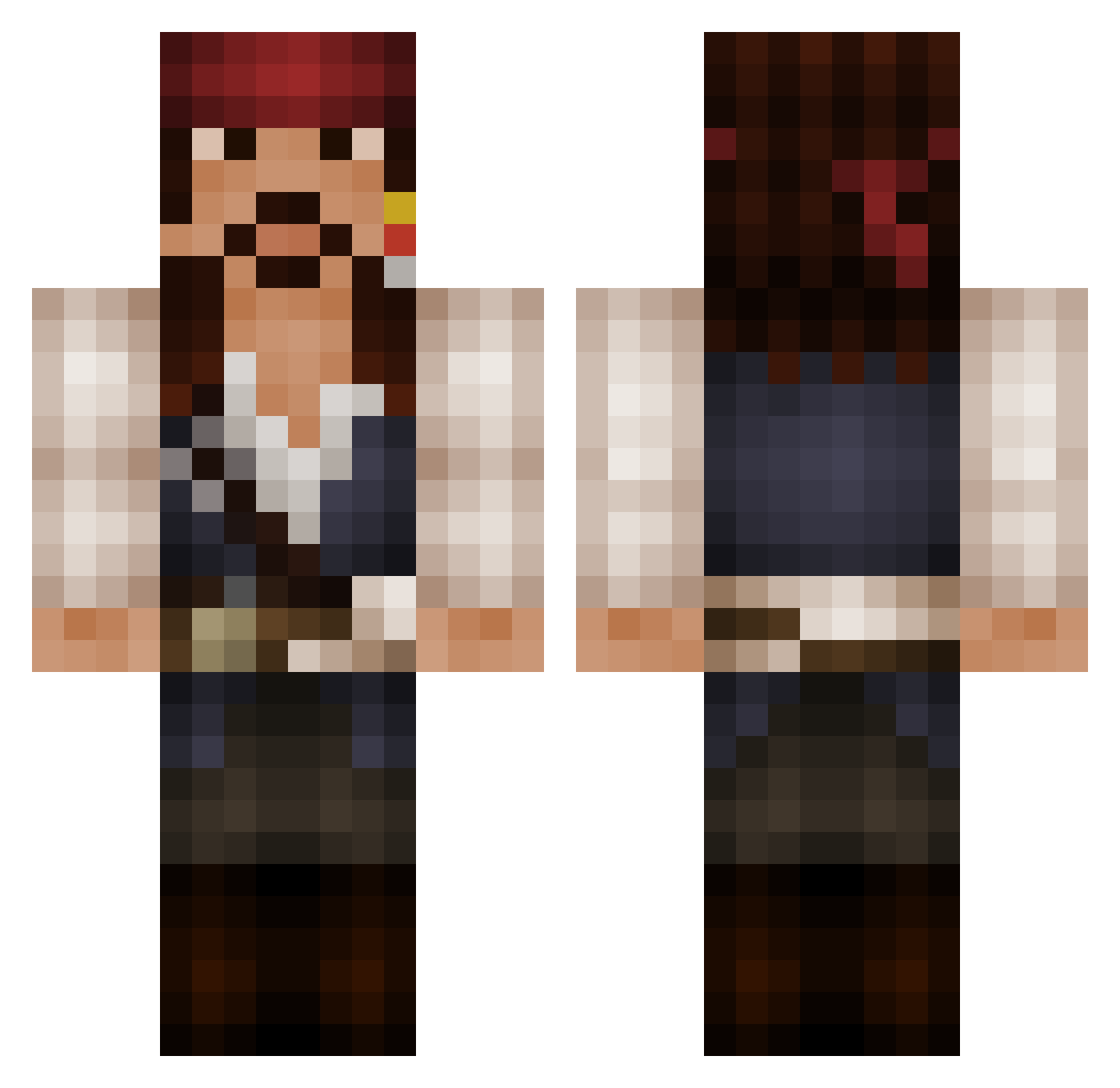
Current Minecraft skin of the player Lauskug, loaded from the official Mojang API. Rotate the 3D model with your mouse or finger, then download the skin as a PNG file and use it in Minecraft: Bedrock Edition or Java Edition for free. When Lauskug changes their skin, this page updates automatically and the old skin stays in the history below.
Other players with this skin (163)
Lauskug was the 146th player we have seen with this skin, first spotted on 05.11.2026. The same skin was seen on these players. Open a nickname to see their current skin and skin history.
 PurgatoryReject InyanKraK crazydan0815 nickthetwist Parzival_ll D4r3N_ _Draker_ C0rnf3d GhostAles kleinerbers Nicoviks Agy14 Savdash DrissII b1zzl3 HappehCamper firepro125468 FieldsOFlame l30xy ShadowGlance83 Drakterix Fauli_Schlumpf ArcticSasquatch Old_prince LilFavor logzog PoppaPopkov jacksparrow59 0Rwho Somihelo MattMan3 Robinx02 DreamingDawn BananaCactus_ ricomagician Aarcader2 frstrong JackSparrow200 MLicitra Tski61 DeathFr0mAb0v3 Hpet WIXORICE DjFrappuchino ipichtou nacSOAP chasewm breadgraphics LittleJP18 ColtraneMiles fishiehere Deplorable1989 Squeeze_Out Prorenzo Niceboy27 DAOBAZI kleinerbersi TommyCorleoneW Leach212 xXDarkraverXx
More Jack Sparrow Minecraft skins
See all 128 Jack Sparrow skins
How to install the Lauskug skin
- Press the Download button above to save the skin as a PNG file.
- Minecraft: Bedrock Edition (PE): open the Dressing Room from the main menu (or tap your character → Edit Character), go to Classic Skins → Owned, press the + (new skin) button, choose the downloaded PNG and pick the Classic (Steve) model. Works on PC and mobile; consoles cannot import custom skins.
- Minecraft: Java Edition: open the Minecraft Launcher, go to the Skins tab, click New Skin, load the PNG, pick the Classic (Steve) model and press Save & Use. You can also upload it at minecraft.net → Profile → Change Skin.
The skin does not show up after import - what should I do?
Restart Minecraft and open the Dressing Room again - imported skins sometimes appear only after a restart. Also make sure you selected the imported skin and picked the Classic (Steve) model.
Which model should I choose, Classic or Slim?
This skin is designed for the Classic (Steve) model. If you pick the wrong model, the arms of the skin will look stretched or squeezed.
Is the skin of Lauskug free to download?
Yes. Press Download, save the PNG file and use it in Minecraft: Bedrock Edition or Java Edition - no payment or registration needed. The skin also works on multiplayer servers and Realms.
More skins
Looking for more? Go back to all Minecraft skins and check the top skins of the week, month and all time, or find any player's skin by nickname.