
Lan_CuiCui - Minecraft Skins & Skin History
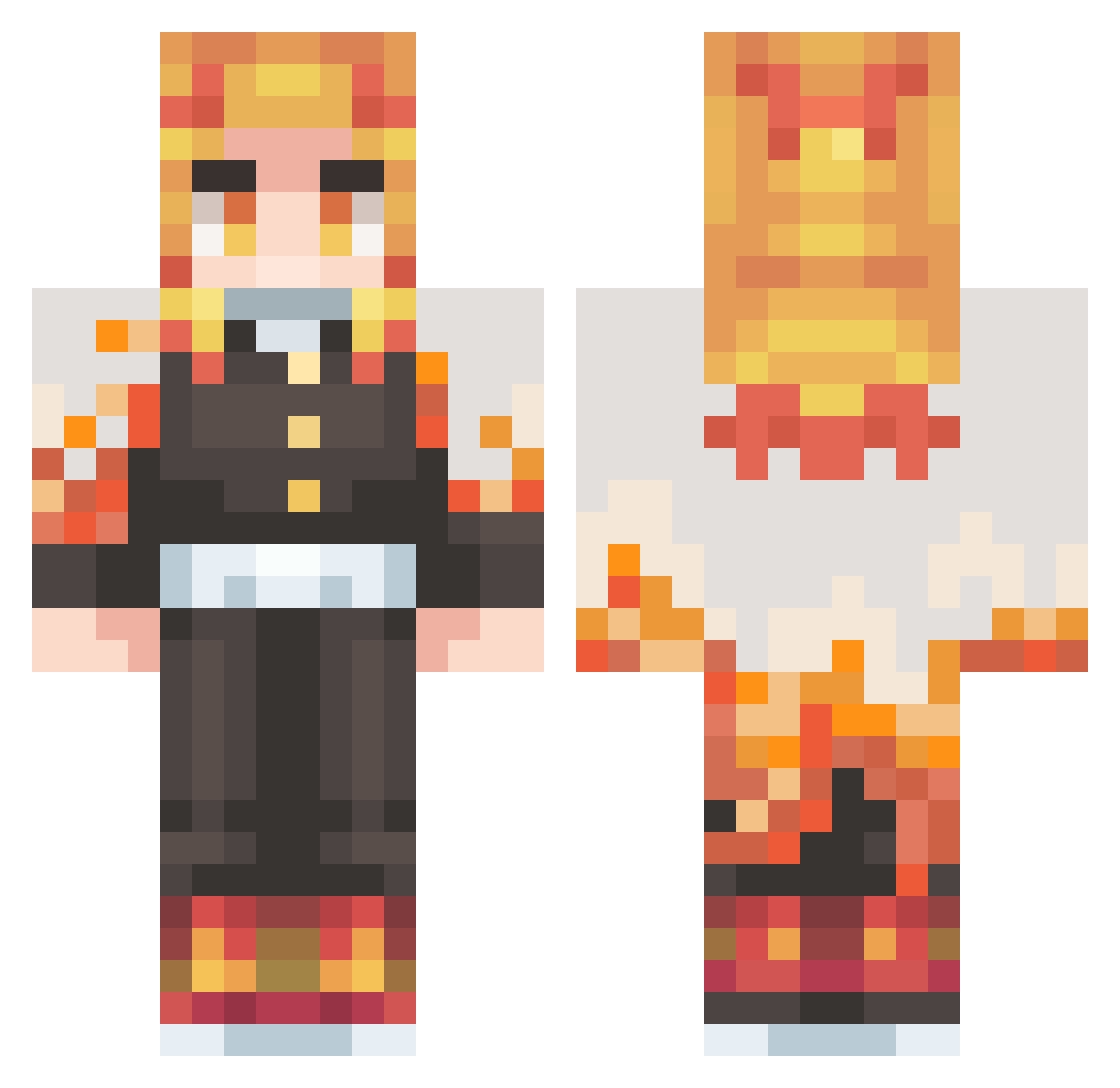
Current Minecraft skin of the player Lan_CuiCui, loaded from the official Mojang API. Rotate the 3D model with your mouse or finger, then download the skin as a PNG file and use it in Minecraft: Bedrock Edition or Java Edition for free. When Lan_CuiCui changes their skin, this page updates automatically and the old skin stays in the history below.
Other players with this skin (431)
Lan_CuiCui was the 217th player we have seen with this skin, first spotted on 21.09.2026. The same skin was seen on these players. Open a nickname to see their current skin and skin history.
 Rescaain goax10 TRHYGGER yuukor1n jason74245 Lauta05 JOANBAF Cotelin Rabbit_0401 DMplaysMC147 jacobo191 IcePatchGaming chrisboss209 XwuTomwuX TRYM_2003 nTxGuh leewoojin94 Pknight9400 Agoat9487 Chipaven Gabriel4712 pk007007 AshuraOsu Luis_CG Ianzadaa Poooud Killerpegasus211 Konan2007 Kizuna09 Lric002 Spinnymonkey24 Qyosae callamara Moha_y WhKK ShadowOmegaWolf OzgrBrk Redwabbit1 FIXXB Qizmo9487 SKANAY SpiritNova1 viral_rsa FullCoding TheSpicyDuck DiaaZyy ggcgustavo ManyKingMusic Ken_Fuji Seijuroxdz MagoDeBone ManifoldBrush EenBalzak All2day King_kai187 Gusmoo kozima_takeranai KinGhidora KenRed1 Popoteddy
More Kyojuro Rengoku Minecraft skins
See all 114 Kyojuro Rengoku skins
How to install the Lan_CuiCui skin
- Press the Download button above to save the skin as a PNG file.
- Minecraft: Bedrock Edition (PE): open the Dressing Room from the main menu (or tap your character → Edit Character), go to Classic Skins → Owned, press the + (new skin) button, choose the downloaded PNG and pick the Classic (Steve) model. Works on PC and mobile; consoles cannot import custom skins.
- Minecraft: Java Edition: open the Minecraft Launcher, go to the Skins tab, click New Skin, load the PNG, pick the Classic (Steve) model and press Save & Use. You can also upload it at minecraft.net → Profile → Change Skin.
The skin does not show up after import - what should I do?
Restart Minecraft and open the Dressing Room again - imported skins sometimes appear only after a restart. Also make sure you selected the imported skin and picked the Classic (Steve) model.
Which model should I choose, Classic or Slim?
This skin is designed for the Classic (Steve) model. If you pick the wrong model, the arms of the skin will look stretched or squeezed.
Is the skin of Lan_CuiCui free to download?
Yes. Press Download, save the PNG file and use it in Minecraft: Bedrock Edition or Java Edition - no payment or registration needed. The skin also works on multiplayer servers and Realms.
More skins
Looking for more? Go back to all Minecraft skins and check the top skins of the week, month and all time, or find any player's skin by nickname.