
LainGram - Minecraft Skins & Skin History
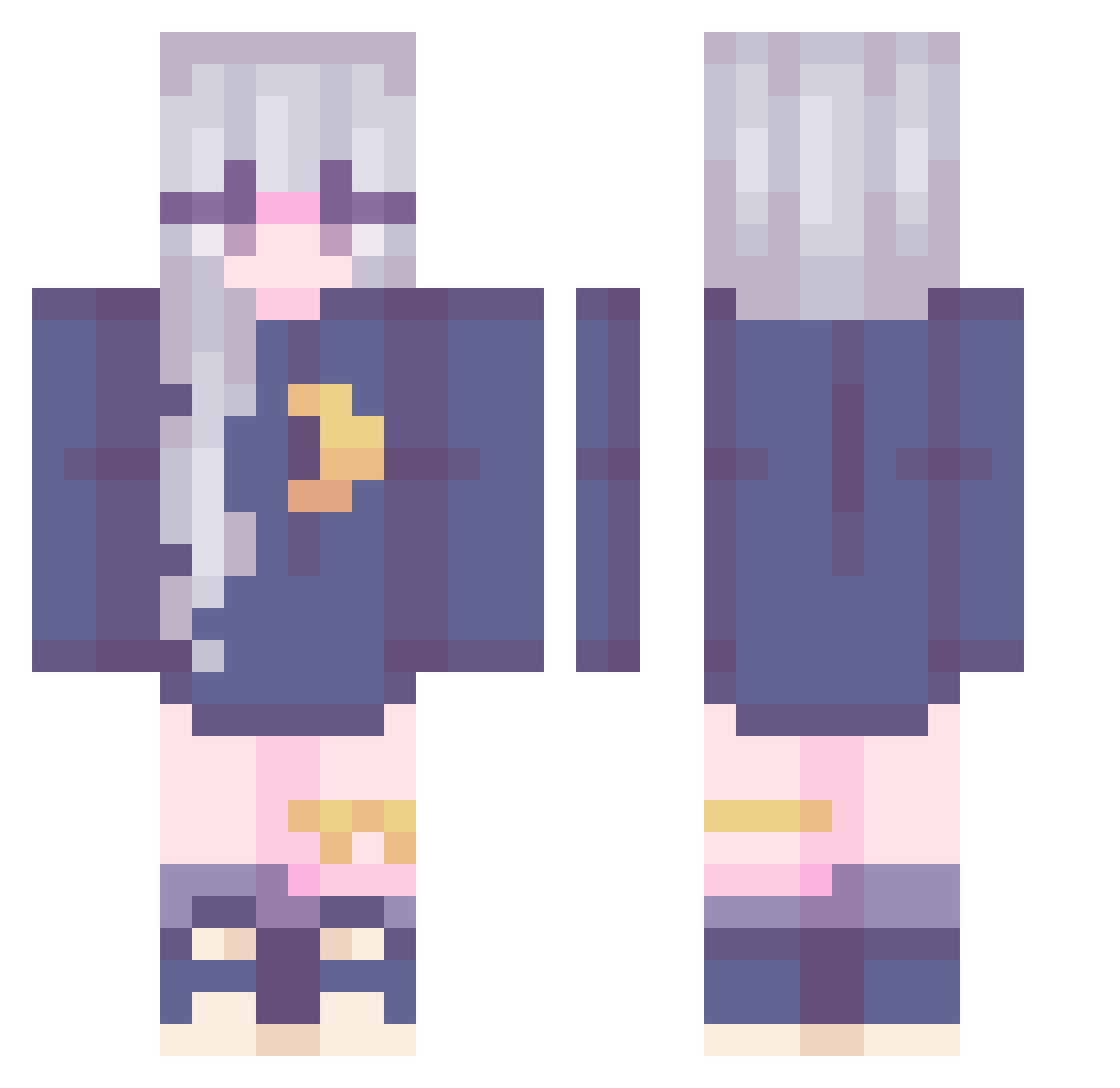
Current Minecraft skin of the player LainGram, loaded from the official Mojang API. Rotate the 3D model with your mouse or finger, then download the skin as a PNG file and use it in Minecraft: Bedrock Edition or Java Edition for free. When LainGram changes their skin, this page updates automatically and the old skin stays in the history below.
Other players with this skin (240)
LainGram was the 59th player we have seen with this skin, first spotted on 19.08.2026. The same skin was seen on these players. Open a nickname to see their current skin and skin history.
 Moonfae0 juuji5002 Novajpeg DeBucciarati rositaxd itia_figueira HelenScarlet funami_yui Jaycancil STICK_STER _strawberry99_ Wint3rstorm tr_ash ToveSvensson minkydew Tinylia yuno27 Yukarei LunaTRX Fuchsghul _Vickytoria KayTea09 Retqrd3d admin_yaohai Ririchat BriPotato Allen180 Ashes_JT Anabele218 luna_nya 79wlgns legendofarianna Orlija xLibelle ThePaleRose22 Ben_Jessie JCZH2006 lxkota k0t3n0k Gyeong79 Y_Flowers AkiPendragon RubberBarrel TKgamer76 Camilloux_ audo31 radhb Seraphine01 oFujiwara lexiqon ZoharLDW sweetenercloud Berets miglit QianHui24 DeniseScout frmy SoSoisme Anny_MC4 pebblypuff
More Moon Minecraft skins
How to install the LainGram skin
- Press the Download button above to save the skin as a PNG file.
- Minecraft: Bedrock Edition (PE): open the Dressing Room from the main menu (or tap your character → Edit Character), go to Classic Skins → Owned, press the + (new skin) button, choose the downloaded PNG and pick the Classic (Steve) model. Works on PC and mobile; consoles cannot import custom skins.
- Minecraft: Java Edition: open the Minecraft Launcher, go to the Skins tab, click New Skin, load the PNG, pick the Classic (Steve) model and press Save & Use. You can also upload it at minecraft.net → Profile → Change Skin.
The skin does not show up after import - what should I do?
Restart Minecraft and open the Dressing Room again - imported skins sometimes appear only after a restart. Also make sure you selected the imported skin and picked the Classic (Steve) model.
Which model should I choose, Classic or Slim?
This skin is designed for the Classic (Steve) model. If you pick the wrong model, the arms of the skin will look stretched or squeezed.
Is the skin of LainGram free to download?
Yes. Press Download, save the PNG file and use it in Minecraft: Bedrock Edition or Java Edition - no payment or registration needed. The skin also works on multiplayer servers and Realms.
More skins
Looking for more? Go back to all Minecraft skins and check the top skins of the week, month and all time, or find any player's skin by nickname.