
LaFosseSeptique - Minecraft Skins & Skin History
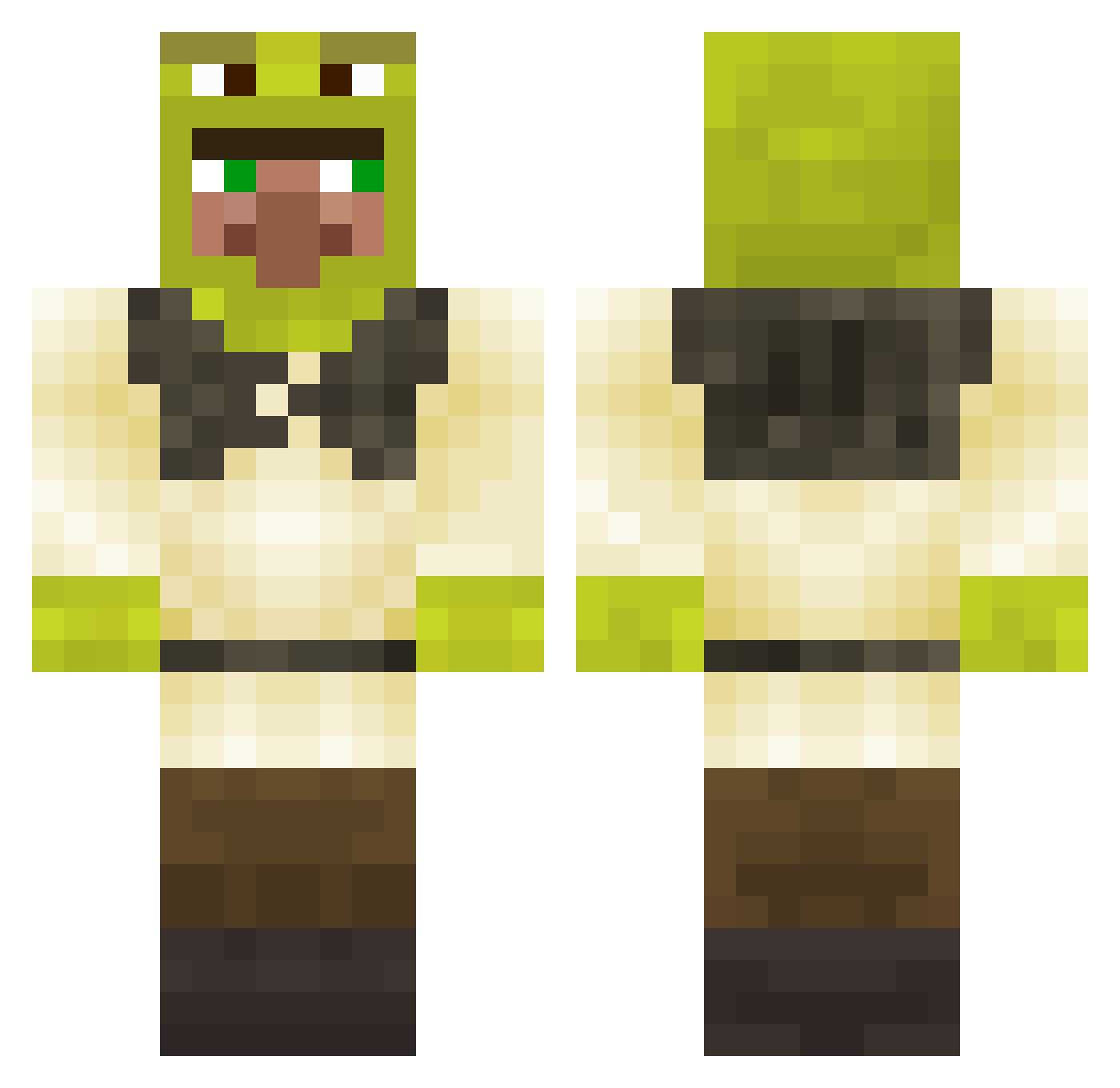
Current Minecraft skin of the player LaFosseSeptique, loaded from the official Mojang API. Rotate the 3D model with your mouse or finger, then download the skin as a PNG file and use it in Minecraft: Bedrock Edition or Java Edition for free. When LaFosseSeptique changes their skin, this page updates automatically and the old skin stays in the history below.
Other players with this skin (339)
LaFosseSeptique was the 327th player we have seen with this skin, first spotted on 17.11.2026. The same skin was seen on these players. Open a nickname to see their current skin and skin history.
 kohtxrofan2 Miytnuy xx_snickers33_xx Lasagnath bryanXD123 Kempie073 TangnentPath5864 HealMeDaddy tobby08 DIVANV2009 G4UDIER Foppe6 lestat87 Broodlettuce DeKonistda rutrut jah_with_bruh TeValeWey 7unu Teunemans TDR2011 iAnarchist_Boy Mathssilde Kazuhiro74 Miojinhoo N0wakk borke1912 ExpectedGaming huuhaapete Kulpon vorfortochnik Soblanket Unkn0vvn__ sarlox_ Dr_Onionson ovrtwist Elpintade AndreCormus maksicel IKERJIMENEZ MonkeyCmoi MajesticRizz thekarnstein abascal500 Emily_R0ber Tonda172 Fraist Florieporie t7l3r Tvngiers TheShadowGuard_ Timmilegend mdas3 karp_png DREAMSHREK chicht jitterbug28 bedford3221 Axkri SigmaGosling
More Shrek Minecraft skins
How to install the LaFosseSeptique skin
- Press the Download button above to save the skin as a PNG file.
- Minecraft: Bedrock Edition (PE): open the Dressing Room from the main menu (or tap your character → Edit Character), go to Classic Skins → Owned, press the + (new skin) button, choose the downloaded PNG and pick the Classic (Steve) model. Works on PC and mobile; consoles cannot import custom skins.
- Minecraft: Java Edition: open the Minecraft Launcher, go to the Skins tab, click New Skin, load the PNG, pick the Classic (Steve) model and press Save & Use. You can also upload it at minecraft.net → Profile → Change Skin.
The skin does not show up after import - what should I do?
Restart Minecraft and open the Dressing Room again - imported skins sometimes appear only after a restart. Also make sure you selected the imported skin and picked the Classic (Steve) model.
Which model should I choose, Classic or Slim?
This skin is designed for the Classic (Steve) model. If you pick the wrong model, the arms of the skin will look stretched or squeezed.
Is the skin of LaFosseSeptique free to download?
Yes. Press Download, save the PNG file and use it in Minecraft: Bedrock Edition or Java Edition - no payment or registration needed. The skin also works on multiplayer servers and Realms.
More skins
Looking for more? Go back to all Minecraft skins and check the top skins of the week, month and all time, or find any player's skin by nickname.