
LS_ByuvczEk5OSr9 - Minecraft Skins & Skin History
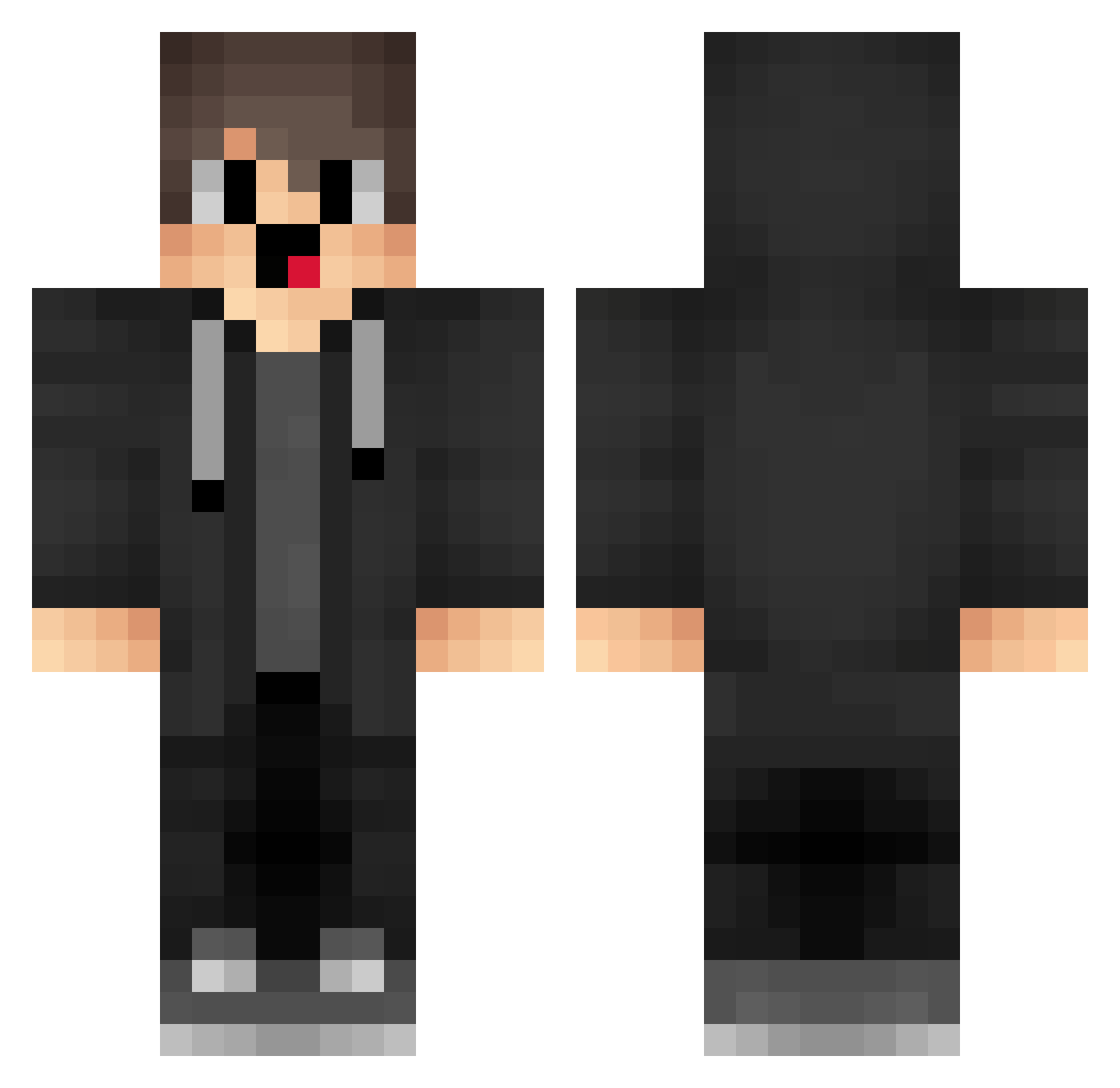
Current Minecraft skin of the player LS_ByuvczEk5OSr9, loaded from the official Mojang API. Rotate the 3D model with your mouse or finger, then download the skin as a PNG file and use it in Minecraft: Bedrock Edition or Java Edition for free. When LS_ByuvczEk5OSr9 changes their skin, this page updates automatically and the old skin stays in the history below.
Other players with this skin (1878)
LS_ByuvczEk5OSr9 was the 1745th player we have seen with this skin, first spotted on 11.11.2026. The same skin was seen on these players. Open a nickname to see their current skin and skin history.
 hmm_boba_too_hot TfD202 GHd516 jZI63 wZE462 oIM606 NMSense_iusaedf xEH883 robinhei007 XxxG_FTY Vsp174 dsA822 QTY551 box_tljvUfuVl138 xLd914 cbm914 kiO705 UQL239 KrB842 PeR775 CHi733 ctq751 XyO705 Xxx_1312asd1_xxX KFI356 Ni3htZ Waterfox123 rrc312 xMP201 WwR501 FLv674 OBF50 nabbelk vape30 eGC221 cZh372 OpV888 Hyx598 RvN962 gsx399 MKq848 ZgV37 xgpn ged755 IyY631 TSg361 RJu414 gls75 xiMeng_ IfB817 Ysaio BJg116 BCj89 Gvx630 LiLiCheng RQW880 AYy468 workingouthurts aHf418 JazzyEra
How to install the LS_ByuvczEk5OSr9 skin
- Press the Download button above to save the skin as a PNG file.
- Minecraft: Bedrock Edition (PE): open the Dressing Room from the main menu (or tap your character → Edit Character), go to Classic Skins → Owned, press the + (new skin) button, choose the downloaded PNG and pick the Classic (Steve) model. Works on PC and mobile; consoles cannot import custom skins.
- Minecraft: Java Edition: open the Minecraft Launcher, go to the Skins tab, click New Skin, load the PNG, pick the Classic (Steve) model and press Save & Use. You can also upload it at minecraft.net → Profile → Change Skin.
The skin does not show up after import - what should I do?
Restart Minecraft and open the Dressing Room again - imported skins sometimes appear only after a restart. Also make sure you selected the imported skin and picked the Classic (Steve) model.
Which model should I choose, Classic or Slim?
This skin is designed for the Classic (Steve) model. If you pick the wrong model, the arms of the skin will look stretched or squeezed.
Is the skin of LS_ByuvczEk5OSr9 free to download?
Yes. Press Download, save the PNG file and use it in Minecraft: Bedrock Edition or Java Edition - no payment or registration needed. The skin also works on multiplayer servers and Realms.
More skins
Looking for more? Go back to all Minecraft skins and check the top skins of the week, month and all time, or find any player's skin by nickname.