
LORISBBC - Minecraft Skins & Skin History
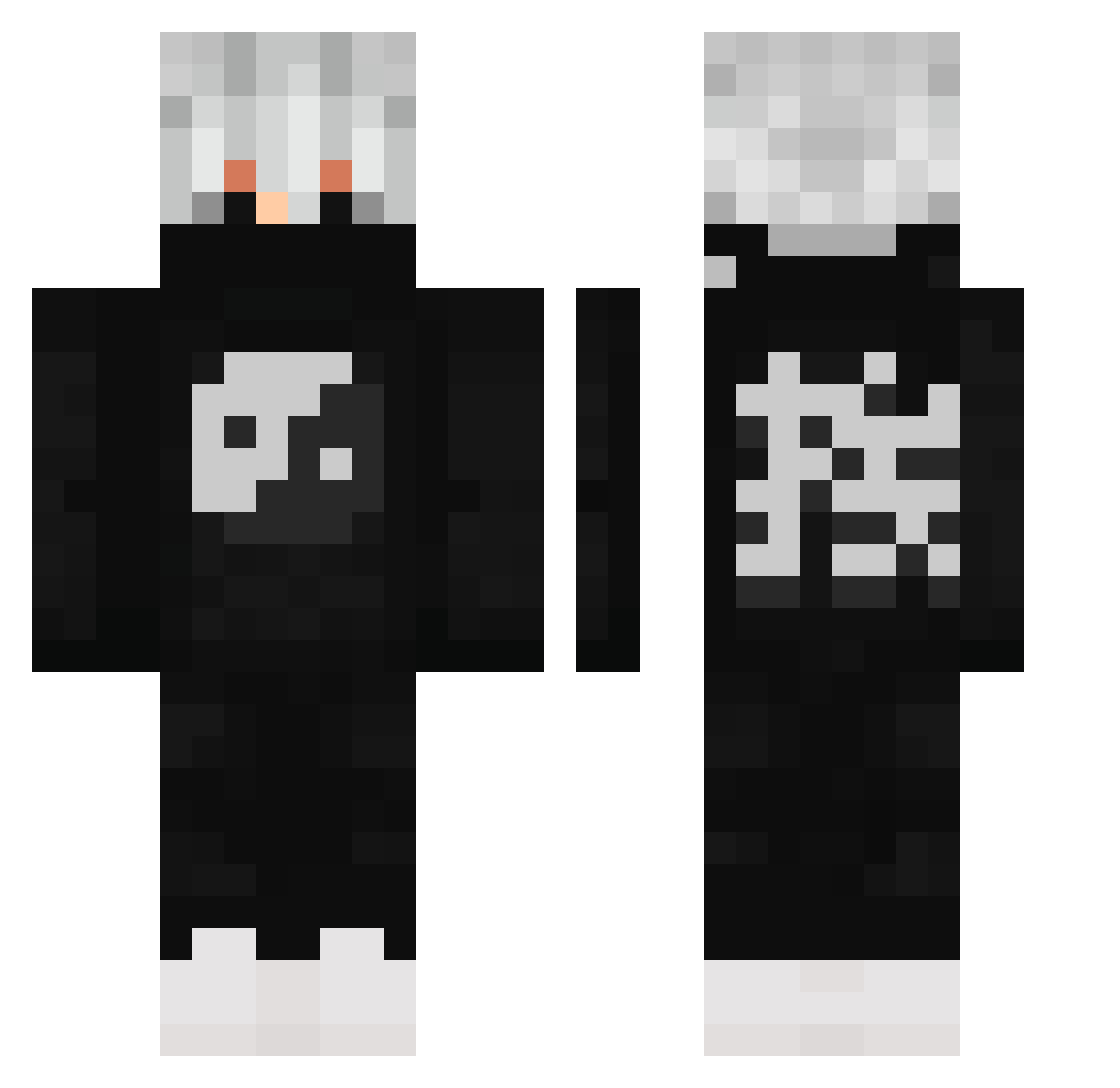
Current Minecraft skin of the player LORISBBC, loaded from the official Mojang API. Rotate the 3D model with your mouse or finger, then download the skin as a PNG file and use it in Minecraft: Bedrock Edition or Java Edition for free. When LORISBBC changes their skin, this page updates automatically and the old skin stays in the history below.
Other players with this skin (502)
LORISBBC was the 482nd player we have seen with this skin, first spotted on 27.10.2026. The same skin was seen on these players. Open a nickname to see their current skin and skin history.
 Broome21 Sotto666 xbYayyay NOT_TG_YT P416 Creamek Wuytre BananaNaruto Skutz_Creeper taikun1204 Blesson_V momkilla CroZzPoo Not_Noel24 RobertoKkj dxlv 3liiaz JackPlayzTY Skyanator277 ntdu ploffplo Maranguape nithi2222 kasper_nh KhalidBatran zCauldron The_Sloth1616 Mad_DogKiller9 Althusa Dj_yolo SILVERSTABBER2 LabyHaze TP_023 MrJadenXD FQMilk kowal220 B3LLY_BOY TheBondy busato_ Coffy1988 Felmer_ ImZato Moritz69m Syliths YinAndTheYang17 Johrl TotoAJ dream1402 LilScoobie rannz2 kntachev2 Cryptix21 Kineskope Fede_W BadKarma1770 capitalL9 SinisterSense Speedy_Gojira allanking1 MintSummer124
More Yin Yang Minecraft skins
How to install the LORISBBC skin
- Press the Download button above to save the skin as a PNG file.
- Minecraft: Bedrock Edition (PE): open the Dressing Room from the main menu (or tap your character → Edit Character), go to Classic Skins → Owned, press the + (new skin) button, choose the downloaded PNG and pick the Classic (Steve) model. Works on PC and mobile; consoles cannot import custom skins.
- Minecraft: Java Edition: open the Minecraft Launcher, go to the Skins tab, click New Skin, load the PNG, pick the Classic (Steve) model and press Save & Use. You can also upload it at minecraft.net → Profile → Change Skin.
The skin does not show up after import - what should I do?
Restart Minecraft and open the Dressing Room again - imported skins sometimes appear only after a restart. Also make sure you selected the imported skin and picked the Classic (Steve) model.
Which model should I choose, Classic or Slim?
This skin is designed for the Classic (Steve) model. If you pick the wrong model, the arms of the skin will look stretched or squeezed.
Is the skin of LORISBBC free to download?
Yes. Press Download, save the PNG file and use it in Minecraft: Bedrock Edition or Java Edition - no payment or registration needed. The skin also works on multiplayer servers and Realms.
More skins
Looking for more? Go back to all Minecraft skins and check the top skins of the week, month and all time, or find any player's skin by nickname.