
LIFE_05 - Minecraft Skins & Skin History
Current Minecraft skin of the player LIFE_05, loaded from the official Mojang API. Rotate the 3D model with your mouse or finger, then download the skin as a PNG file and use it in Minecraft: Bedrock Edition or Java Edition for free. When LIFE_05 changes their skin, this page updates automatically and the old skin stays in the history below.
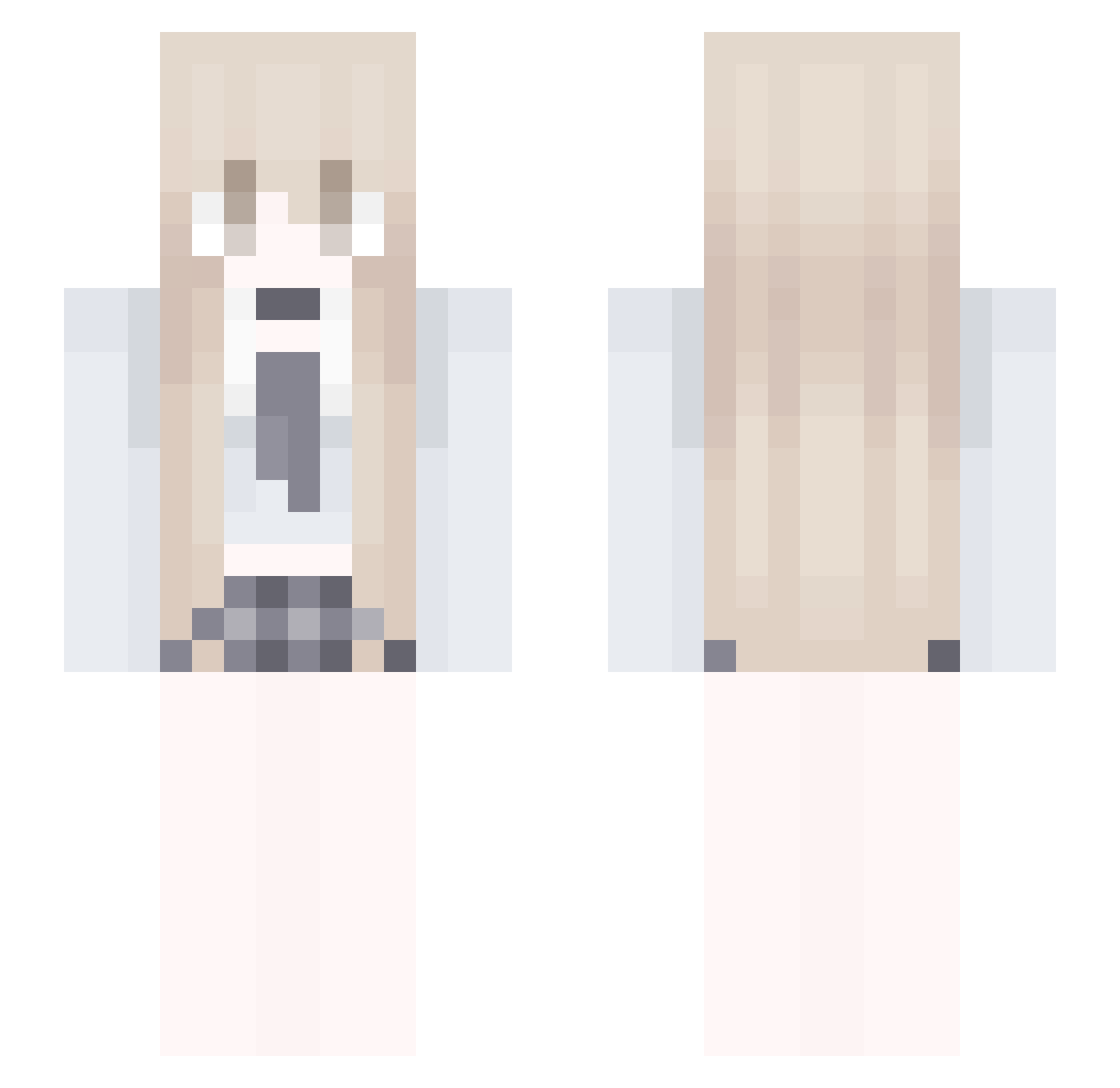
Other players with this skin (53)
LIFE_05 was the 17th player we have seen with this skin, first spotted on 21.08.2026. The same skin was seen on these players. Open a nickname to see their current skin and skin history.
 MissFreya
 DuyHoang11 lvvalentina
 KANGYUNSEO Tinilia Ltfirst babylevel svfties contemptuous yuddim115 R1awu yaoyao0411 Evil_crow Nekota0209 qizhiyang1 Saebyeok7 mi1yy Kyyololo Jackhid9178 WDNMD1103 milkyrei
 suxinyi Gipp1208 Scrunc M1sch1ef_
 fashiqn Yuanze171 Godkimchixx lemonhead9576 Hatshos happyfish1027 SleepJp pypf mudete Delete672 TwilightA rla513 CN_YZ_ dracosblacksuit gua_gua dasfasfhgf UNIVERMAR Lenixx_ StuffedCookie CelestialQueen25 ClariceJett handsomezqc urielprrrr Minseo1660 FemboyKris HelmiLost quynhst01 QY_mint
More Makima Minecraft skins
How to install the LIFE_05 skin
- Press the Download button above to save the skin as a PNG file.
- Minecraft: Bedrock Edition (PE): open the Dressing Room from the main menu (or tap your character → Edit Character), go to Classic Skins → Owned, press the + (new skin) button, choose the downloaded PNG and pick the Slim (Alex) model. Works on PC and mobile; consoles cannot import custom skins.
- Minecraft: Java Edition: open the Minecraft Launcher, go to the Skins tab, click New Skin, load the PNG, pick the Slim (Alex) model and press Save & Use. You can also upload it at minecraft.net → Profile → Change Skin.
The skin does not show up after import - what should I do?
Restart Minecraft and open the Dressing Room again - imported skins sometimes appear only after a restart. Also make sure you selected the imported skin and picked the Slim (Alex) model.
Which model should I choose, Classic or Slim?
This skin is designed for the Slim (Alex) model. If you pick the wrong model, the arms of the skin will look stretched or squeezed.
Is the skin of LIFE_05 free to download?
Yes. Press Download, save the PNG file and use it in Minecraft: Bedrock Edition or Java Edition - no payment or registration needed. The skin also works on multiplayer servers and Realms.
More skins
Looking for more? Go back to all Minecraft skins and check the top skins of the week, month and all time, or find any player's skin by nickname.