
L0RE__ - Minecraft Skins & Skin History
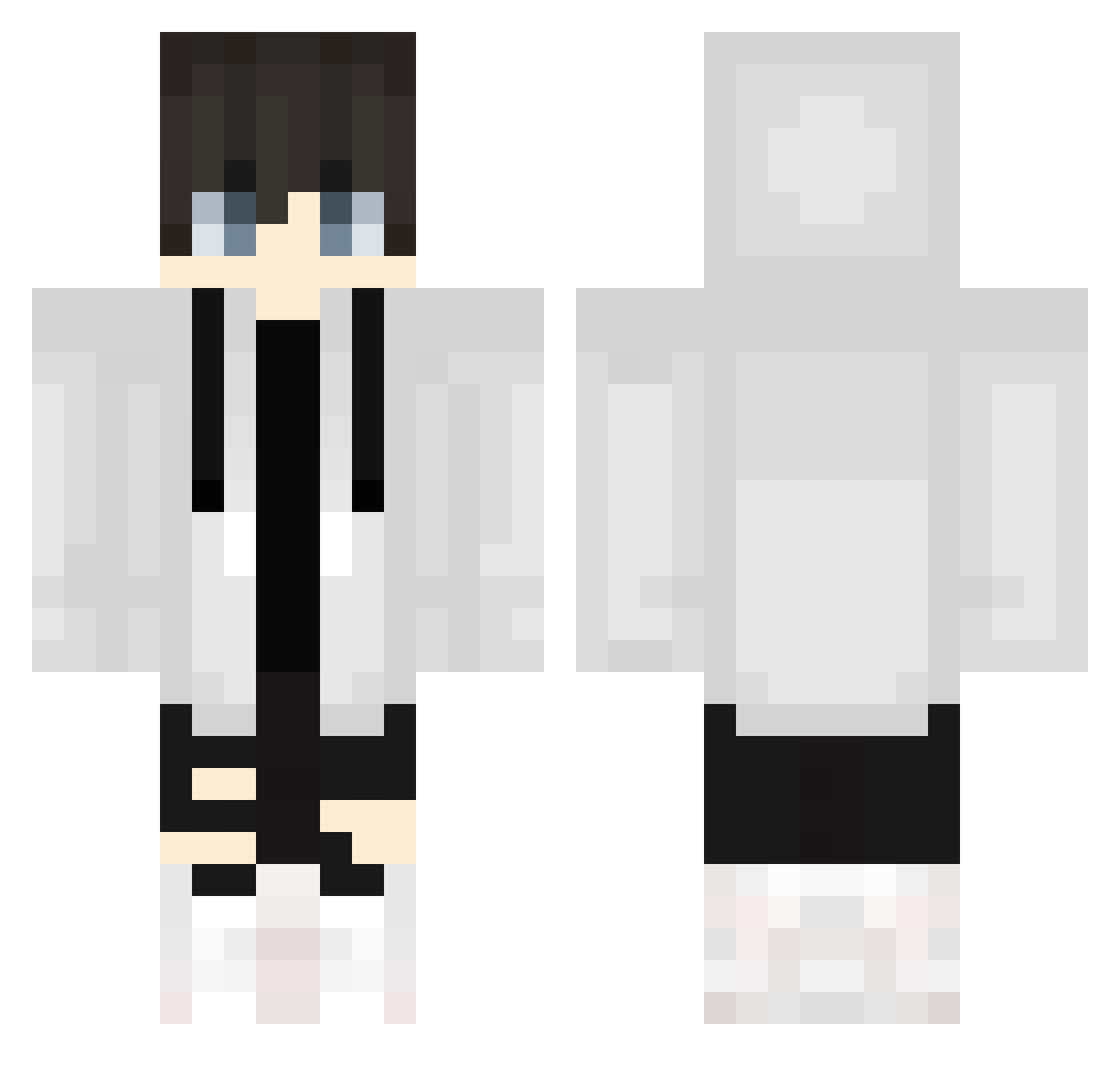
Current Minecraft skin of the player L0RE__, loaded from the official Mojang API. Rotate the 3D model with your mouse or finger, then download the skin as a PNG file and use it in Minecraft: Bedrock Edition or Java Edition for free. When L0RE__ changes their skin, this page updates automatically and the old skin stays in the history below.
Other players with this skin (582)
L0RE__ was the 564th player we have seen with this skin, first spotted on 18.10.2026. The same skin was seen on these players. Open a nickname to see their current skin and skin history.
 Senpai_Zenny KAZUMA0422 Glad2bhelp nerine87 Eisssssss icyndex LaserJogaMine_ Enzo23 Zeddylex EmreUnluTR SEN07300 ankuratto hennneseyy jeahy321 Hayasi_rice2525 Arvxy tabby0308 7_yuuu mc_zihuan ksvn kohaku_0717 Aitter Spicy_Goodness Alex21Jared EntityHunterXD Xynif matupariii cat114514 hinjai0814 SquidLanucer sakatashun morel2012 i5_Gen3 RaZoR_OP Manuelit0h Samuel891230 Scapeeeee octo_dadog Flek666 echo23333 maellecraft47 yuseiX saposapinhoz ninjava4 kjzn fate001 Nokia6g Xxa_0309 yuyuyu0110 HNzinhoque PolishMan_69 gavbuilder05 Peppi15sweet Ninja333 Scorpionsyk8080 towachi825 tastybiscuits seung_min1 Mido8824ri kEKK3
More Streetwear Minecraft skins
How to install the L0RE__ skin
- Press the Download button above to save the skin as a PNG file.
- Minecraft: Bedrock Edition (PE): open the Dressing Room from the main menu (or tap your character → Edit Character), go to Classic Skins → Owned, press the + (new skin) button, choose the downloaded PNG and pick the Classic (Steve) model. Works on PC and mobile; consoles cannot import custom skins.
- Minecraft: Java Edition: open the Minecraft Launcher, go to the Skins tab, click New Skin, load the PNG, pick the Classic (Steve) model and press Save & Use. You can also upload it at minecraft.net → Profile → Change Skin.
The skin does not show up after import - what should I do?
Restart Minecraft and open the Dressing Room again - imported skins sometimes appear only after a restart. Also make sure you selected the imported skin and picked the Classic (Steve) model.
Which model should I choose, Classic or Slim?
This skin is designed for the Classic (Steve) model. If you pick the wrong model, the arms of the skin will look stretched or squeezed.
Is the skin of L0RE__ free to download?
Yes. Press Download, save the PNG file and use it in Minecraft: Bedrock Edition or Java Edition - no payment or registration needed. The skin also works on multiplayer servers and Realms.
More skins
Looking for more? Go back to all Minecraft skins and check the top skins of the week, month and all time, or find any player's skin by nickname.