
Kyouhh - Minecraft Skins & Skin History
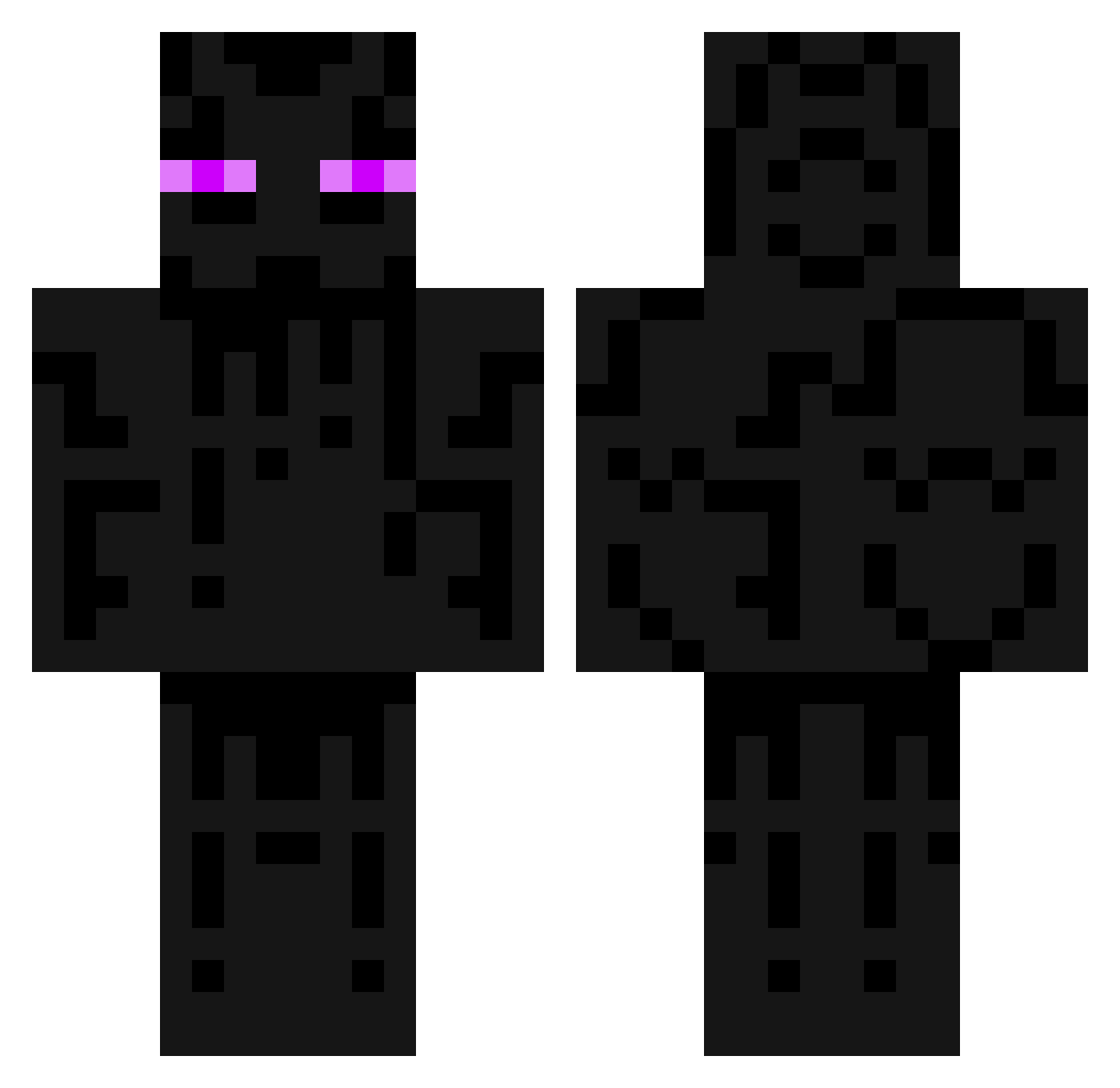
Current Minecraft skin of the player Kyouhh, loaded from the official Mojang API. Rotate the 3D model with your mouse or finger, then download the skin as a PNG file and use it in Minecraft: Bedrock Edition or Java Edition for free. When Kyouhh changes their skin, this page updates automatically and the old skin stays in the history below.
Other players with this skin (48)
Kyouhh was the 7th player we have seen with this skin, first spotted on 11.08.2026. The same skin was seen on these players. Open a nickname to see their current skin and skin history.
 Killarur ChubGod DAVID_YT Resposta tirubasu GANGMEMBERXRLS CrazyStalcker IsaTerra vocemedeve txzy Zfailpvp_ Keftes vtyar ZlBLACKINGGG altmomo x7maS_ chikkimikk torngloo thoctor IboR3IZClicker Teacater Boofhed69 Verslagen MonsterBunnie _m1ha_ BabyZiblacking _The_Vesp_ watariru1001 strekazel _LoidHero_ Spudszz RSKL Laukss sboulema My_fam_said_run Nalks ZIBBLACKINGGG ImJudge Zyju ebluefratelemeu Weird_Bear06 That_Boy_Wonder DemxGGG NyanKeeper Cothe UmitRG anj3mt ZIBLUEKINGGG
More Enderman Minecraft skins
How to install the Kyouhh skin
- Press the Download button above to save the skin as a PNG file.
- Minecraft: Bedrock Edition (PE): open the Dressing Room from the main menu (or tap your character → Edit Character), go to Classic Skins → Owned, press the + (new skin) button, choose the downloaded PNG and pick the Classic (Steve) model. Works on PC and mobile; consoles cannot import custom skins.
- Minecraft: Java Edition: open the Minecraft Launcher, go to the Skins tab, click New Skin, load the PNG, pick the Classic (Steve) model and press Save & Use. You can also upload it at minecraft.net → Profile → Change Skin.
The skin does not show up after import - what should I do?
Restart Minecraft and open the Dressing Room again - imported skins sometimes appear only after a restart. Also make sure you selected the imported skin and picked the Classic (Steve) model.
Which model should I choose, Classic or Slim?
This skin is designed for the Classic (Steve) model. If you pick the wrong model, the arms of the skin will look stretched or squeezed.
Is the skin of Kyouhh free to download?
Yes. Press Download, save the PNG file and use it in Minecraft: Bedrock Edition or Java Edition - no payment or registration needed. The skin also works on multiplayer servers and Realms.
More skins
Looking for more? Go back to all Minecraft skins and check the top skins of the week, month and all time, or find any player's skin by nickname.