
Kxnney - Minecraft Skins & Skin History
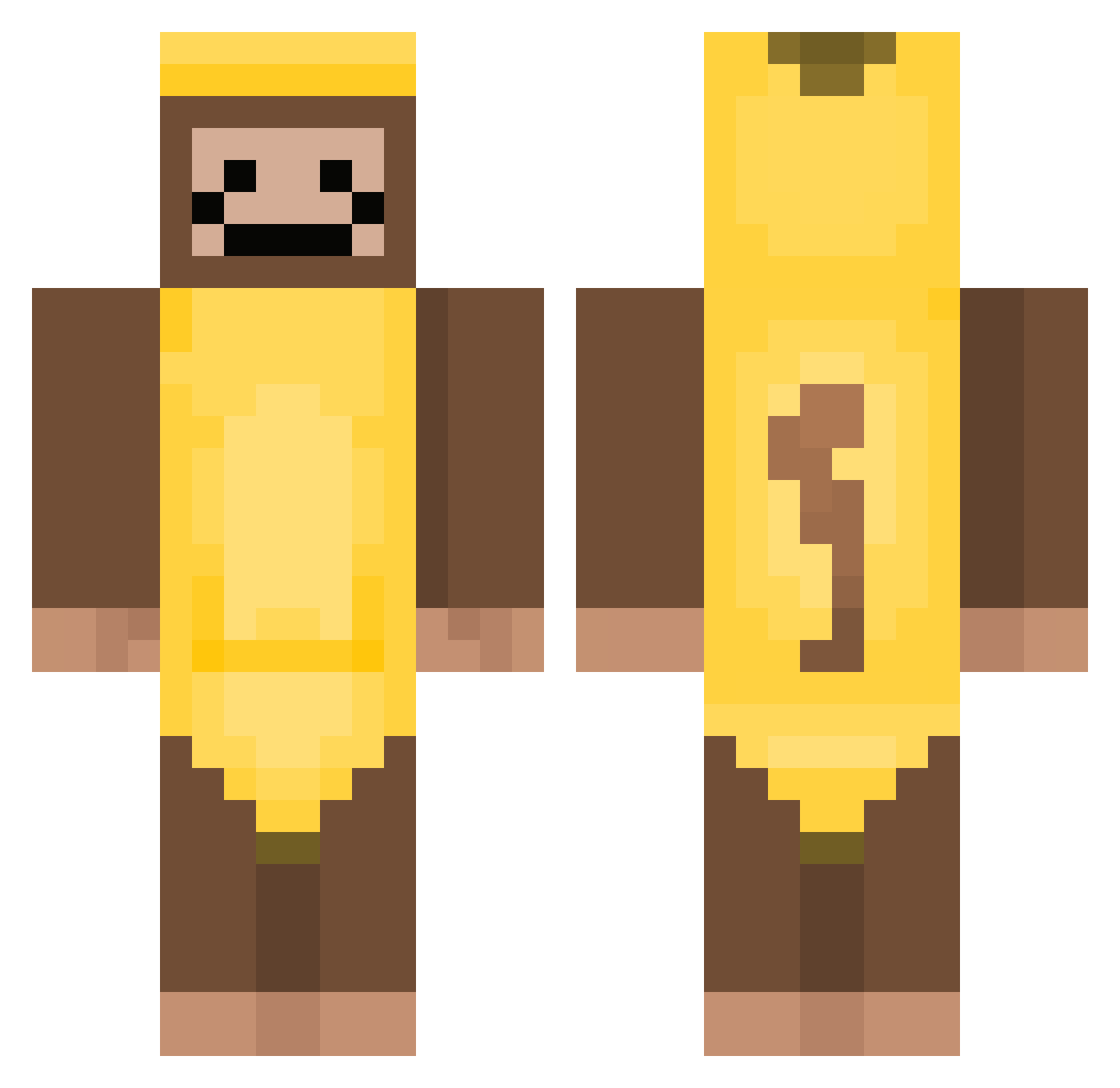
Current Minecraft skin of the player Kxnney, loaded from the official Mojang API. Rotate the 3D model with your mouse or finger, then download the skin as a PNG file and use it in Minecraft: Bedrock Edition or Java Edition for free. When Kxnney changes their skin, this page updates automatically and the old skin stays in the history below.
Other players with this skin (380)
Kxnney was the 166th player we have seen with this skin, first spotted on 17.09.2026. The same skin was seen on these players. Open a nickname to see their current skin and skin history.
 ella8560 DO_Ui VASTEREDD asiandudehh genius4245 jshuaa W0ODZY kkkkrisss Kalathar Crankella banana_maniac52 emanuelcrsz blackwater559 MMAYGE gisuuk Pancak3Sandwich m0tsz Ar1p joey72111 Vwiz2011 woojin0119 MehmetSimsek24 EmoryBest100 Panda_Chonc FreakyG_freak TecksasTw1nkie Maoli13214 PenguinJasper yeller10000 Wananl SumTingWong1216 SabotageMyGarage Bobe69 Mamuniaz Cranberrysauce57 Arson_7692 ValhallaXYT Rjriconator DanBigD picklepoo2324 Lunalovegirl SK_Enthusiast Laidbackmonke roseambrose3 basketballman421 021_Shh TGMatcha portapotty1 Vincenteking BigBlackAlphaMan freaky_bridge CrimsonFruitss GildedSky The_stranger135 Millzsmellz maenggooo LootLooker marchelo_momazos Zeqoh_07 anaIstasia007
More Banana Costume Minecraft skins
See all 52 Banana Costume skins
How to install the Kxnney skin
- Press the Download button above to save the skin as a PNG file.
- Minecraft: Bedrock Edition (PE): open the Dressing Room from the main menu (or tap your character → Edit Character), go to Classic Skins → Owned, press the + (new skin) button, choose the downloaded PNG and pick the Classic (Steve) model. Works on PC and mobile; consoles cannot import custom skins.
- Minecraft: Java Edition: open the Minecraft Launcher, go to the Skins tab, click New Skin, load the PNG, pick the Classic (Steve) model and press Save & Use. You can also upload it at minecraft.net → Profile → Change Skin.
The skin does not show up after import - what should I do?
Restart Minecraft and open the Dressing Room again - imported skins sometimes appear only after a restart. Also make sure you selected the imported skin and picked the Classic (Steve) model.
Which model should I choose, Classic or Slim?
This skin is designed for the Classic (Steve) model. If you pick the wrong model, the arms of the skin will look stretched or squeezed.
Is the skin of Kxnney free to download?
Yes. Press Download, save the PNG file and use it in Minecraft: Bedrock Edition or Java Edition - no payment or registration needed. The skin also works on multiplayer servers and Realms.
More skins
Looking for more? Go back to all Minecraft skins and check the top skins of the week, month and all time, or find any player's skin by nickname.