
Kuritosimp - Minecraft Skins & Skin History
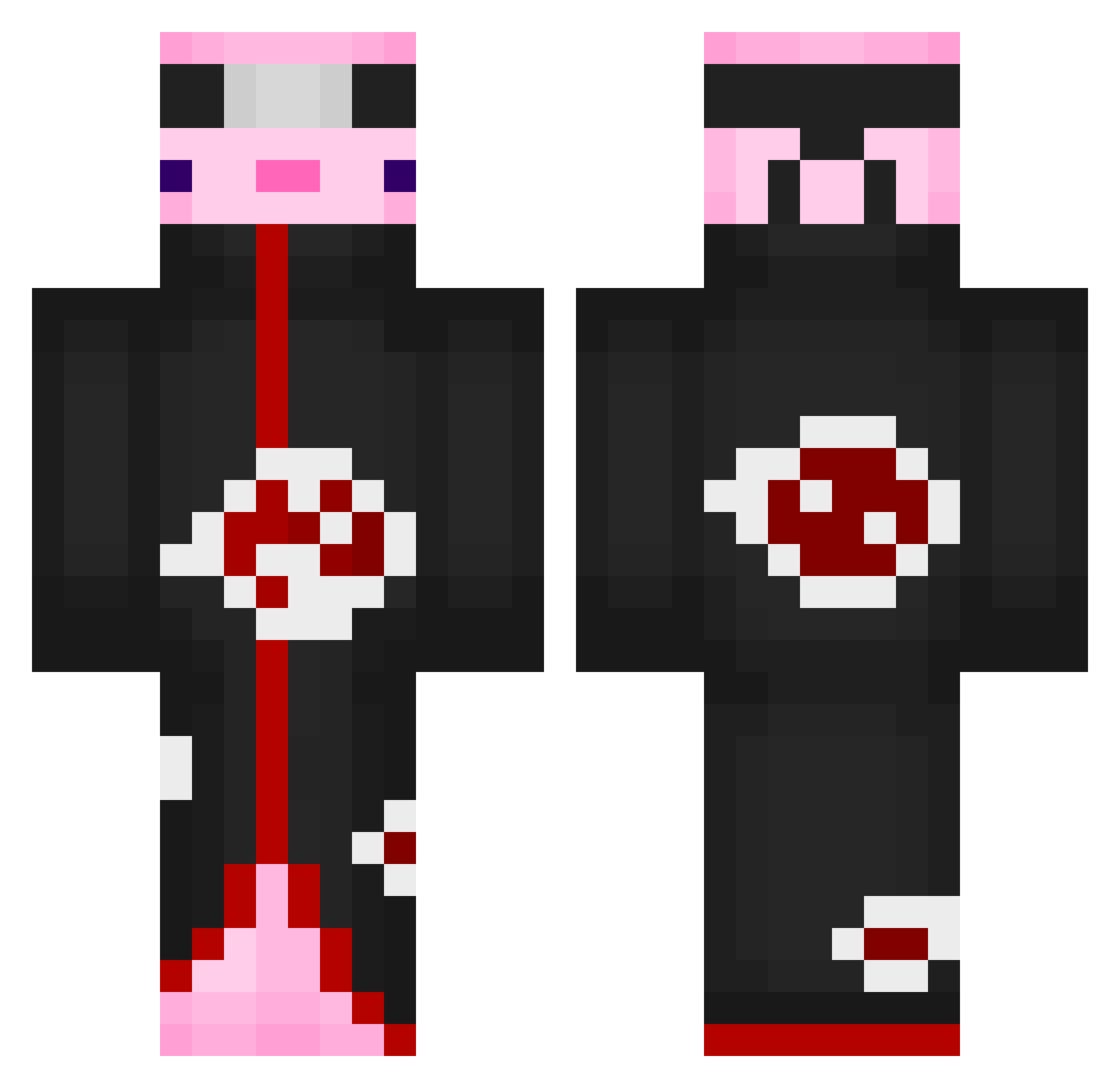
Current Minecraft skin of the player Kuritosimp, loaded from the official Mojang API. Rotate the 3D model with your mouse or finger, then download the skin as a PNG file and use it in Minecraft: Bedrock Edition or Java Edition for free. When Kuritosimp changes their skin, this page updates automatically and the old skin stays in the history below.
Other players with this skin (774)
Kuritosimp was the 715th player we have seen with this skin, first spotted on 11.11.2026. The same skin was seen on these players. Open a nickname to see their current skin and skin history.
 Daryring Galle520 CarolBF kreet7 PepsiAim RedPoster OVER666 meron8514 _Rajtjuh_ Wigglewasp Ali_Sven2904 DennisTheSlav dr_lemur shout666 YTAlexTwitch willypilly2011 ShRavy 1zhan jumajja UltrawideGamer ElNahue115 PurpleHayes_ JeonBellaa Alche_13 heolixgamer23 Tobinator1904 HisL1ttleDemon JrtheGamer0812 Goldfisch12 JGO_2004 SmokyPrawn49634 I_love_Dolphins_ Arkaine9 Yourboy06 D1HENN Come005 alikemal_6_ GuiLTy777y broman5534 TheSlayerWarrior Mistrunumis MiniAxo Noobixs zMurky Kociara11 CrewKazz mirty67 Darkziod yagamivr_ _Cracotte_ MatyStef ryukishin18 RZMAMI KiwebL ElBosSh4k4 ValhallaOrbital PieroLombardi AndreDello Matrox07 Pyyiro
More Akatsuki Minecraft skins
How to install the Kuritosimp skin
- Press the Download button above to save the skin as a PNG file.
- Minecraft: Bedrock Edition (PE): open the Dressing Room from the main menu (or tap your character → Edit Character), go to Classic Skins → Owned, press the + (new skin) button, choose the downloaded PNG and pick the Classic (Steve) model. Works on PC and mobile; consoles cannot import custom skins.
- Minecraft: Java Edition: open the Minecraft Launcher, go to the Skins tab, click New Skin, load the PNG, pick the Classic (Steve) model and press Save & Use. You can also upload it at minecraft.net → Profile → Change Skin.
The skin does not show up after import - what should I do?
Restart Minecraft and open the Dressing Room again - imported skins sometimes appear only after a restart. Also make sure you selected the imported skin and picked the Classic (Steve) model.
Which model should I choose, Classic or Slim?
This skin is designed for the Classic (Steve) model. If you pick the wrong model, the arms of the skin will look stretched or squeezed.
Is the skin of Kuritosimp free to download?
Yes. Press Download, save the PNG file and use it in Minecraft: Bedrock Edition or Java Edition - no payment or registration needed. The skin also works on multiplayer servers and Realms.
More skins
Looking for more? Go back to all Minecraft skins and check the top skins of the week, month and all time, or find any player's skin by nickname.