
Kroodon - Minecraft Skins & Skin History
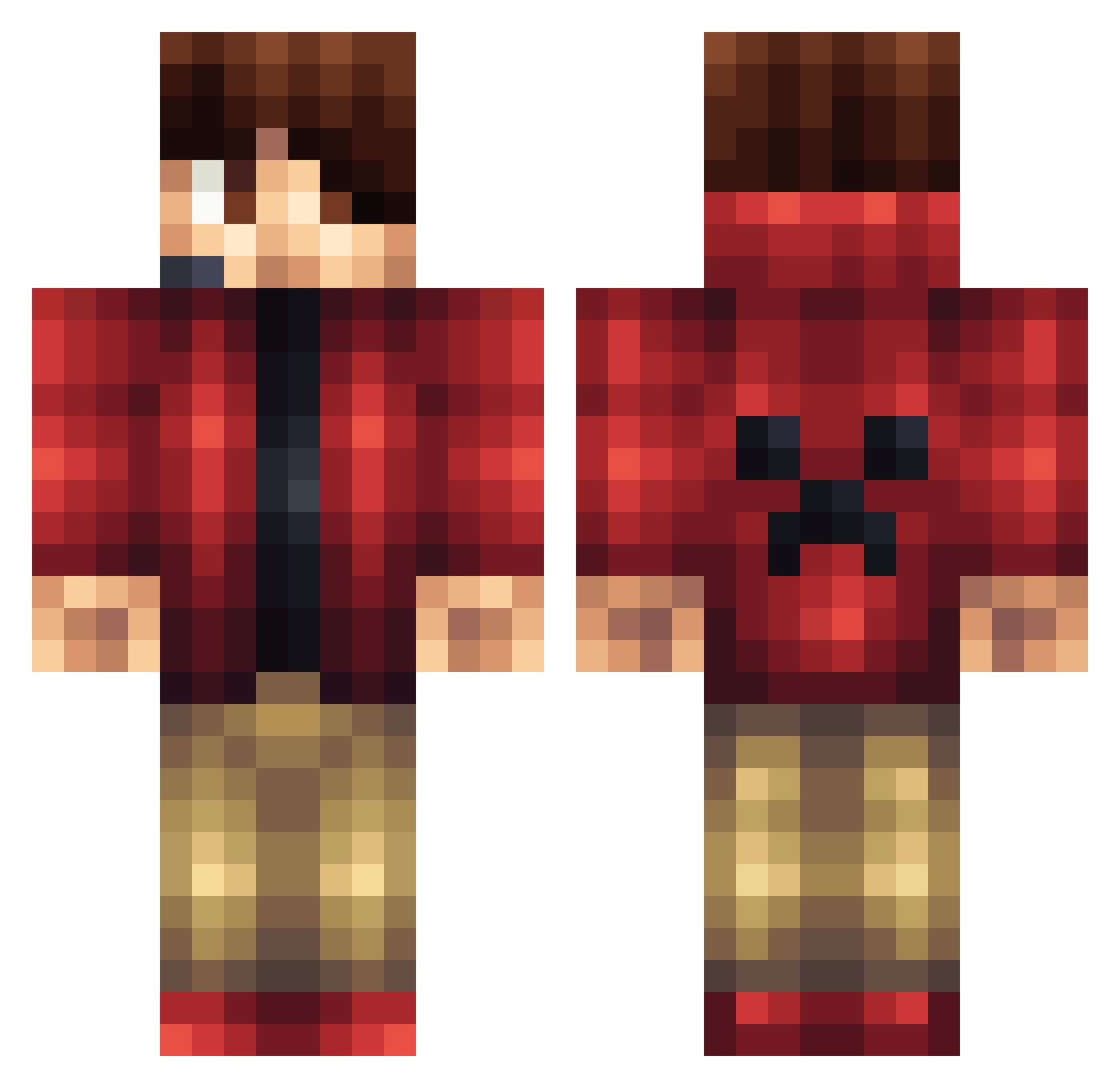
Current Minecraft skin of the player Kroodon, loaded from the official Mojang API. Rotate the 3D model with your mouse or finger, then download the skin as a PNG file and use it in Minecraft: Bedrock Edition or Java Edition for free. When Kroodon changes their skin, this page updates automatically and the old skin stays in the history below.
Other players with this skin (1428)
Kroodon was the 1414th player we have seen with this skin, first spotted on 18.11.2026. The same skin was seen on these players. Open a nickname to see their current skin and skin history.
 bailster91 Duk3HD BQH8 Athanasios Anauh_VS_Analise Sealerx Hamada08 nohhojen swindon2004 PlachttyCz Ryder0606 Mitsigun A_B_C_B_A Gadle dwilcoolguy Immugreidar Matt_msms CRAZY_CRASE Gothanks Micktip0605 DeadlyNeptune AraHd lugaleg Yo_Yo_Youri Kaibear_NIKHIL nadavdin SA1178 ralps12 benjaplayzz killner MS0414 Jonny1456 pcmaster1122 LPersell NikDiamond tacochap PyroticPhoenix1 Raleigh59 lindenluke nolancr8 monkey1706 TomahawkZombie16 jaydenrex Samme01Lindstrom johnyang1015 Afro_Jack252 CrisFlash _purpel01 wolfpack297 Ophinion beekkf HoopDudes POSKYIN kevmarjr EPIC__TITAN__ Wellbro17 GlobalWave johcar123 psychoman67 eirik1512
More Headset Minecraft skins
How to install the Kroodon skin
- Press the Download button above to save the skin as a PNG file.
- Minecraft: Bedrock Edition (PE): open the Dressing Room from the main menu (or tap your character → Edit Character), go to Classic Skins → Owned, press the + (new skin) button, choose the downloaded PNG and pick the Classic (Steve) model. Works on PC and mobile; consoles cannot import custom skins.
- Minecraft: Java Edition: open the Minecraft Launcher, go to the Skins tab, click New Skin, load the PNG, pick the Classic (Steve) model and press Save & Use. You can also upload it at minecraft.net → Profile → Change Skin.
The skin does not show up after import - what should I do?
Restart Minecraft and open the Dressing Room again - imported skins sometimes appear only after a restart. Also make sure you selected the imported skin and picked the Classic (Steve) model.
Which model should I choose, Classic or Slim?
This skin is designed for the Classic (Steve) model. If you pick the wrong model, the arms of the skin will look stretched or squeezed.
Is the skin of Kroodon free to download?
Yes. Press Download, save the PNG file and use it in Minecraft: Bedrock Edition or Java Edition - no payment or registration needed. The skin also works on multiplayer servers and Realms.
More skins
Looking for more? Go back to all Minecraft skins and check the top skins of the week, month and all time, or find any player's skin by nickname.