
KronePT - Minecraft Skins & Skin History
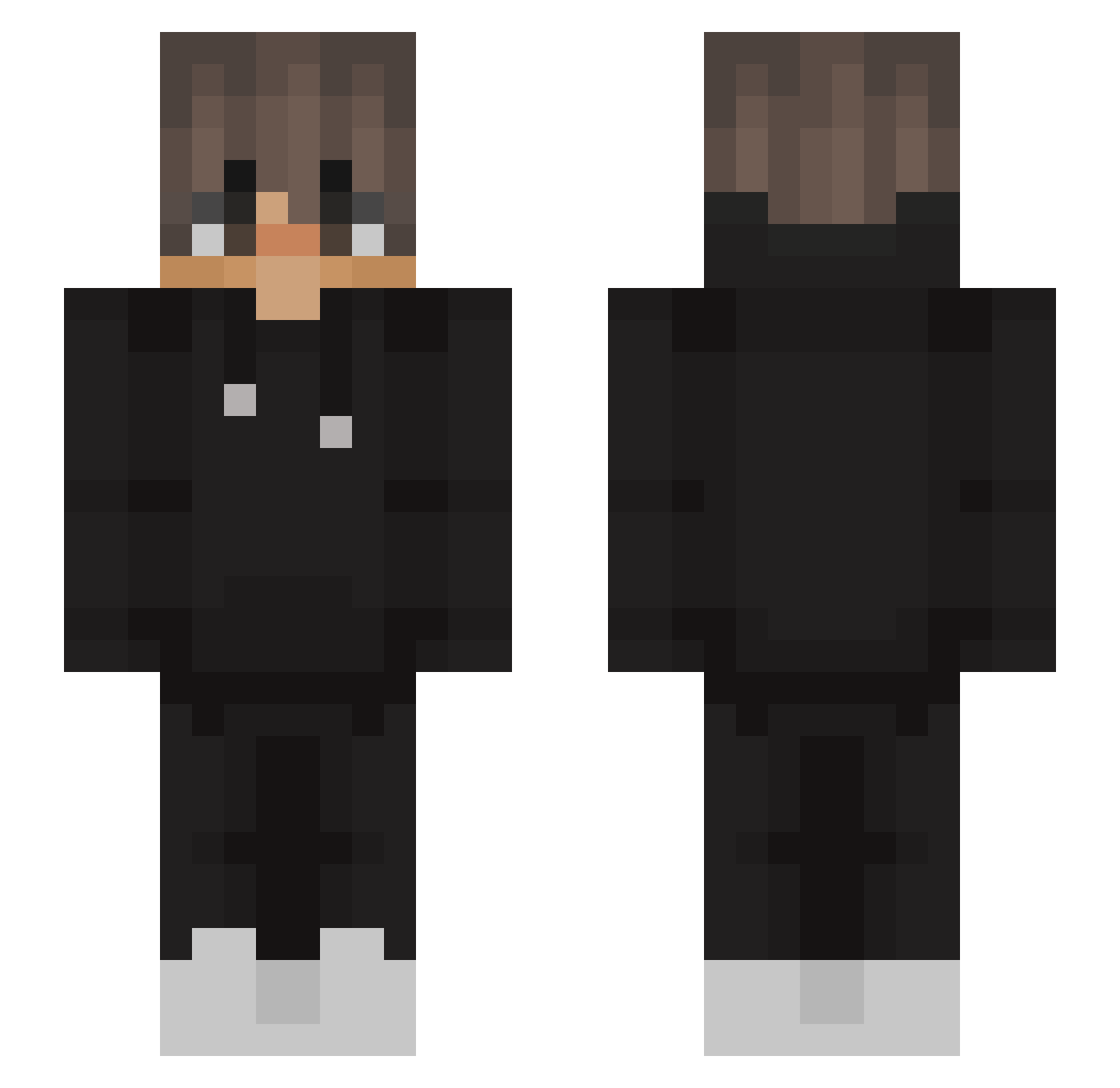
Current Minecraft skin of the player KronePT, loaded from the official Mojang API. Rotate the 3D model with your mouse or finger, then download the skin as a PNG file and use it in Minecraft: Bedrock Edition or Java Edition for free. When KronePT changes their skin, this page updates automatically and the old skin stays in the history below.
Other players with this skin (631)
KronePT was the 604th player we have seen with this skin, first spotted on 13.11.2026. The same skin was seen on these players. Open a nickname to see their current skin and skin history.
 akakenan 1uj BelloYannick DarkBapt95 Thexicheng kick734 dalbongnim Ilka_ zQFaazR REDMAN31 William7S7 qRadL Kratos2565 Aboodpic dark_iust DylanCocoa Siuwup LINGXINYAAA goodguyjack_ mozdm mcnugget29 Pat0591 Leonb385 _GommyTheBush_ yotamomer DesDiQuan Bartam19 NexFen__yt Deadmaax ImTrusteX LEODELIA Nick12106 ferzan kubi1212 GHoDxD Grzesiu156 Fynn34567 LilRich_e Eshena TonyOrf danielrdgz_ 3lyl7l JasiuG Minidudi ________123 Demitok To_Broken_GHG Tondys_ Tae_jungkook suola_makkara DaneyBob diee10 gucciange RSL2412 George_ggs LordgodZ_ beto175 pinkallice Zvbs Eng0810
More Streetwear Minecraft skins
How to install the KronePT skin
- Press the Download button above to save the skin as a PNG file.
- Minecraft: Bedrock Edition (PE): open the Dressing Room from the main menu (or tap your character → Edit Character), go to Classic Skins → Owned, press the + (new skin) button, choose the downloaded PNG and pick the Slim (Alex) model. Works on PC and mobile; consoles cannot import custom skins.
- Minecraft: Java Edition: open the Minecraft Launcher, go to the Skins tab, click New Skin, load the PNG, pick the Slim (Alex) model and press Save & Use. You can also upload it at minecraft.net → Profile → Change Skin.
The skin does not show up after import - what should I do?
Restart Minecraft and open the Dressing Room again - imported skins sometimes appear only after a restart. Also make sure you selected the imported skin and picked the Slim (Alex) model.
Which model should I choose, Classic or Slim?
This skin is designed for the Slim (Alex) model. If you pick the wrong model, the arms of the skin will look stretched or squeezed.
Is the skin of KronePT free to download?
Yes. Press Download, save the PNG file and use it in Minecraft: Bedrock Edition or Java Edition - no payment or registration needed. The skin also works on multiplayer servers and Realms.
More skins
Looking for more? Go back to all Minecraft skins and check the top skins of the week, month and all time, or find any player's skin by nickname.