
Kromerttyui - Minecraft Skins & Skin History
Current Minecraft skin of the player Kromerttyui, loaded from the official Mojang API. Rotate the 3D model with your mouse or finger, then download the skin as a PNG file and use it in Minecraft: Bedrock Edition or Java Edition for free. When Kromerttyui changes their skin, this page updates automatically and the old skin stays in the history below.
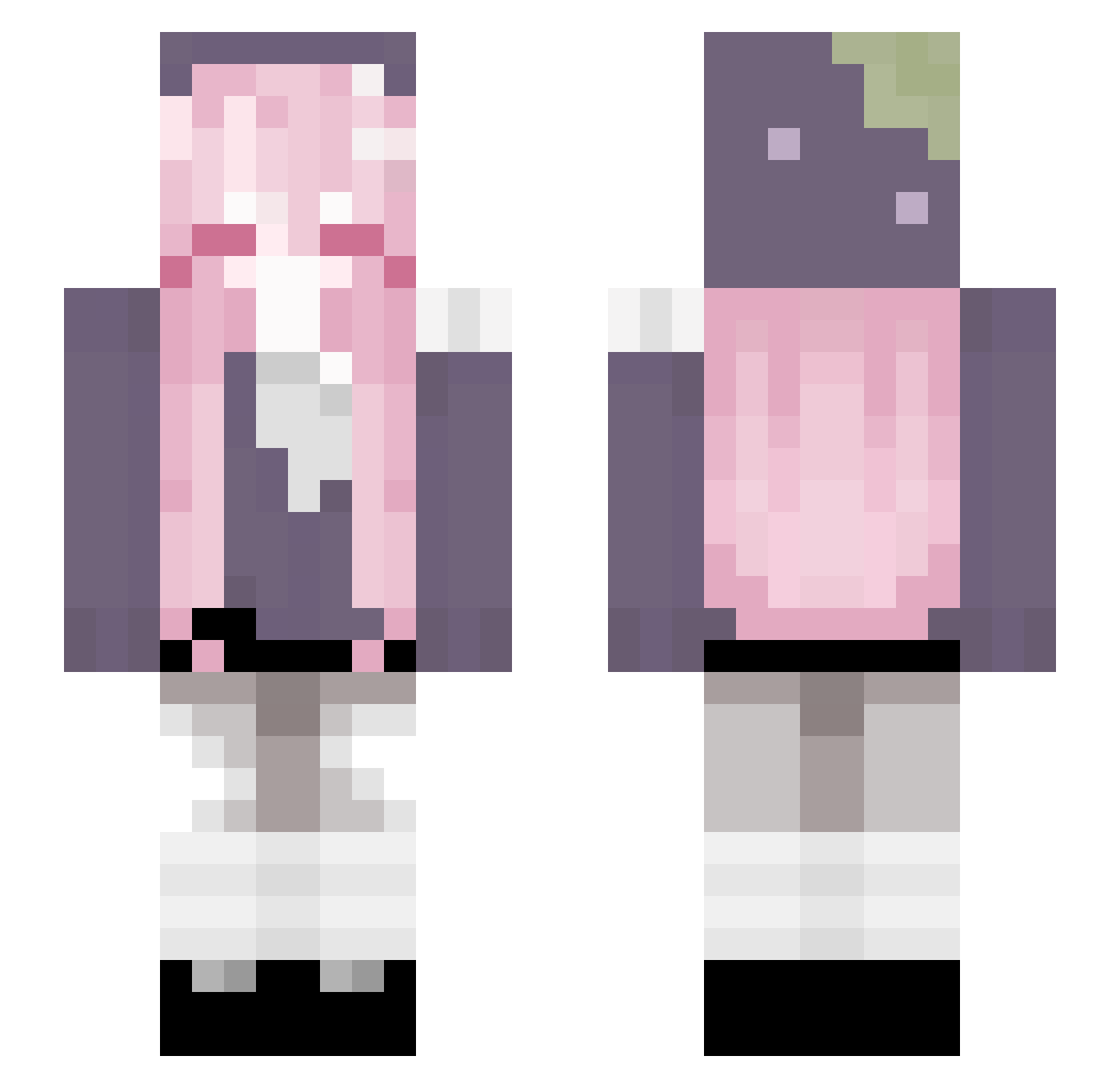
Other players with this skin (91)
Kromerttyui was the 62nd player we have seen with this skin, first spotted on 03.10.2026. The same skin was seen on these players. Open a nickname to see their current skin and skin history.
 M1SHHA C00KIEZZZ eunji0427 annokai AJZANE Nar_897 Bad_net atl44s GGamerKittyy mqriia _goth1c_ imBia S4kuraUwU Cyberleaff dlwngud0223 Shizu_07 Anhwyfar CattyMiapaw xTenshiDayox puddingyan mlkkkk ptwerq MistyRafa Equvial junikochan DenisVoro Flanria baZWw _cxzmic_ KyrillAzro _vervee m0rosk8 _Mooniaa_ czq1 yYuushi arianna4511 StevenRabbit5963 DrPink_33 Trinhle Minta12 RandomCrafting04 mcpjh Immpeachy BleedingMushroom yuehen2 Hestia1295 Yola17 Osekonda xkati_0 bpyan
 Not_Axo1 miktone kisarag12
 Qzey_ somasomaboo qflowers Kinnie_x Elli7855 pampersq Tunnna
More Pastel Minecraft skins
How to install the Kromerttyui skin
- Press the Download button above to save the skin as a PNG file.
- Minecraft: Bedrock Edition (PE): open the Dressing Room from the main menu (or tap your character → Edit Character), go to Classic Skins → Owned, press the + (new skin) button, choose the downloaded PNG and pick the Slim (Alex) model. Works on PC and mobile; consoles cannot import custom skins.
- Minecraft: Java Edition: open the Minecraft Launcher, go to the Skins tab, click New Skin, load the PNG, pick the Slim (Alex) model and press Save & Use. You can also upload it at minecraft.net → Profile → Change Skin.
The skin does not show up after import - what should I do?
Restart Minecraft and open the Dressing Room again - imported skins sometimes appear only after a restart. Also make sure you selected the imported skin and picked the Slim (Alex) model.
Which model should I choose, Classic or Slim?
This skin is designed for the Slim (Alex) model. If you pick the wrong model, the arms of the skin will look stretched or squeezed.
Is the skin of Kromerttyui free to download?
Yes. Press Download, save the PNG file and use it in Minecraft: Bedrock Edition or Java Edition - no payment or registration needed. The skin also works on multiplayer servers and Realms.
More skins
Looking for more? Go back to all Minecraft skins and check the top skins of the week, month and all time, or find any player's skin by nickname.