
KrisSnup_YT - Minecraft Skins & Skin History
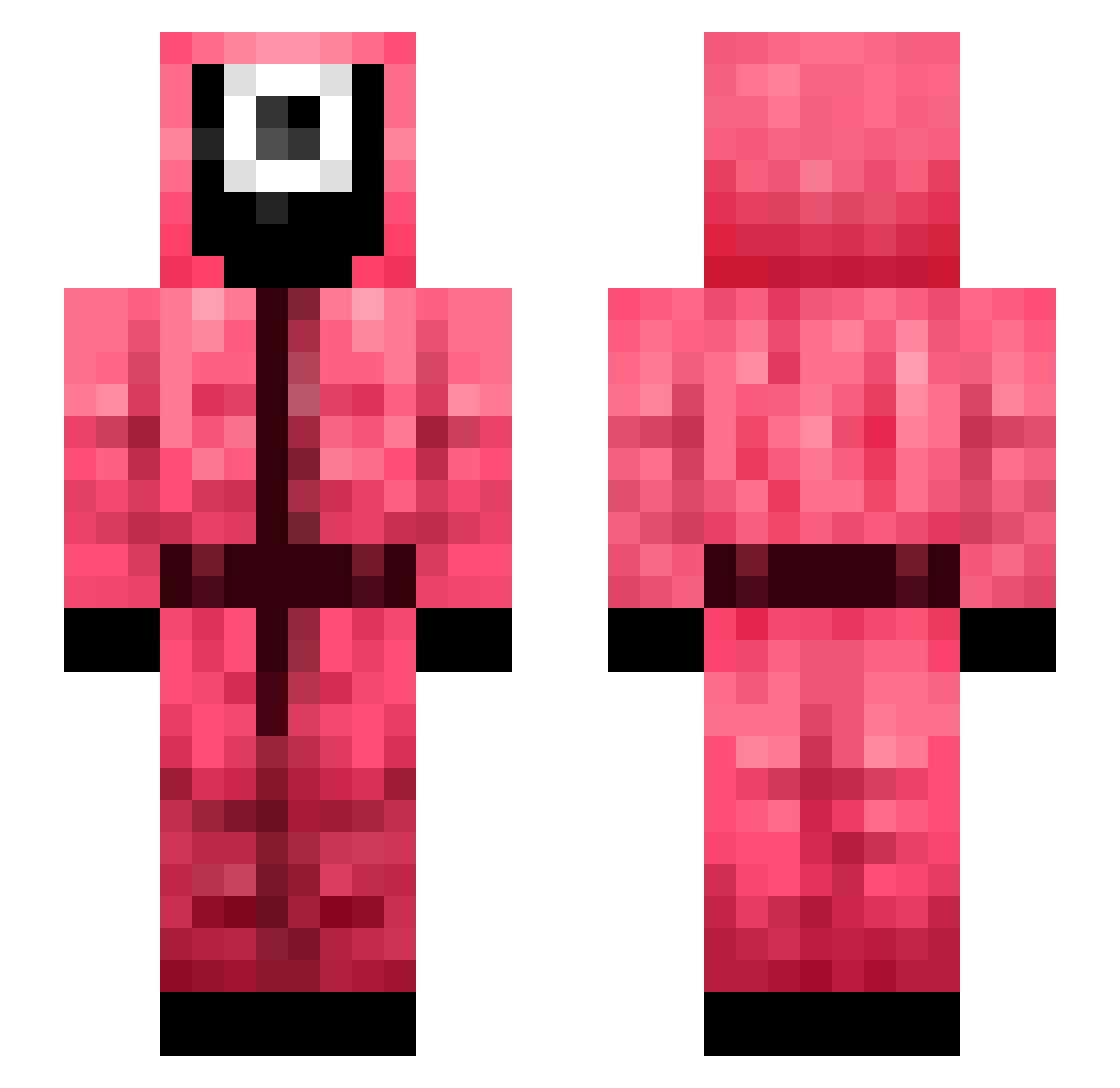
Current Minecraft skin of the player KrisSnup_YT, loaded from the official Mojang API. Rotate the 3D model with your mouse or finger, then download the skin as a PNG file and use it in Minecraft: Bedrock Edition or Java Edition for free. When KrisSnup_YT changes their skin, this page updates automatically and the old skin stays in the history below.
Other players with this skin (330)
KrisSnup_YT was the 213th player we have seen with this skin, first spotted on 26.09.2026. The same skin was seen on these players. Open a nickname to see their current skin and skin history.
 ripzR6 shiver395 liddytiddy69 sahrd Coxp zGaspo JeralRevil RealGriimm RasserC Dingers115 Tibbs30 Crunchie_Bear hellowawa Johnathan0001 staticcasttype metha31 qudtls007 kej0523 der_the0 meilyyyg SeekaHost MILITARY1430 aiai520 jaimebtc TheRussianMobb cesarpro0022 seryou MOMOxD_1234 darkpilled1 Da_Fash matskugysy12 Crafti_0 nxjulesnx zRapidz zazryo jhsjjmm santigamer823 sjh1013 jangyee godsla7 leejounghoo ItzChriz17 Sharrk_ dorkmanm _SweetnSour_ Chang_sick DontGetShrekt Botrex_ DinoJason qTRowLinK0 HNyroR dduddu123 Kulgg123 ShaDeHG guest_6592 Hwang2275 Maxintosh99 Arka101 GoblinKisser69 DIGNITY_JUN
More Guard Minecraft skins
How to install the KrisSnup_YT skin
- Press the Download button above to save the skin as a PNG file.
- Minecraft: Bedrock Edition (PE): open the Dressing Room from the main menu (or tap your character → Edit Character), go to Classic Skins → Owned, press the + (new skin) button, choose the downloaded PNG and pick the Slim (Alex) model. Works on PC and mobile; consoles cannot import custom skins.
- Minecraft: Java Edition: open the Minecraft Launcher, go to the Skins tab, click New Skin, load the PNG, pick the Slim (Alex) model and press Save & Use. You can also upload it at minecraft.net → Profile → Change Skin.
The skin does not show up after import - what should I do?
Restart Minecraft and open the Dressing Room again - imported skins sometimes appear only after a restart. Also make sure you selected the imported skin and picked the Slim (Alex) model.
Which model should I choose, Classic or Slim?
This skin is designed for the Slim (Alex) model. If you pick the wrong model, the arms of the skin will look stretched or squeezed.
Is the skin of KrisSnup_YT free to download?
Yes. Press Download, save the PNG file and use it in Minecraft: Bedrock Edition or Java Edition - no payment or registration needed. The skin also works on multiplayer servers and Realms.
More skins
Looking for more? Go back to all Minecraft skins and check the top skins of the week, month and all time, or find any player's skin by nickname.