
KralBalina - Minecraft Skins & Skin History
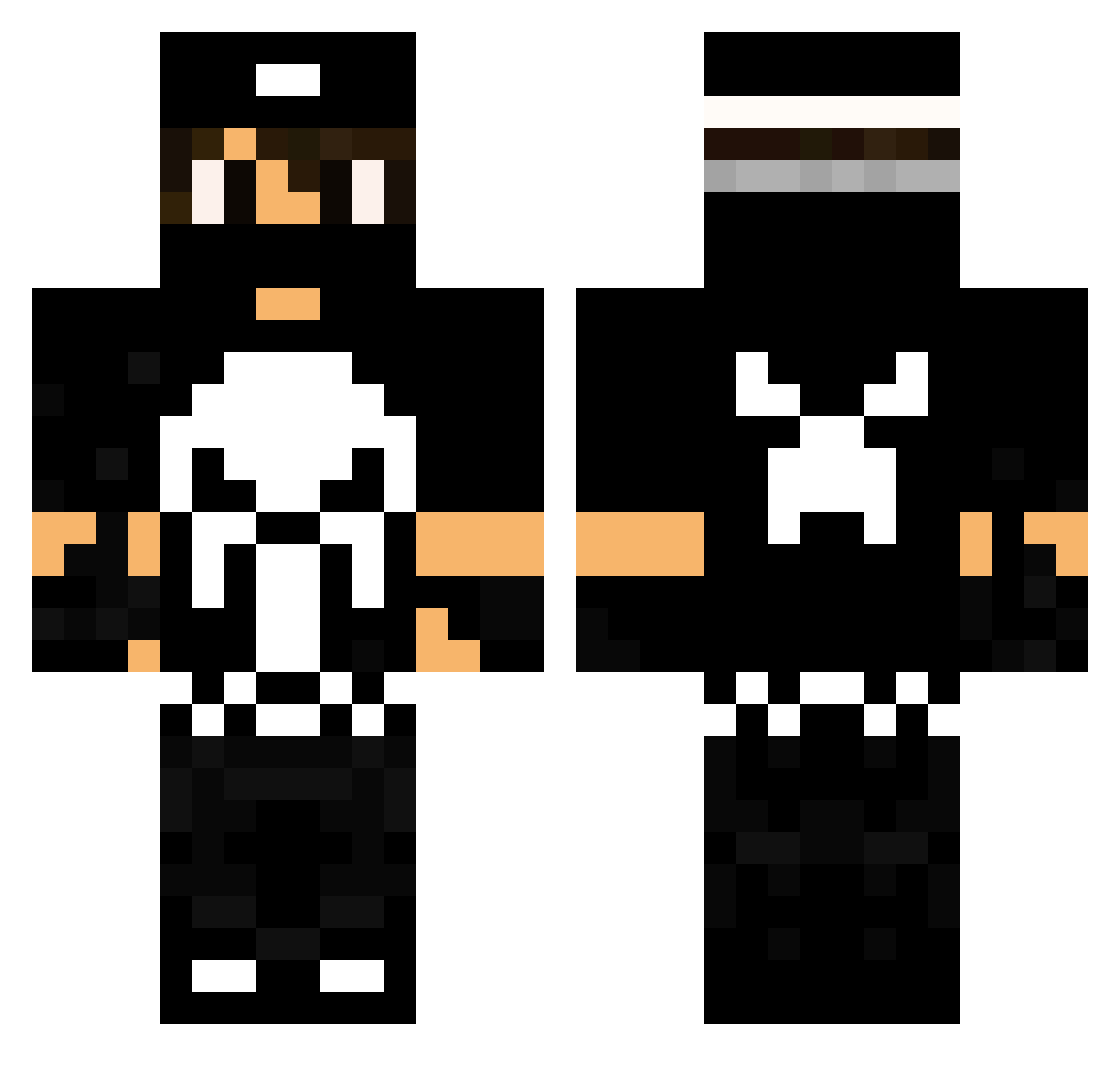
Current Minecraft skin of the player KralBalina, loaded from the official Mojang API. Rotate the 3D model with your mouse or finger, then download the skin as a PNG file and use it in Minecraft: Bedrock Edition or Java Edition for free. When KralBalina changes their skin, this page updates automatically and the old skin stays in the history below.
Other players with this skin (174)
KralBalina was the 82nd player we have seen with this skin, first spotted on 13.09.2026. The same skin was seen on these players. Open a nickname to see their current skin and skin history.
 SpoconyOskar ITIZI forsakane Teog01 Grawy777 BLACK_SKULL_171 6NoName6 SaadKing Honestinn Jaro_Dzik yandhoc TheManiackk SpixTwoX Raseno1 Chimaera0918 El_Fresh NikolaiK_ Vampirek2018x BeNcE013_ interstellar14 jakemana2 ChaosBewo ChuckDoorus AbellaDanger96 Gicuu ImortalSaw LeoMalta Vakeso TheSMecheRASul1 costy20 ilycaterpillow skyaam weinl1 tom122 Gamer_craftYT Yigitpro23 Safezz Barretasso X_GAMER_XD_X Rekyh SpeedRuner007 ChatBannAdolf Microsoftst0re culji cleanto0408 SnipKw JeSuisPlot TheKid_Volt Snoopy_BR wizymage Brummqualle CrispySizzle ArdaUysal64 Golon_ DarthBaku sugerhiman3 i5aldoun777 Agent_Ekorre Mrr_Mave _Verys_
More The Punisher Minecraft skins
See all 156 The Punisher skins
How to install the KralBalina skin
- Press the Download button above to save the skin as a PNG file.
- Minecraft: Bedrock Edition (PE): open the Dressing Room from the main menu (or tap your character → Edit Character), go to Classic Skins → Owned, press the + (new skin) button, choose the downloaded PNG and pick the Classic (Steve) model. Works on PC and mobile; consoles cannot import custom skins.
- Minecraft: Java Edition: open the Minecraft Launcher, go to the Skins tab, click New Skin, load the PNG, pick the Classic (Steve) model and press Save & Use. You can also upload it at minecraft.net → Profile → Change Skin.
The skin does not show up after import - what should I do?
Restart Minecraft and open the Dressing Room again - imported skins sometimes appear only after a restart. Also make sure you selected the imported skin and picked the Classic (Steve) model.
Which model should I choose, Classic or Slim?
This skin is designed for the Classic (Steve) model. If you pick the wrong model, the arms of the skin will look stretched or squeezed.
Is the skin of KralBalina free to download?
Yes. Press Download, save the PNG file and use it in Minecraft: Bedrock Edition or Java Edition - no payment or registration needed. The skin also works on multiplayer servers and Realms.
More skins
Looking for more? Go back to all Minecraft skins and check the top skins of the week, month and all time, or find any player's skin by nickname.